PAGE GUIDEWhat the page does and how to use it8 sections. Choose a role to highlight what matters to you.
Everyone
1What it is and why
What it is
A setup page where selected production control parameters are given site-specific values that override the company-wide parameters.
What you do here
Use this page to give a site its own settings for parameters such as ledger posting of picking lists, scheduling and journal names; sites without their own values fall back to the company parameters.
Example
For example, one site can post picking lists to the ledger while the other sites keep the company setting.
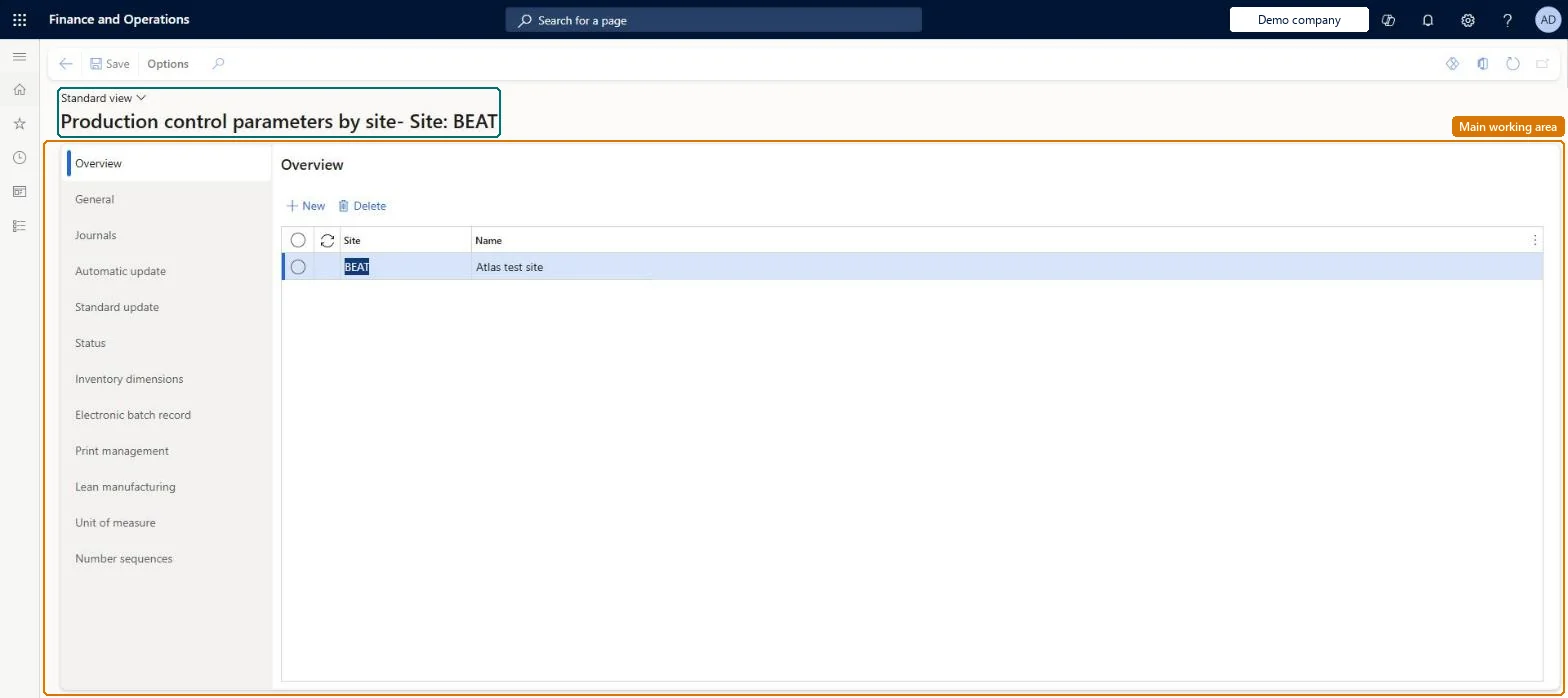
The page in Dynamics 365. page title tab to open what to set or check
About the examples: Examples and screenshots in this guide use BEAT, a demo company in a Dynamics 365 test environment. Use your own company's codes and values instead of copying them.
Setup steps on this page
Set up Production control parameters by site
Use this page to give a site its own settings for parameters such as ledger posting of picking lists, scheduling and journal names; sites without their own values fall back to the company parameters.
How to use it
Go to Production control > Setup > Production control parameters by site.
On the Overview tab, select New and choose the Site, or select the site in the list.
Open the General, Journals, Automatic update, Standard update, Status, Inventory dimensions, Electronic batch record, Print management, Lean manufacturing, Unit of measure or Number sequences tab to set the values for that site.
Select Save on the Action Pane, or Delete on the Overview tab to remove a site's parameters.
Keep the company-wide Production control parameters as the default and override by site only the settings that genuinely differ, such as Post picking list in ledger or Post report as finished in ledgerLearn describes these two ledger flags as company parameters that you can override for a specific site on this page, and notes that multisite companies may want different production parameters per site.
Turning off Post picking list in ledger or Post report as finished in ledger for a site without telling Finance. For that site, picking list and report-as-finished journals no longer post the estimated WIP vouchers, so WIP in the ledger differs from other sites.Test: Site override of picking list ledger posting
Reversible: Changes apply to production journals posted afterwards for that site. Posted picking list and report-as-finished vouchers are not reposted. Microsoft Learn
If you change it later
Only parameters that can be set by site are available here; company-only parameters cannot be changed per site, and site values only take effect when Parameter usage is set to By site. Microsoft Learn
Technical architect
6Technical
Menu item
ProdParametersSiteChecked in Dynamics 365
Form
ProdParametersChecked in Dynamics 365
Table
InventDimShown as “INVENTORY DIMENSIONS” in Record infoKey field: inventDimIdChecked in Dynamics 365
Who can open it
PrivilegesMaintain production parameters by site ProdParametersSiteMaintainView parameters by site ProdParametersSiteViewDutiesInquire into production policies ProdProductionPoliciesInquireEnable production process ProdProductionProcessEnable2 security rolesProduction manager ProdProductionManagerProcess engineering manager RouteProcessEngineeringManagerChecked in Dynamics 365
Roles to set it up and use it
To set it up or change itProduction manager ProdProductionManagerProcess engineering manager RouteProcessEngineeringManagerGive people one of these roles. On this system, 2 roles can open this page.Checked in Dynamics 365