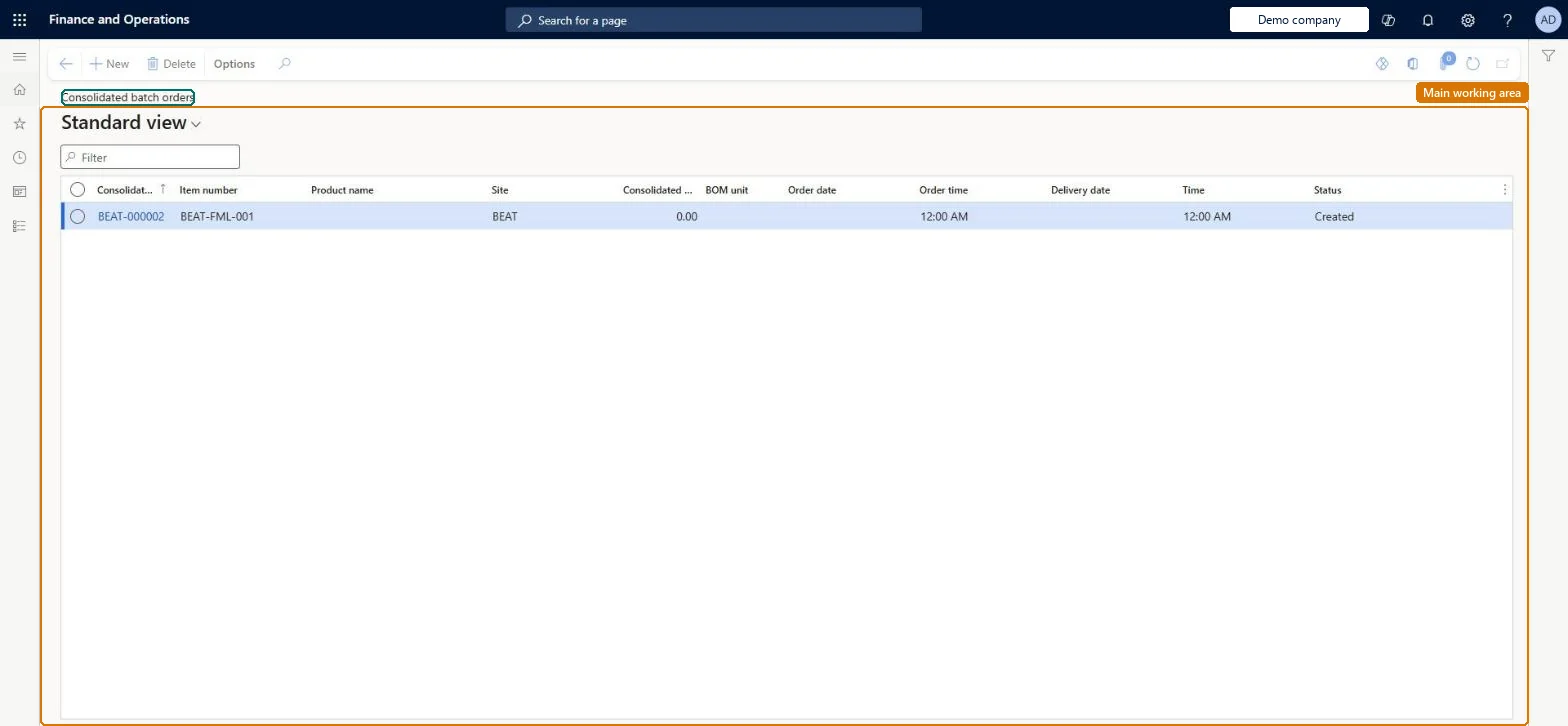
A list page for consolidated batch orders, each of which groups a bulk item batch order with the packed item batch orders that consume the same bulk item.
Shop supervisor, Production manager, Production supervisor and 2 more roles
Business process
Create a consolidated batch order in Dynamics 365 Supply Chain Management
Menu item
PmfConsOrderListPage
Main table
PmfConsOrd
Show what matters for
PAGE GUIDEWhat the page does and how to use it7 sections. Choose a role to highlight what matters to you.
Everyone
1What it is and why
What it is
A list page for consolidated batch orders, each of which groups a bulk item batch order with the packed item batch orders that consume the same bulk item.
What you do here
Use this page to create a consolidated batch order, add bulk and packed batch orders to it, and see the whole group in one place so that remaining work is clear.
Example
For example, a process manufacturer groups one batch order that makes a bulk liquid with the packed orders that fill it into bottles, and firms them together.
The page in Dynamics 365. page title tab to open what to set or check
About the examples: Examples and screenshots in this guide use BEAT, a demo company in a Dynamics 365 test environment. Use your own company's codes and values instead of copying them.
Steps from Microsoft
Go to Production control > Production orders > Consolidated batch orders.
Select New to create a consolidated batch order.
In the Bulk orders pane, select Functions > Add to consolidated batch order and pick the bulk order.
In the Packed orders pane, select Functions > Add to consolidated batch order and pick the packed orders.
Select Functions > Update consolidated batch order to refresh the header quantities.
Firming a consolidated batch order firms all its bulk and packed planned orders at once; firm orders separately if you need produced quantities to be fully consumed. Microsoft Learn
Technical architect
5Technical
Menu item
PmfConsOrderListPageChecked in Dynamics 365
Form
PmfConsOrderListPageChecked in Dynamics 365
Table
PmfConsOrdShown as “CONSOLIDATED BATCH ORDERS” in Record infoChecked in Dynamics 365
Who can open it
PrivilegesView consolidated batch orders PmfConsOrderViewDutiesInquire into production orders ProdProductionOrderProgressInquire5 security rolesShop supervisor JmgShopSupervisorProduction manager ProdProductionManagerProduction supervisor ProdProductionSupervisorProject manager ProjProjectManagerProduction planner ReqProductionPlannerChecked in Dynamics 365
Roles to set it up and use it
To use itProduction supervisor ProdProductionSupervisorProduction manager ProdProductionManagerShop supervisor JmgShopSupervisorProduction planner ReqProductionPlannerProject manager ProjProjectManagerGive people one of these roles. On this system, 5 roles can open this page.Checked in Dynamics 365