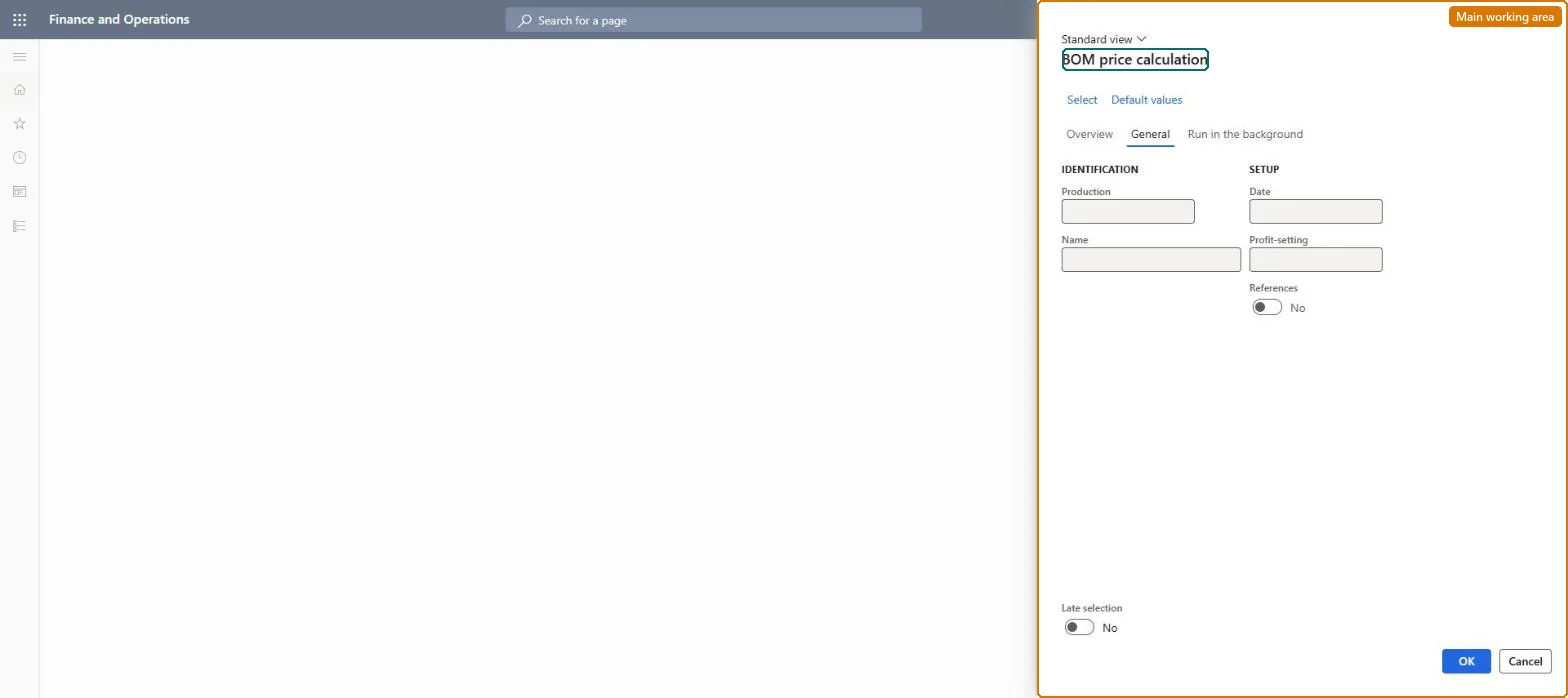
A periodic dialog where you run bill of materials (BOM) calculations that roll up the cost, and optionally the suggested sales price, of manufactured items into a costing version.
PAGE GUIDEWhat the page does and how to use it7 sections. Choose a role to highlight what matters to you.
Everyone
1What it is and why
What it is
A periodic dialog where you run bill of materials (BOM) calculations that roll up the cost, and optionally the suggested sales price, of manufactured items into a costing version.
What you do here
Use this page to calculate the cost of manufactured items and create item cost records in a costing version, and to calculate suggested sales prices for them.
Example
For example, after correcting the cost of a purchased item you calculate the cost of every manufactured item whose BOM version contains that item as a component.
The page in Dynamics 365. page title tab to open what to set or check
About the examples: Examples and screenshots in this guide use BEAT, a demo company in a Dynamics 365 test environment. Use your own company's codes and values instead of copying them.
When to run it
When to run it
When the cost and suggested sales price of production orders must be recalculated, for example after cost or profit setting changes.
How often
On demand, or as a recurring batch with Late selection when orders are added continuously.
Batch settings
Schedule it in the background with Late selection when many orders are calculated.
What the output shows
Calculated cost and suggested sales price for each selected order, based on its components, routing operations and indirect costs with the profit percentages of the chosen profit setting. A sales price that looks off usually points to the profit-setting percentages on the cost groups.
Go to Production control > Periodic tasks > Update costs > BOM price calculation.
Select Select to choose the production orders to calculate, or Default values to reset the dialog.
On the General tab, set the Date and the Profit-setting; the profit setting picks which set of profit percentages (Standard, Profit 1, Profit 2 or Profit 3) is used for the suggested sales price.
Choose whether References are calculated as well, and set Late selection to Yes when the calculation runs as a recurring batch so the orders are selected at run time.
Open the calculated orders and review the calculated cost and sales price on their price calculation.
The costing version that receives the calculated cost records; it also sets the policies the calculation must follow.Microsoft Learn
BOM version
The BOM version to calculate from; the active version is used by default but an approved version can be chosen.Microsoft Learn
Calculation quantity
The quantity the calculation is based on; the item's standard order quantity by default.Microsoft Learn
Calculation date
The date the calculation applies to; a future date decides which pending cost records are used.Microsoft Learn
Explosion mode
How far down the BOM the calculation explodes; single-level, multilevel, make-to-order or by BOM line type.Microsoft Learn
Profit setting
The set of profit percentages used when a sales price is calculated.Microsoft Learn
Fallback principle
Where to find a cost when the costing version has none: nowhere, the active cost, or another costing version.Microsoft Learn
Solution architect
4Design impact
Can it be undone
Yes, by running it again: Correct the BOM, route or profit setting and run the calculation again to replace the result. Microsoft Learn
If you change it later
Updates the calculated cost and sales price of the selected production orders; it posts nothing to inventory or the ledger. Microsoft Learn
Technical architect
5Technical
Menu item
action:ProdBOMCalcChecked in Dynamics 365
Form
ProdParmBOMCalcChecked in Dynamics 365
Roles to set it up and use it
To use itProduction supervisor ProdProductionSupervisorGive people one of these roles. On this system, 1 role can run this page.Checked in Dynamics 365