End production and use approximate costs (backflush costing) in Dynamics 365 Supply Chain Management
Menu item
LeanCosting
Main table
LeanCosting
Show what matters for
PAGE GUIDEWhat the page does and how to use it7 sections. Choose a role to highlight what matters to you.
Everyone
1What it is and why
What it is
A periodic task page where you run backflush costing for the production flows of lean manufacturing and review the results of each calculation period.
What you do here
Use this page to value the work in progress of production flows at the end of a period and calculate the variances of material, labor and indirect costs.
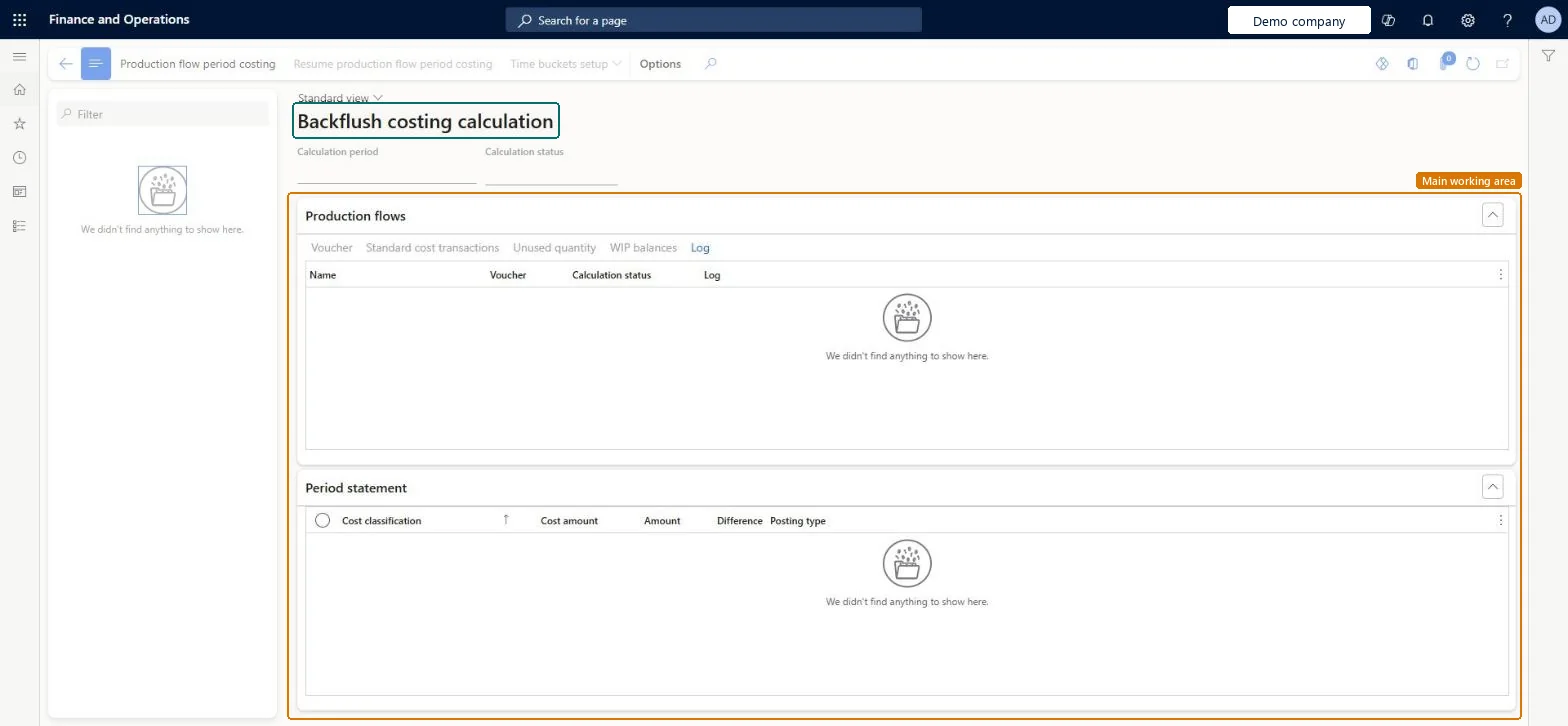
The page in Dynamics 365. page title tab to open what to set or check
About the examples: Examples and screenshots in this guide use BEAT, a demo company in a Dynamics 365 test environment. Use your own company's codes and values instead of copying them.
How to use it
Go to Production control > Periodic tasks > Update costs > Backflush costing calculation.
On the Action Pane, select Production flow period costing.
Select a calculation in the list pane and review its Calculation period and Calculation status.
On the Production flows FastTab, review the Voucher, Calculation status and Log of each production flow, and use Voucher, Standard cost transactions, Unused quantity, WIP balances and Log for more detail.
On the Period statement FastTab, review the Cost classification, Cost amount, Amount, Difference and Posting type of each line.
Source: Checked in Dynamics 365
Fields on the page
Field
What it means
Unused quantity
Shows the quantities that were still unused in the production flow on the date of the costing run.Microsoft Learn
Test checklist
Check every product in the production flow uses a Standard cost item model group and has an active standard cost
Check WIP accounts on the production group and a cost category on each work cell's run time
Run backflush costing with an end date in the past
Open Unused quantities for the run and check the quantities left in the flow
Check the variances were posted to the variance accounts by cost group
Hard to reverse: After backflush costing runs for an end date you can't post new transactions to that date, and the run posts variances to the variance accounts. Learn describes no way to undo a run, so never run it for the current date before the day is over. Microsoft Learn
If you change it later
After a backflush costing calculation has been run for a date, new transactions can't be posted to that date. Do not run it for the current date before the day is over. Microsoft Learn
Technical architect
5Technical
Menu item
LeanCostingChecked in Dynamics 365
Form
LeanCostingChecked in Dynamics 365
Table
LeanCostingShown as “BACKFLUSH COSTING CALCULATION” in Record infoChecked in Dynamics 365
Roles to set it up and use it
To set it up or change itInventory accountant InventCostAccountantTo use itInventory accountant clerk InventCostCostClerkAccounting manager LedgerAccountingManagerGive people one of these roles. On this system, 3 roles can open this page.Checked in Dynamics 365
Actions on the page
(Action Pane without tabs): Production flow period costing, Resume production flow period costing, Time buckets setupChecked in Dynamics 365