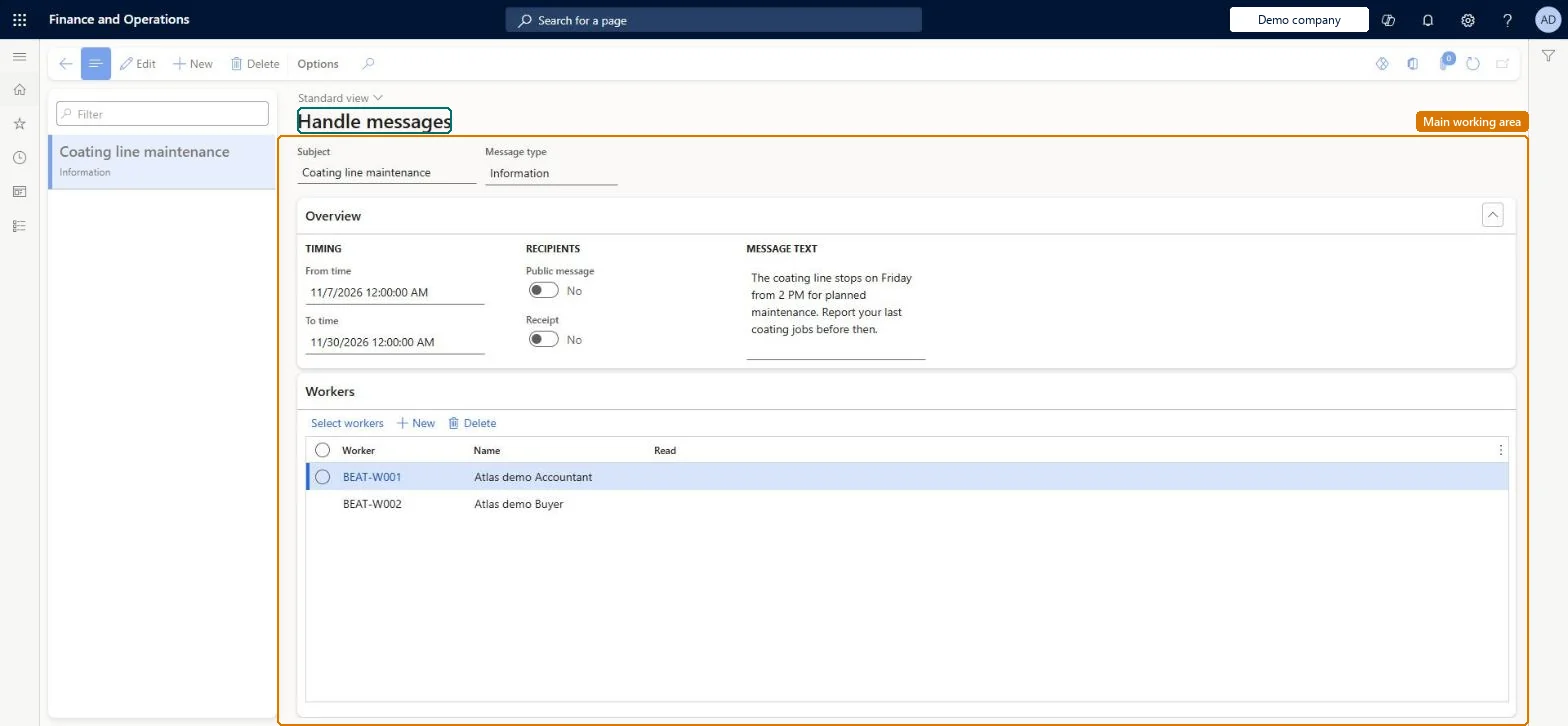
A page where a supervisor writes messages that are shown to all workers, to selected workers or on selected terminals when they sign in to register on jobs.
Manager, Shop supervisor, Production manager and 2 more roles
Business process
Creating shifts and notify workers in Dynamics 365 Supply Chain Management
Menu item
JmgBulletinBoardPC
Main table
JmgBulletinBoard
Show what matters for
PAGE GUIDEWhat the page does and how to use it7 sections. Choose a role to highlight what matters to you.
Everyone
1What it is and why
What it is
A page where a supervisor writes messages that are shown to all workers, to selected workers or on selected terminals when they sign in to register on jobs.
What you do here
Use this page to create, edit or delete messages for shop-floor workers, choose who receives them, set the dates between which they are shown and, if needed, require workers to confirm they have read them.
Example
For example, a supervisor posts a notice about a changed shift pattern to every worker and requires each one to confirm that they have read it.
The page in Dynamics 365. page title tab to open what to set or check
About the examples: Examples and screenshots in this guide use BEAT, a demo company in a Dynamics 365 test environment. Use your own company's codes and values instead of copying them.
Steps from Microsoft
Go to Production control > Manufacturing execution > Handle messages.
Select New to create a message.
Enter the Subject, the From time and the To time.
Enter the message text in the Information field and pick a Message type.
Either select Public message for all workers, or on the Recipients tab use Select workers or Select terminals to build a query.
Select Receipt if workers must confirm they have read the message.
JmgBulletinBoardShown as “NOTICE BOARD” in Record infoChecked in Dynamics 365
Who can open it
PrivilegesMaintain bulletin board messages JmgBulletinBoardMaintainView bulletin board messages JmgBulletinBoardViewDutiesInquire into manufacturing execution progress JmgManufacturingExecutionProgressInquirMaintain messages JmgNoticeBoardMaintainInquire into time and attendance progress JmgTimeAttendanceProgressInquire5 security rolesManager HcmManagerShop supervisor JmgShopSupervisorProduction manager ProdProductionManagerProduction supervisor ProdProductionSupervisorProduction planner ReqProductionPlannerChecked in Dynamics 365
Roles to set it up and use it
To set it up or change itProduction supervisor ProdProductionSupervisorTo use itProduction manager ProdProductionManagerShop supervisor JmgShopSupervisorProduction planner ReqProductionPlannerManager HcmManagerGive people one of these roles. On this system, 5 roles can open this page.Checked in Dynamics 365