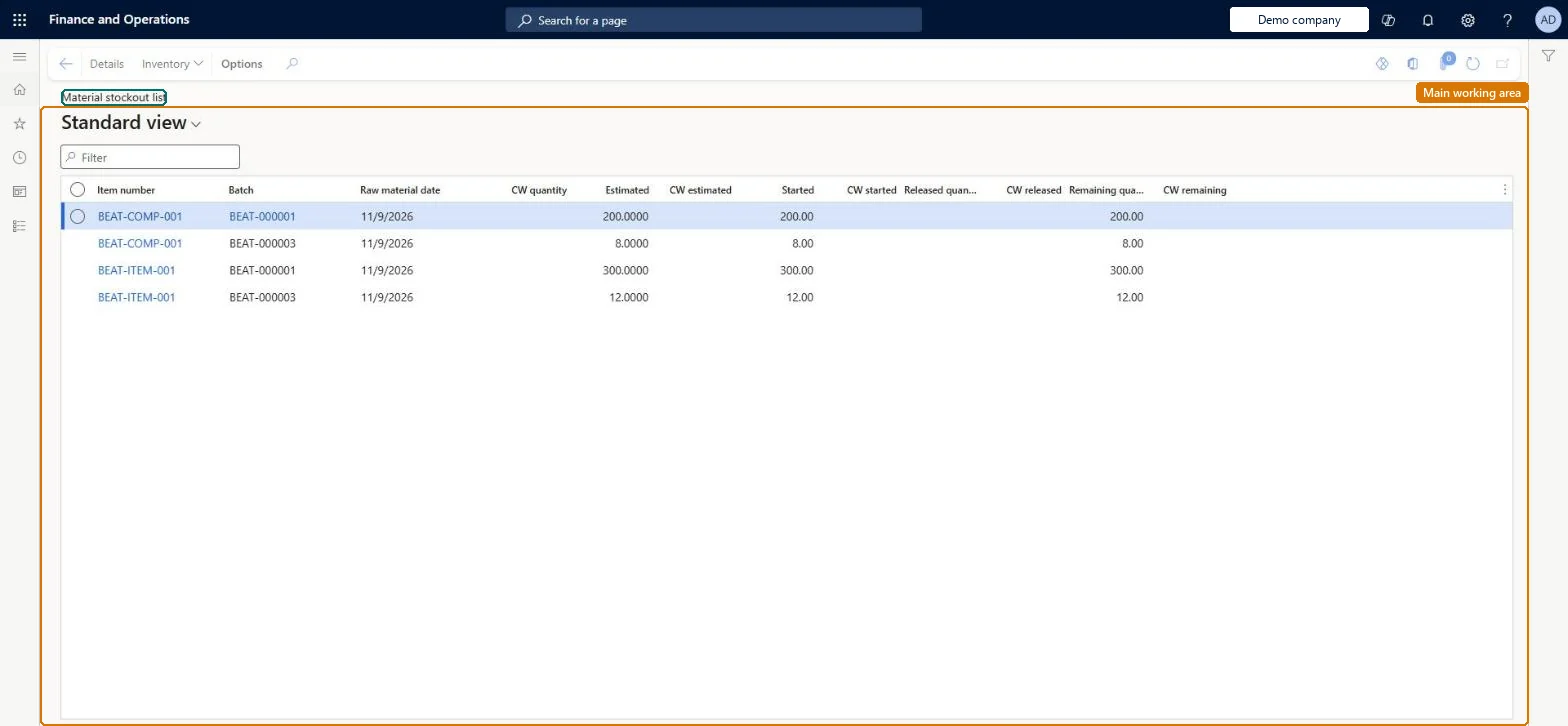
An inquiry that lists formula lines of batch orders whose materials are scheduled for consumption but have not yet been fully issued, including catch weight quantities.
PAGE GUIDEWhat the page does and how to use it7 sections. Choose a role to highlight what matters to you.
Everyone
1What it is and why
What it is
An inquiry that lists formula lines of batch orders whose materials are scheduled for consumption but have not yet been fully issued, including catch weight quantities.
What you do here
Use this page to check which materials batch orders are still waiting for, with the raw material date and the estimated, started, released and remaining quantities in both the formula unit and catch weight units.
Example
For example, a process planner checks which ingredients for next week's batches still have a remaining quantity to release.
The page in Dynamics 365. page title tab to open what to set or check
About the examples: Examples and screenshots in this guide use BEAT, a demo company in a Dynamics 365 test environment. Use your own company's codes and values instead of copying them.
How to use it
Go to Production control > Inquiries and reports > Material stockout list for batch orders.
Type in the Filter box to narrow the list by item number or batch order.
Read the formula lines of batch orders that are not yet fully issued.
Select a line and select Details on the Action Pane to open the formula line, or Inventory to see the item's on-hand and transactions.
ProdBOMShown as “PRODUCTION BOM” in Record infoChecked in Dynamics 365
Data entities
ProdBatchOrderFormulaLineEntityBatch order formula lines Microsoft data model ProdProductionOrderBillOfMaterialsLineEntityProduction bill of materials lines Microsoft data model
Who can open it
PrivilegesMaintain formula overview PmfProdBOMFormulaOverviewMaintainDutiesMaintain BOM master BOMBillsOfMaterialsMasterMaintain2 security rolesProduct designer BOMProductDesignerProcess engineer RouteProcessEngineerChecked in Dynamics 365
Roles to set it up and use it
To set it up or change itProcess engineer RouteProcessEngineerProduct designer BOMProductDesignerGive people one of these roles. On this system, 2 roles can open this page.Checked in Dynamics 365
Actions on the page
(Action Pane without tabs): Details, InventoryChecked in Dynamics 365