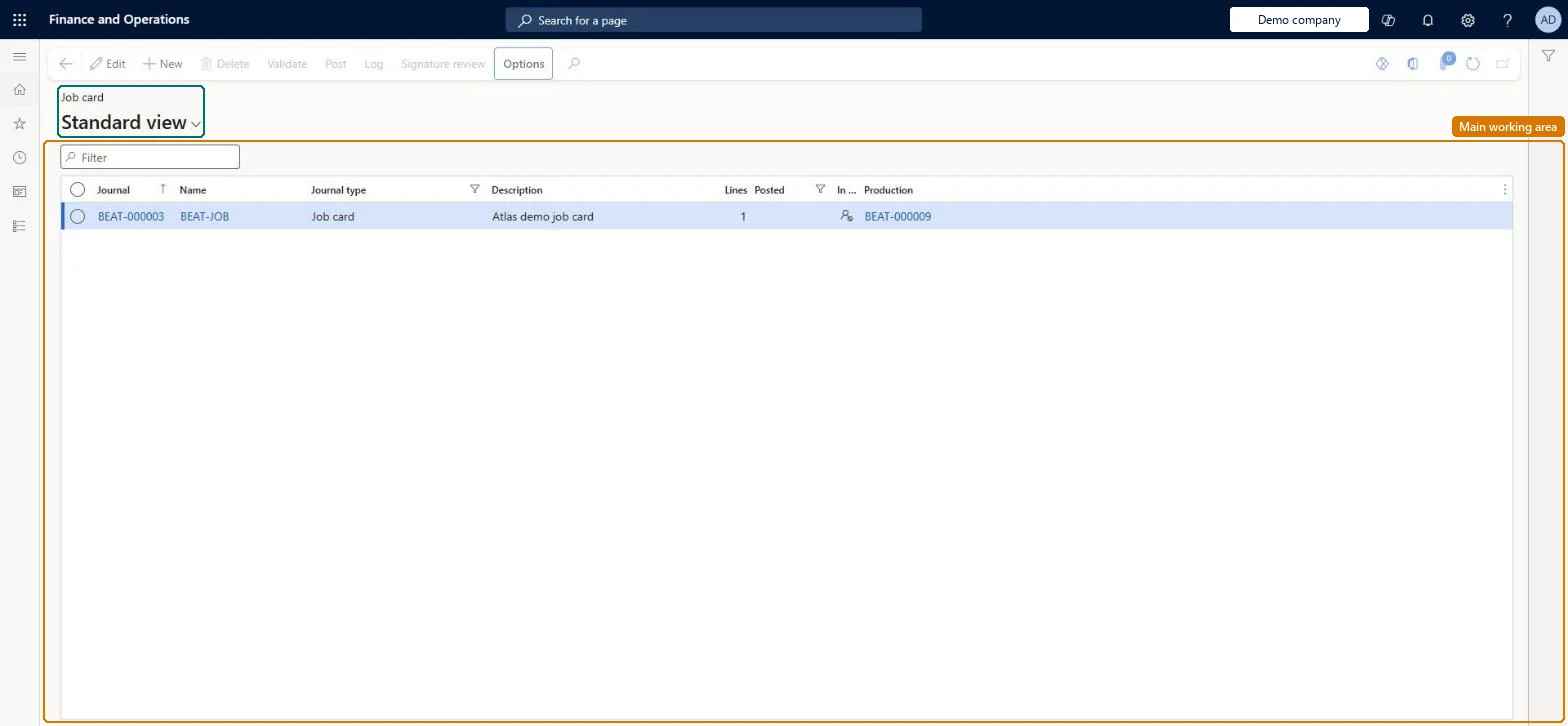
A production journal that reports time and quantities per scheduled job (with start and end times and the worker) for a production order that has been job scheduled.
Chief executive officer, Machine operator, Shop supervisor and 4 more roles
Business process
Consume resources manually using the job card journal in Dynamics 365 Supply Chain Management
Menu item
ProdJournalTableJobCard
Main table
ProdJournalTable
Data entity
ProdJobCardProductionJournalEntryEntity
Show what matters for
PAGE GUIDEWhat the page does and how to use it7 sections. Choose a role to highlight what matters to you.
Everyone
1What it is and why
What it is
A production journal that reports time and quantities per scheduled job (with start and end times and the worker) for a production order that has been job scheduled.
What you do here
Use this page to record detailed resource consumption per job, including the worker, start and end times, hours, good and error quantities, and to mark jobs and operations as finished.
Example
For example, a planner enters the start and end time a worker spent on a process job so that efficiency and scrap can be followed up per worker.
The page in Dynamics 365. page title tab to open what to set or check
About the examples: Examples and screenshots in this guide use BEAT, a demo company in a Dynamics 365 test environment. Use your own company's codes and values instead of copying them.
Steps from Microsoft
Go to Production control > Adjustments > Job card.
Select New and choose the journal Name.
Select the Production order.
Select Lines and add a line per job (Job identification, Resource, Worker).
Enter Start time and End time or Hours, plus Good quantity and Error quantity; tick End when the job is finished.
Posting a job card posts the time and quantities to the ledger and recalculates the production order's actual cost; when BOM consumption is selected it also generates and posts a picking list. Microsoft Learn
Technical architect
5Technical
Menu item
ProdJournalTableJobCardChecked in Dynamics 365
Form
ProdJournalTransJobChecked in Dynamics 365
Table
ProdJournalTableShown as “PRODUCTION JOURNAL TABLE” in Record infoChecked in Dynamics 365
Data entities
ProdJobCardProductionJournalEntryEntityJob card production journal entries Checked in Dynamics 365
Who can open it
PrivilegesMaintain production journals ProdJournalTableMaintainView production journals ProdJournalTableViewDutiesMaintain production order completion ProdProductionOrderCompletionMaintainMaintain production order feedback ProdProductionOrderFeedbackMaintainInquire into production orders ProdProductionOrderProgressInquireReview production process ProdProductionProcessPerformanceReview7 security rolesChief executive officer CompanyChiefExecutiveOfficerMachine operator JmgMachineOperatorShop supervisor JmgShopSupervisorProduction manager ProdProductionManagerProduction supervisor ProdProductionSupervisorProject manager ProjProjectManagerProduction planner ReqProductionPlannerChecked in Dynamics 365
Roles to set it up and use it
To set it up or change itProduction supervisor ProdProductionSupervisorShop supervisor JmgShopSupervisorMachine operator JmgMachineOperatorTo use itProduction manager ProdProductionManagerProduction planner ReqProductionPlannerProject manager ProjProjectManagerChief executive officer CompanyChiefExecutiveOfficerGive people one of these roles. On this system, 7 roles can open this page.Checked in Dynamics 365
Actions on the page
(Action Pane without tabs): Validate, Post, Log, Signature reviewChecked in Dynamics 365