A periodic task that finds obsolete released products and product variants and assigns them a new product lifecycle state, either as a simulation or as an update.
Prevent transactions for a product in Dynamics 365 Supply Chain Management
Menu item
action:EcoResReleasedProductInactivator
Show what matters for
PAGE GUIDEWhat the page does and how to use it7 sections. Choose a role to highlight what matters to you.
Everyone
1What it is and why
What it is
A periodic task that finds obsolete released products and product variants and assigns them a new product lifecycle state, either as a simulation or as an update.
What you do here
Use this task to identify products that have no demand within a period and no master data that can result in demand, review the simulation results, and then set the obsolete lifecycle state on them.
The page in Dynamics 365. page title tab to open what to set or check
About the examples: Examples and screenshots in this guide use BEAT, a demo company in a Dynamics 365 test environment. Use your own company's codes and values instead of copying them.
When to run it
When to run it
When you clean up the product range, after demand and master data have been reviewed. Run all analyses and updates in the same legal entity.
How often
On demand, for example as part of a periodic product range review.
Batch settings
Run the simulation and the update in batch when many products are involved, outside the most active working hours.
What the output shows
On Product lifecycle state maintenance history, the products and variants found to be obsolete: no recent transactions, no open orders, no forecast, no minimum stock, no kanban rules and no use in an active BOM. Too many products found usually means the day values are too short.
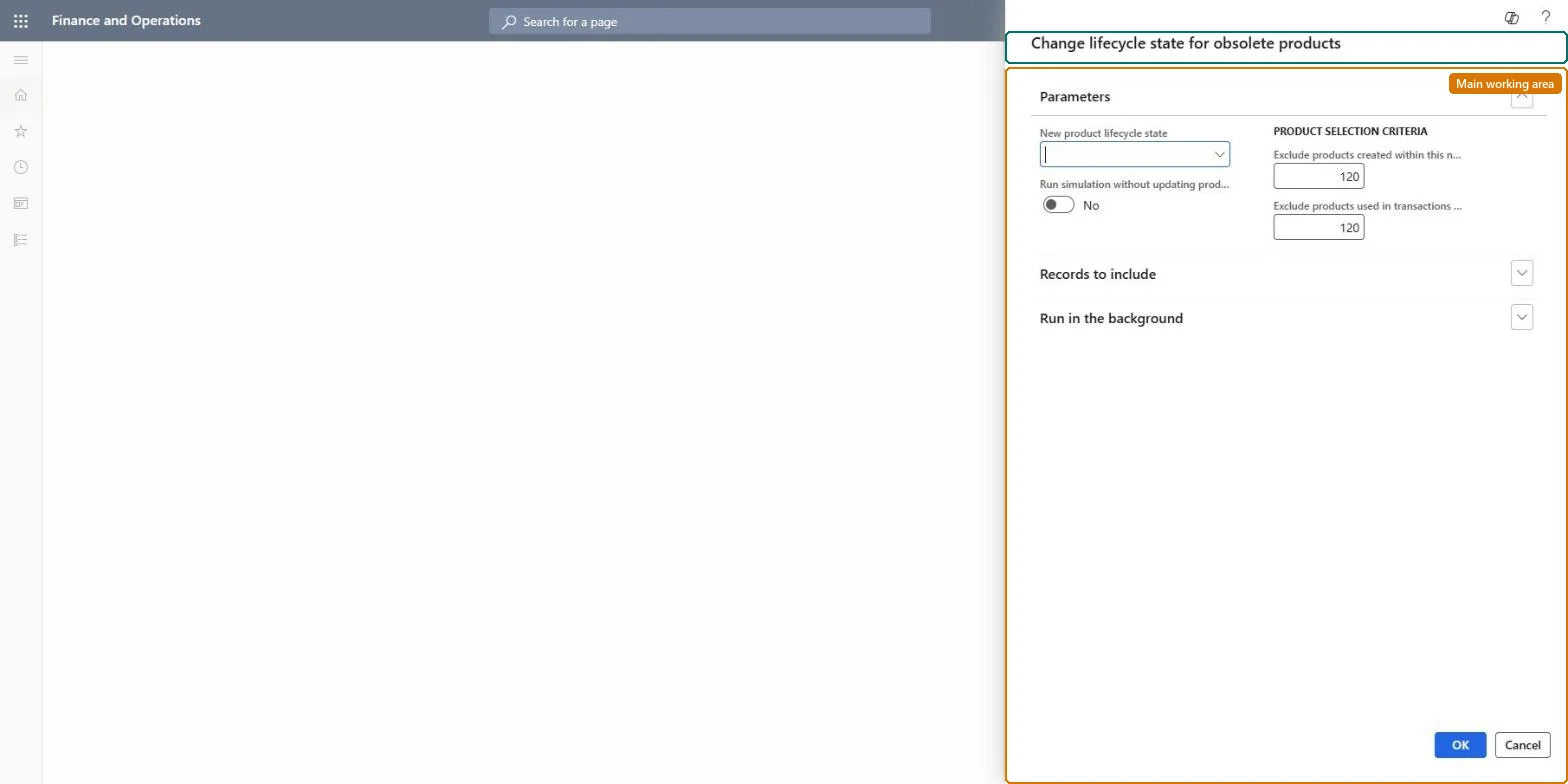
Go to Product information management > Periodic tasks > Change lifecycle state for obsolete products.
In New product lifecycle state, select the lifecycle state your company uses for obsolete products.
Set Run simulation without updating product data to Yes for the first run, and enter values in Exclude products created within this number of days and Exclude products used in transactions (in number of days).
To limit the scope, filter on Records to include, and run large simulations in batch outside the busiest working hours.
Review the result on Product lifecycle state maintenance history, then run again with Run simulation without updating product data set to No and the same filter.
Partly: A simulation changes nothing. After the real update, you have to set the previous lifecycle state back on the products yourself. Microsoft Learn
If you change it later
Without simulation, the job sets the new product lifecycle state on all products and variants it identifies as obsolete, which can block them in business processes. Microsoft Learn
Technical architect
5Technical
Menu item
action:EcoResReleasedProductInactivator
Roles to set it up and use it
To use itProduct designer BOMProductDesignerGive people one of these roles. On this system, 1 role can run this page.Checked in Dynamics 365