Product information managementInquiries and reports
EcoResReleasedProductLifecycleStateChanges
Used by
Purchasing agent, Purchasing Agent - Public Sector, Product designer and 5 more roles
Business process
Prevent transactions for a product in Dynamics 365 Supply Chain Management
Menu item
EcoResReleasedProductLifecycleStateChanges
Main table
EcoResReleasedProductLifecycleStateChanges
Show what matters for
PAGE GUIDEWhat the page does and how to use it6 sections. Choose a role to highlight what matters to you.
Everyone
1What it is and why
What it is
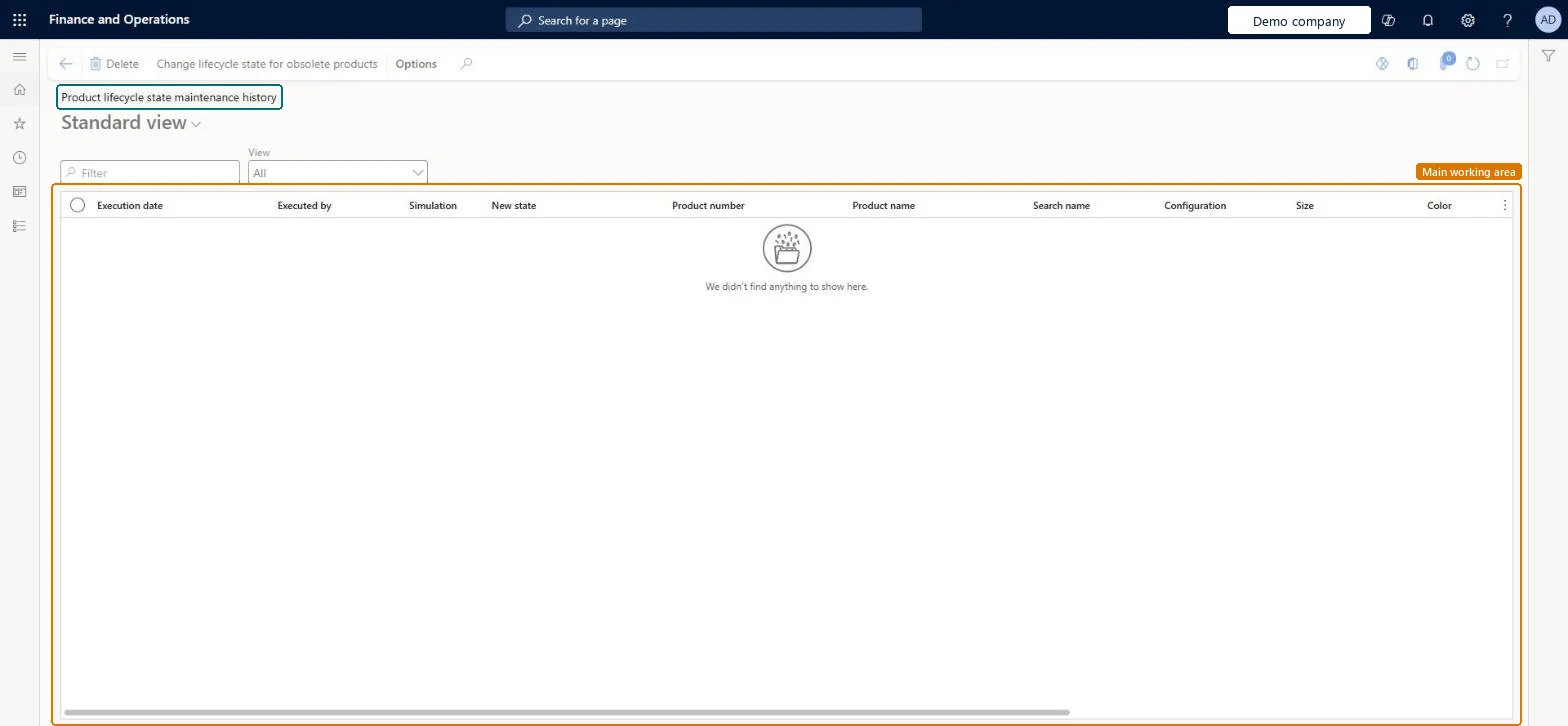
An inquiry page that shows the results of the Change lifecycle state for obsolete products task, whether it was run as a simulation or as an update.
What you do here
Use this page to review which released products and variants were identified as obsolete and decide whether to apply the suggested changes, and to confirm that the expected lifecycle state changes were applied.
The page in Dynamics 365. page title tab to open what to set or check
About the examples: Examples and screenshots in this guide use BEAT, a demo company in a Dynamics 365 test environment. Use your own company's codes and values instead of copying them.
Steps from Microsoft
Go to Product information management > Inquiries and reports > Product lifecycle state maintenance history.
Review the results of the simulation and decide whether you want to apply the suggested changes.
If needed, adjust the filter criteria and run the simulation again from Change lifecycle state for obsolete products.
After you run the task with Run simulation without updating product data set to No, return to this page and confirm that the changes you expected were applied.
EcoResReleasedProductLifecycleStateChangesChecked in Dynamics 365
Form
EcoResReleasedProductLifecycleStateChangesChecked in Dynamics 365
Table
EcoResReleasedProductLifecycleStateChangesShown as “PRODUCT LIFECYCLE STATE MAINTENANCE HISTORY” in Record infoChecked in Dynamics 365
Who can open it
PrivilegesMaintain product lifecycle state maintenance history EcoResReleasedProductLifecycleStateChangesMaintainView product lifecycle state maintenance history EcoResReleasedProductLifecycleStateChangesViewDutiesInquire into products definition master EcoResProductDefinitionMasterInquireMaintain products definition master EcoResProductDefinitionMasterMaintain8 security rolesProduct designer BOMProductDesignerMaterials manager InventMaterialsManagerQuality control manager InventQualityControlManagerBuying agent TradeBuyingAgentPurchasing manager TradePurchasingManagerPurchasing agent VendPurchasingAgentPurchasing Agent - Public Sector VendPurchasingAgent_PSNWarehouse manager WMSWarehouseManagerChecked in Dynamics 365
Roles to set it up and use it
To set it up or change itProduct designer BOMProductDesignerTo use itMaterials manager InventMaterialsManagerWarehouse manager WMSWarehouseManagerPurchasing manager TradePurchasingManagerPurchasing agent VendPurchasingAgentQuality control manager InventQualityControlManagerGive people one of these roles. On this system, 8 roles can open this page.Checked in Dynamics 365
Actions on the page
(Action Pane without tabs): Change lifecycle state for obsolete productsChecked in Dynamics 365