Create hazardous products in Dynamics 365 Supply Chain Management
Menu item
HMIMItemList
Main table
HMIMItemMaterial
Data entity
HMIMItemMaterialDetailEntity
Show what matters for
PAGE GUIDEWhat the page does and how to use it7 sections. Choose a role to highlight what matters to you.
Everyone
1What it is and why
What it is
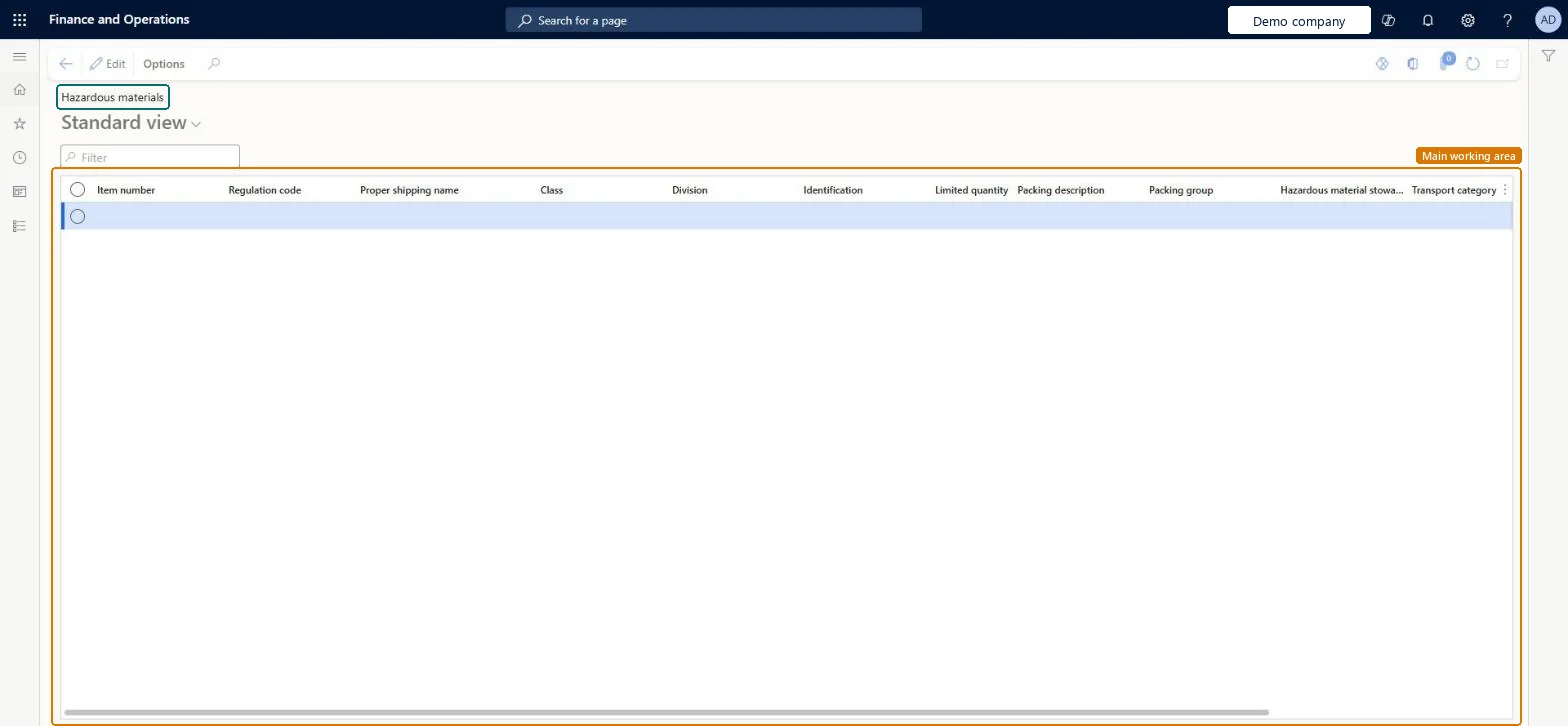
An inquiry page that lists all items that are set up with dangerous goods information.
What you do here
Use this page to monitor and review the hazardous material information that you must maintain for your items. You can personalise the page to add more fields from the hazardous material setup.
The page in Dynamics 365. page title tab to open what to set or check
About the examples: Examples and screenshots in this guide use BEAT, a demo company in a Dynamics 365 test environment. Use your own company's codes and values instead of copying them.
How to use it
Go to Product information management > Inquiries and reports > Hazardous material shipping documentation > Hazardous materials.
Use the Filter field to find an item number or regulation code.
Review the Regulation code, Proper shipping name, Class, Division, Identification and Packing group columns for each item.
To change values, select Edit on the Action Pane.
Source: Checked in Dynamics 365
Fields on the page
Field
What it means
Table column
Regulation code
The hazardous material regulation that applies to the product.Microsoft Learn
RegCode
Proper shipping name
The standard description of the material, as specified by the applicable regulation.Microsoft Learn
MaterialDescription
Class
The hazardous material class that the product belongs to under the regulation.Microsoft Learn
ClassCode
Division
The hazardous material division of the product, which is a subset of the class.Microsoft Learn
DivisionCode
Identification
The hazardous material identification code, typically based on a United Nations standard.Microsoft Learn
IdentificationCode
Limited quantity
Whether the total product weight is reported for each load and load line.Microsoft Learn
PrivilegesItem material maintain HMIMItemListMaintainItem material view HMIMItemListViewDutiesMaintain Hazardous materials HMIMHazardousMaterialsMaintainView Hazardous materials HMIMHazardousMaterialsView2 security rolesHazardous materials manager HMIMHazardousMaterialsManagerHazardous materials viewer HMIMHazardousMaterialsViewerChecked in Dynamics 365
Roles to set it up and use it
To set it up or change itHazardous materials manager HMIMHazardousMaterialsManagerTo use itHazardous materials viewer HMIMHazardousMaterialsViewerGive people one of these roles. On this system, 2 roles can open this page.Checked in Dynamics 365