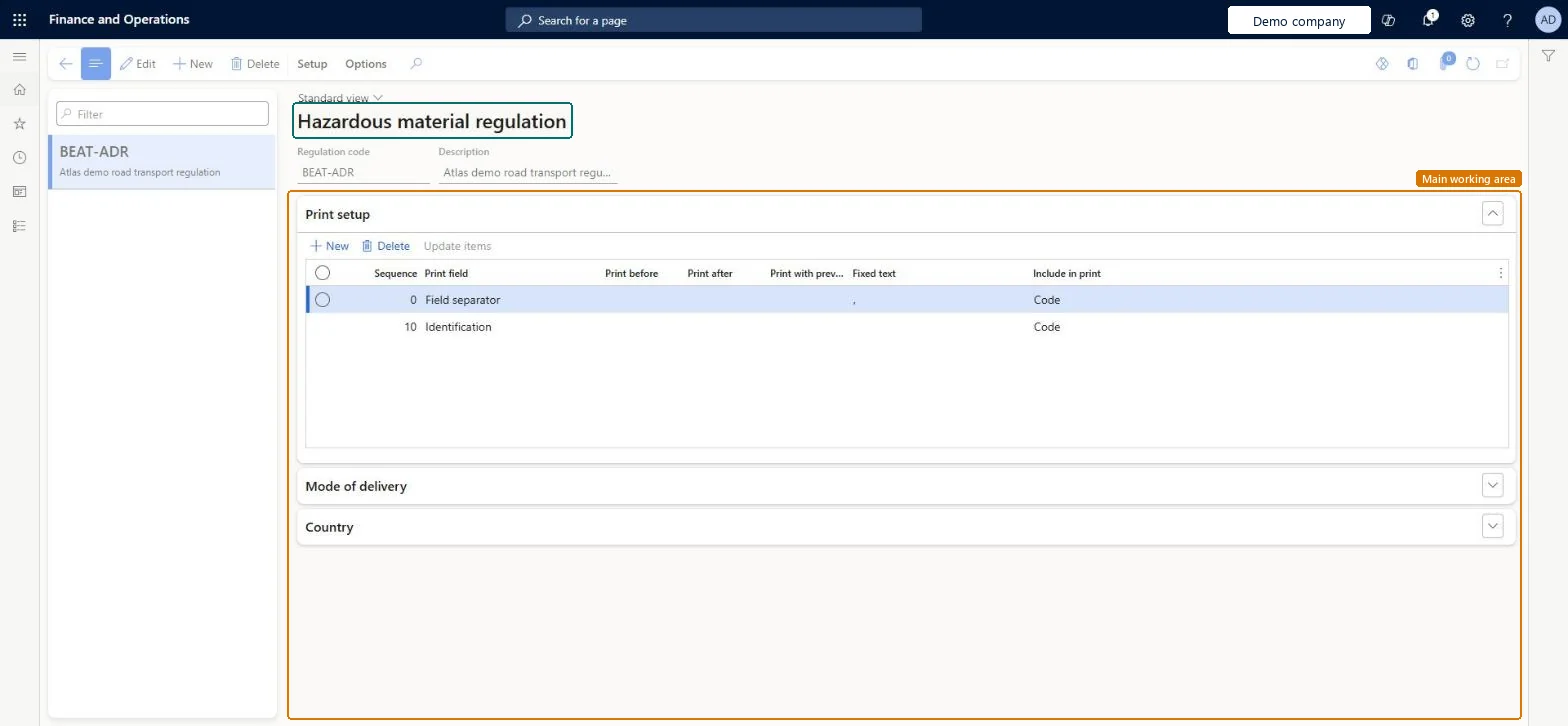
A setup page where you define hazardous material regulations, which determine how the printed shipping text is created for an item and which modes of delivery the regulation applies to.
PAGE GUIDEWhat the page does and how to use it8 sections. Choose a role to highlight what matters to you.
Everyone
1What it is and why
What it is
A setup page where you define hazardous material regulations, which determine how the printed shipping text is created for an item and which modes of delivery the regulation applies to.
What you do here
Use this page to create each regulation that you must comply with, define its print setup for shipping text, link it to modes of delivery per legal entity, list the relevant countries/regions and maintain its hazardous material codes.
Example
For example, you can set up regulations such as ADR for road transport, CFR 49 for the United States, IMDG for sea transport and IATA for air transport.
The page in Dynamics 365. page title tab to open what to set or check
Product information management › Setup › Hazardous material shipping documentation › Hazardous material regulation
End user · Functional consultant
3How to do it
About the examples: Examples and screenshots in this guide use BEAT, a demo company in a Dynamics 365 test environment. Use your own company's codes and values instead of copying them.
Setup steps on this page
Set up Hazardous material regulation
Use this page to create each regulation that you must comply with, define its print setup for shipping text, link it to modes of delivery per legal entity, list the relevant countries/regions and maintain its hazardous material codes.
Steps from Microsoft
Go to Product information management > Setup > Hazardous material shipping documentation > Hazardous material regulation.
Select the regulation to set up a hazardous material definition for.
On the Action Pane, on the Setup tab, select Hazardous materials.
In the Material code field, enter a material code for the hazardous material definition.
Use the remaining fields to set up each hazardous material that applies to the selected regulation.
One regulation per rule set you ship under (for example ADR, CFR 49, IMDG, IATA), a Field separator print field at Sequence 0, and each regulation linked to its modes of delivery per companyThe print setup builds the shipping text, and the system uses the first field separator it finds. Shipment reports find the regulation only through the mode of delivery.
Relying on the Country FastTab. It is for reference only; if the carrier service has no mode of delivery, or the mode isn't linked to the regulation, the bill of lading has no shipping text.Test: Shipping text found through mode of delivery
Reversible: Edits change documents printed afterwards. Because the table is shared, test a change in one company before relying on it in all of them. Microsoft Learn
Technical architect
6Technical
Menu item
HMIMRegulationListDisplayChecked in Dynamics 365
Form
HMIMRegulationListChecked in Dynamics 365
Table
HMIMRegulationShown as “HAZARDOUS MATERIAL REGULATION” in Record infoKey field: RegCodeChecked in Dynamics 365
PrivilegesHazardous material regulation maintain HMIMRegulationListDisplayMaintainHazardous material regulation view HMIMRegulationListDisplayViewDutiesMaintain Hazardous materials HMIMHazardousMaterialsMaintainView Hazardous materials HMIMHazardousMaterialsView2 security rolesHazardous materials manager HMIMHazardousMaterialsManagerHazardous materials viewer HMIMHazardousMaterialsViewerChecked in Dynamics 365
Roles to set it up and use it
To set it up or change itHazardous materials manager HMIMHazardousMaterialsManagerTo use itHazardous materials viewer HMIMHazardousMaterialsViewerGive people one of these roles. On this system, 2 roles can open this page.Checked in Dynamics 365