PAGE GUIDEWhat the page does and how to use it7 sections. Choose a role to highlight what matters to you.
Everyone
1What it is and why
What it is
A workspace that shows the top insights about supplier performance and supply risk, with embedded reports for deeper analysis.
What you do here
Use this workspace to understand the risk of sourcing shortages and delays so you can act before supply is disrupted.
Example
For example, after finding risky supply you might use more vendors, or different shipping methods or sourcing locations in planning, and then reassess the risk.
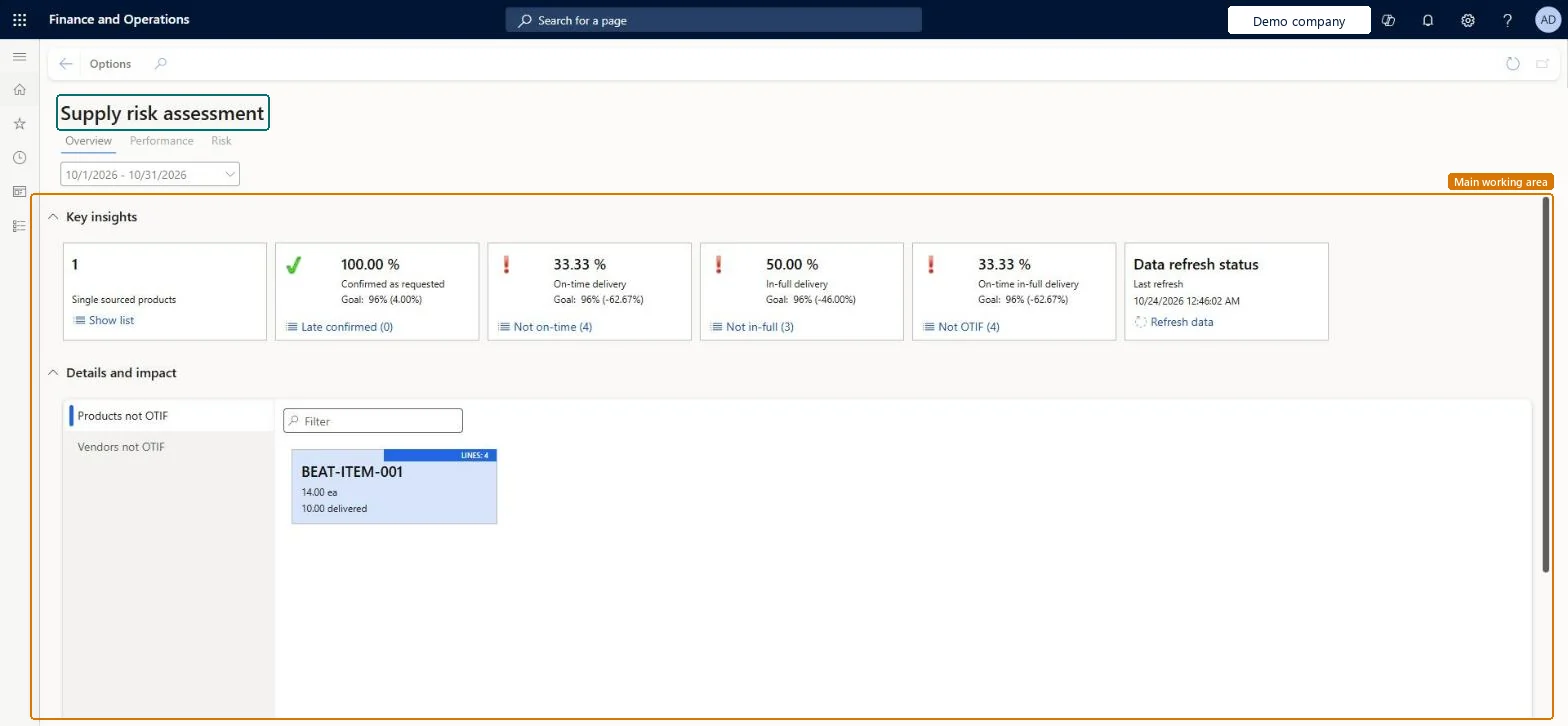
The page in Dynamics 365. page title tab to open what to set or check
About the examples: Examples and screenshots in this guide use BEAT, a demo company in a Dynamics 365 test environment. Use your own company's codes and values instead of copying them.
Steps from Microsoft
Go to Procurement and sourcing > Setup > Supply risk assessment parameters, set the minimum rates on the General tab, and save.
Open Procurement and sourcing > Workspaces > Supply risk assessment at least once.
Go to System administration > Setup > Data cache > Data set cache configuration and select Edit.
In the row for the VendSupplyRiskCacheDataSet consumer, select Enabled, set the Refresh frequency (seconds), and select Manual refresh if you want to refresh on demand.
Save the setup.
In the workspace, on the Overview tab, on the Data refresh status tile, select Refresh data.
Counts purchase order lines where the vendor's confirmed receipt date is later than the requested receipt date.Microsoft Learn
Not on time
Counts purchase order lines that weren't delivered on time.Microsoft Learn
Not in full
Counts purchase order lines that weren't delivered in full.Microsoft Learn
Single sourced
Counts planned order items that have only one vendor, which can mean a higher risk.Microsoft Learn
Products not OTIF
Shows a tile for each product that missed the on-time in-full rate, based on past purchase orders.Microsoft Learn
Solution architect
4Design impact
If you change it later
If you turn off the Enabled setting for the workspace's data cache, the workspace data stops being updated. Microsoft Learn
Technical architect
5Technical
Menu item
VendSupplyRiskWorkspaceChecked in Dynamics 365
Form
VendSupplyRiskWorkspaceChecked in Dynamics 365
Who can open it
PrivilegesView the supply risk assessment workspace VendSupplyRiskWorkspaceViewDutiesInquire into the supply risk assessment workspace VendSupplyRiskWorkspaceInquireMaintain the supply risk assessment workspace VendSupplyRiskWorkspaceMaintain2 security rolesBuying agent TradeBuyingAgentPurchasing manager TradePurchasingManagerChecked in Dynamics 365
Roles to set it up and use it
To use itPurchasing manager TradePurchasingManagerBuying agent TradeBuyingAgentGive people one of these roles. On this system, 2 roles can open this page.Checked in Dynamics 365
Actions on the page
Options: Personalize, Page options, ShareChecked in Dynamics 365