Procurement and sourcingInquiries and reportsSupply risk assessment
VendSupplyRiskPowerBI
Used by
Purchasing agent, Materials manager, Logistics manager and 1 more role
Business process
Analyze procurement and sourcing
Menu item
VendSupplyRiskPowerBI
Show what matters for
PAGE GUIDEWhat the page does and how to use it6 sections. Choose a role to highlight what matters to you.
Everyone
1What it is and why
What it is
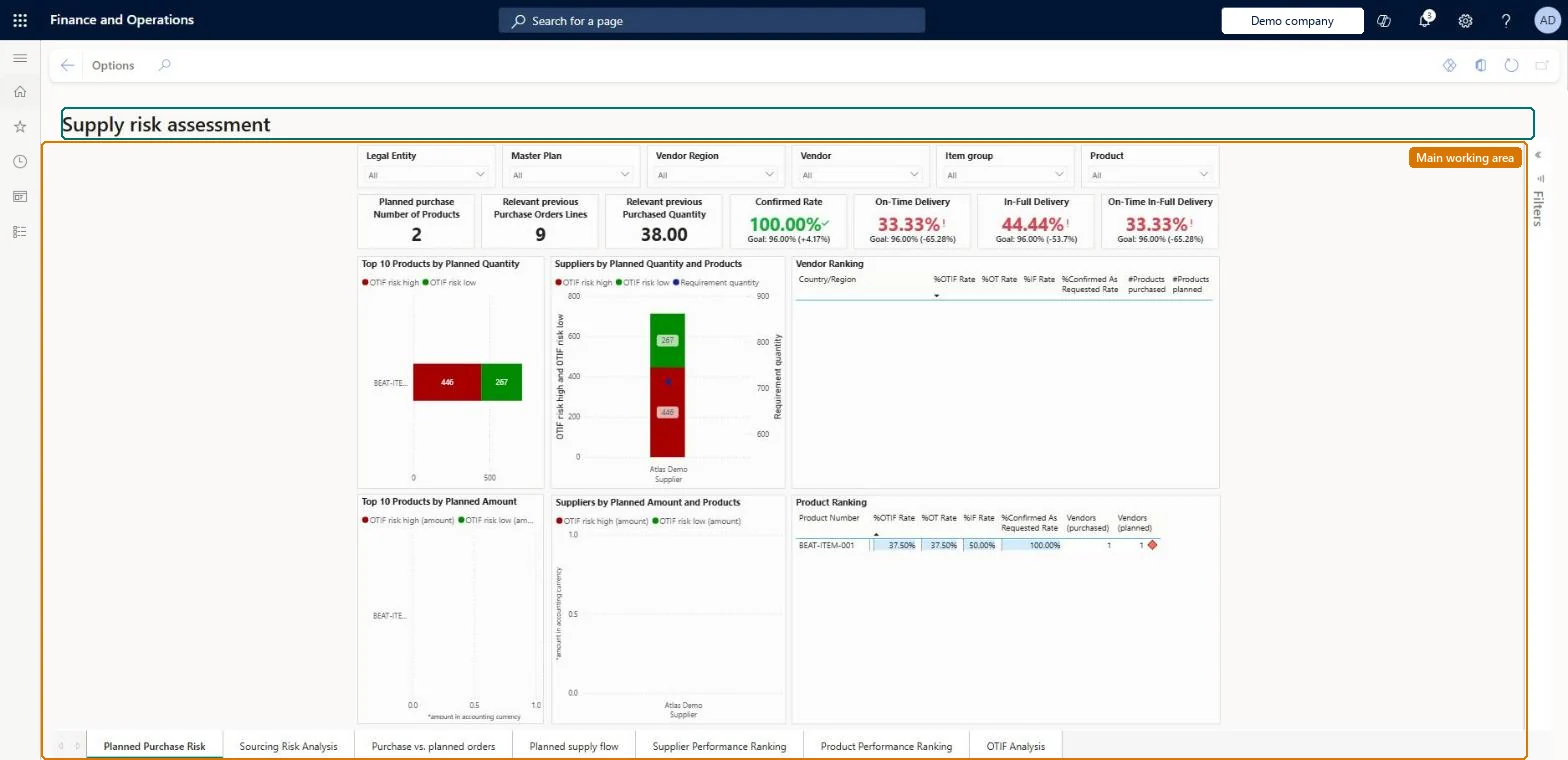
A Power BI report that combines supplier performance and risk views for planned purchase orders.
What you do here
Use this page to find the most pressing supplier performance issues and the potential risks for planned supply.
Example
For example, if past orders from some vendors performed badly, you can consider other or additional vendors to lower the risk for future planned purchases.
The page in Dynamics 365. page title tab to open what to set or check
About the examples: Examples and screenshots in this guide use BEAT, a demo company in a Dynamics 365 test environment. Use your own company's codes and values instead of copying them.
Steps from Microsoft
Go to Procurement and sourcing > Inquiries and reports > Supply risk assessment > Supply risk assessment.
Use the slicers and filters to choose the legal entities, regions, vendors and item groups to analyze.
Use the master plan selector to choose a single master plan, so planned orders aren't counted twice.
Review the top-10 products ranked by risk, then zoom in to see the products and vendors behind the planned orders.
To use itPurchasing agent VendPurchasingAgentBuying agent TradeBuyingAgentMaterials manager InventMaterialsManagerLogistics manager TMSLogisticsManagerGive people one of these roles. On this system, 4 roles can open this page.Checked in Dynamics 365
Actions on the page
Options: Personalize, Page options, Share, Power BIChecked in Dynamics 365