About the examples: Examples and screenshots in this guide use BEAT, a demo company in a Dynamics 365 test environment. Use your own company's codes and values instead of copying them.
Step by step, with screenshots
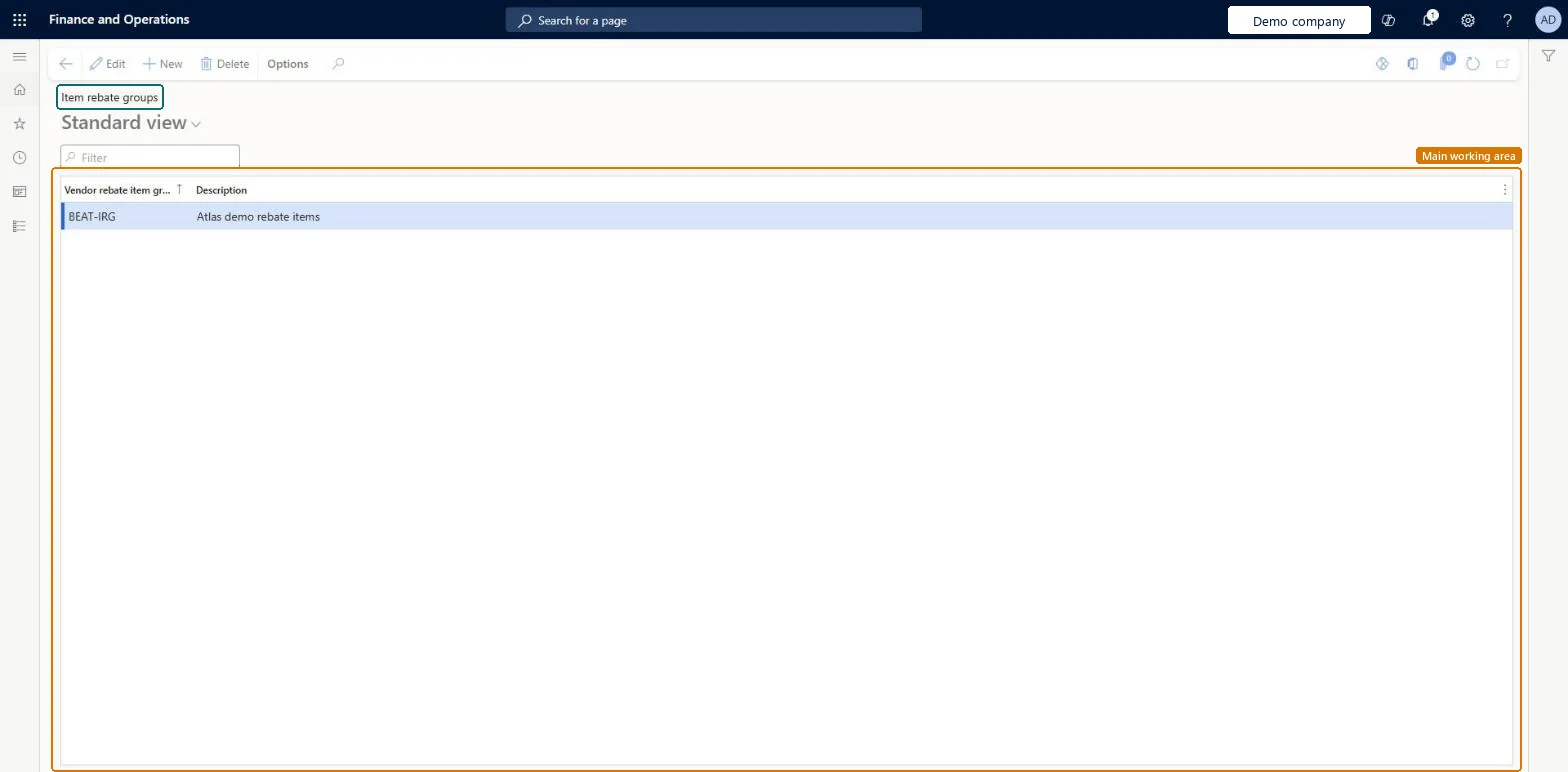
Set up Item rebate groups1 screen
Use this page to group products for rebate agreements.
Screen 1
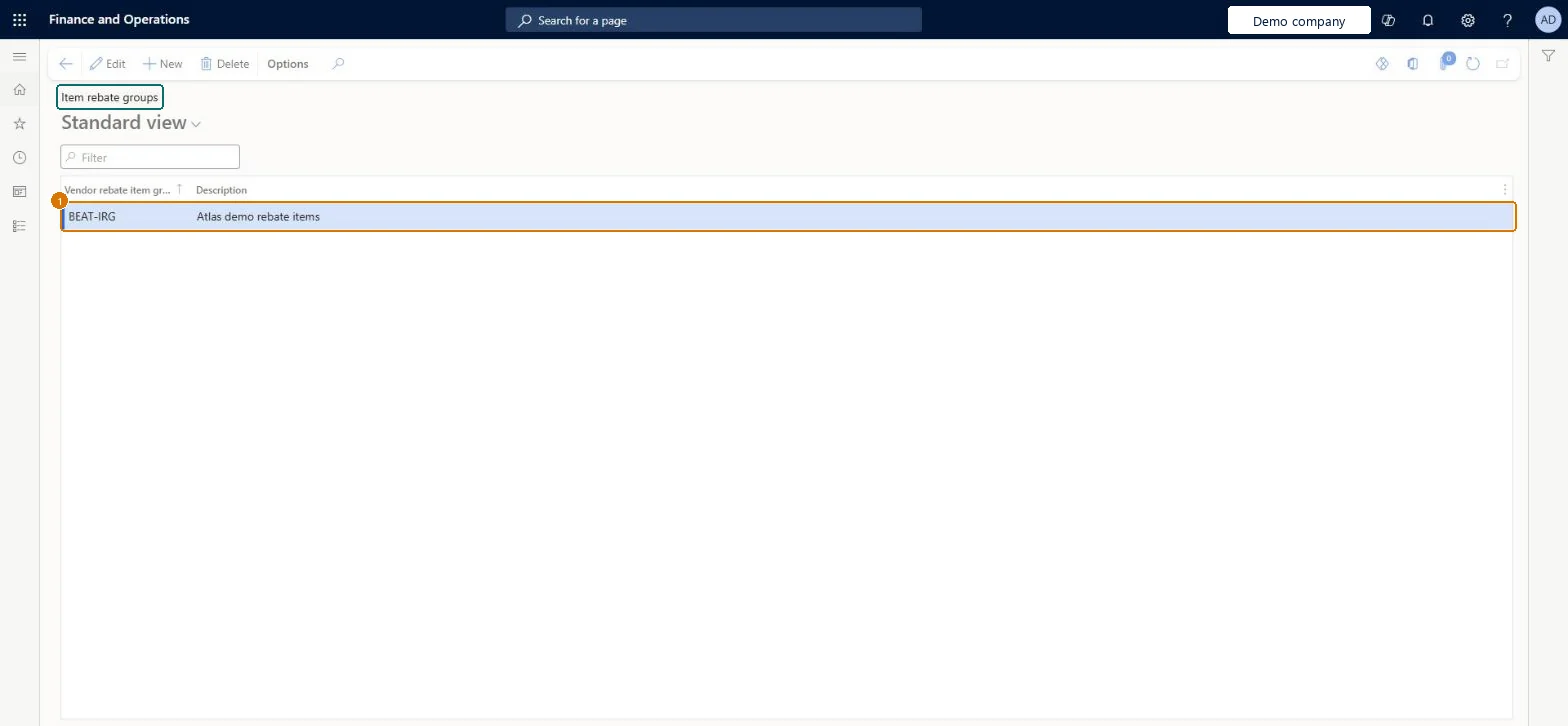
Create the item rebate group
Go to Procurement and sourcing > Vendor rebates > Rebate groups > Item rebate groups
Select New
Enter the item rebate group and its description
Select Save
1Vendor rebate item group
BEAT-IRG
Show the full screen page title tab to open what to set or check
Steps from Microsoft
Go to Procurement and sourcing > Vendor rebates > Rebate groups > Item rebate groups.
Select New, and enter a name and description for the item rebate group.
Close the page.
Go to Product information management > Products > Released products.
For each product in the group, edit the product and select the group in the Vendor rebate item group field on the Purchase FastTab.
Grouping items to reach a combined volume tier. A rebate agreement line with Item code Group is processed per qualifying item, not across all items in the group.
Reversible: You can change which items belong to a group; claims are generated as purchase invoices post, so the change affects later invoices only. Microsoft Learn
Technical architect
6Technical
Menu item
TAMItemVendRebateGroupChecked in Dynamics 365
Form
TAMItemVendRebateGroupChecked in Dynamics 365
Table
TAMItemVendRebateGroupShown as “Item rebate groups” in Record infoChecked in Dynamics 365
PrivilegesMaintain vendor rebate groups TAMVendRebateGroupsMaintainDutiesMaintain vendor rebate agreements TAMVendRebateAgreementMaintain1 security rolePurchasing manager TradePurchasingManagerChecked in Dynamics 365
Roles to set it up and use it
To set it up or change itPurchasing manager TradePurchasingManagerGive people one of these roles. On this system, 1 role can open this page.Checked in Dynamics 365
Actions on the page
Options: Personalize, Page options, ShareChecked in Dynamics 365
Checked in a working Dynamics 365 system, version 10.0.49: the menu item, form, table and security, the page, the demo records and the values in the screenshots.