Define the review and approval process for purchase agreements in Dynamics 365 Supply Chain Management
Menu item
PurchAgreementClassification
Main table
AgreementClassification
Data entity
PurchAgreementClassificationEntity
Setup steps
1 on this page
Show what matters for
PAGE GUIDEWhat the page does and how to use it8 sections. Choose a role to highlight what matters to you.
Everyone
1What it is and why
What it is
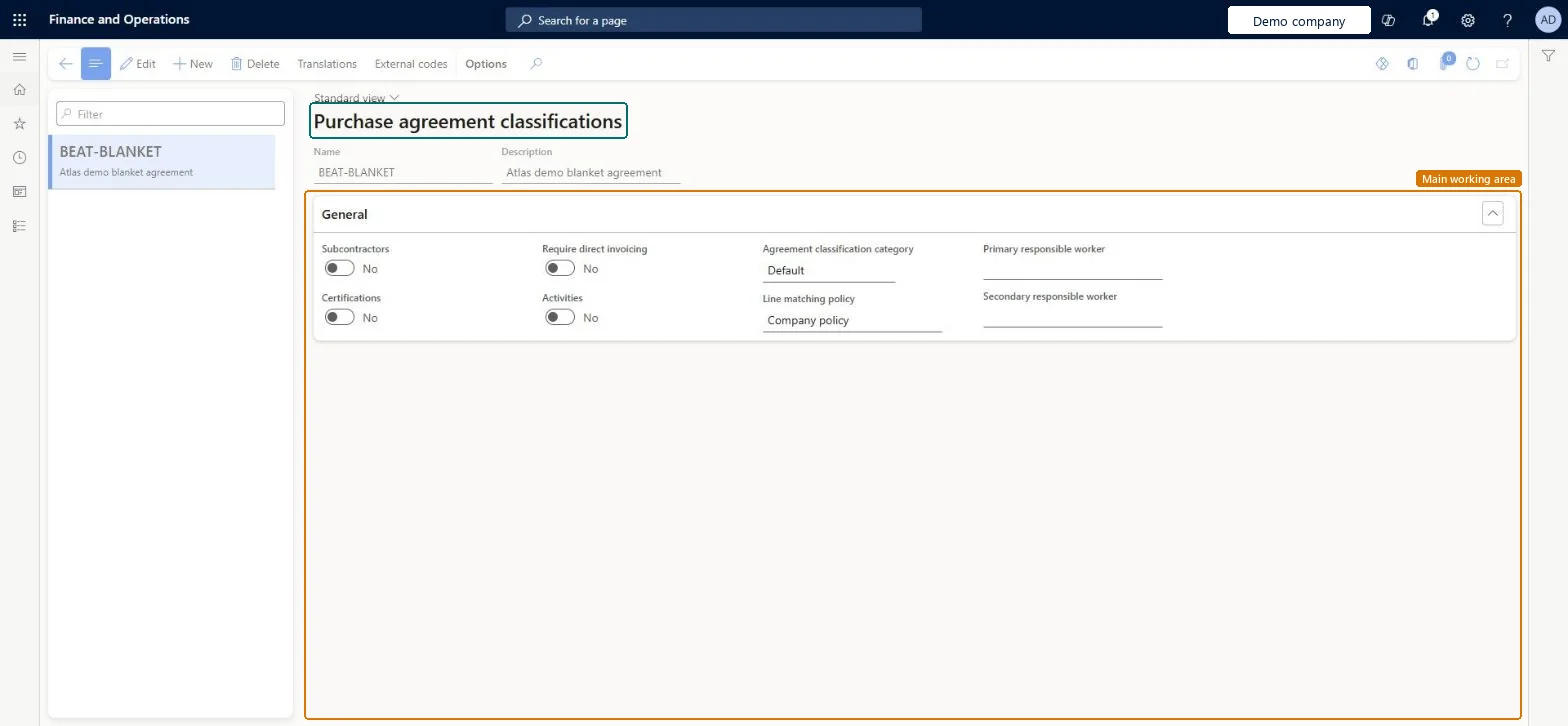
A setup page where you create purchase agreement classifications, which control the administrative information available on purchase agreements.
What you do here
Use this page to give each purchase agreement a type and to add extra details to it, such as subcontractors, certifications and activities.
Example
For example, with the Subcontractors option selected, you can assign the prime contractor to the parent purchase agreement and a co-contractor or subcontractor to specific child agreements.
The page in Dynamics 365. page title tab to open what to set or check
About the examples: Examples and screenshots in this guide use BEAT, a demo company in a Dynamics 365 test environment. Use your own company's codes and values instead of copying them.
Step by step, with screenshots
Set up Purchase agreement classification1 screen
Use this page to give each purchase agreement a type and to add extra details to it, such as subcontractors, certifications and activities.
Screen 1
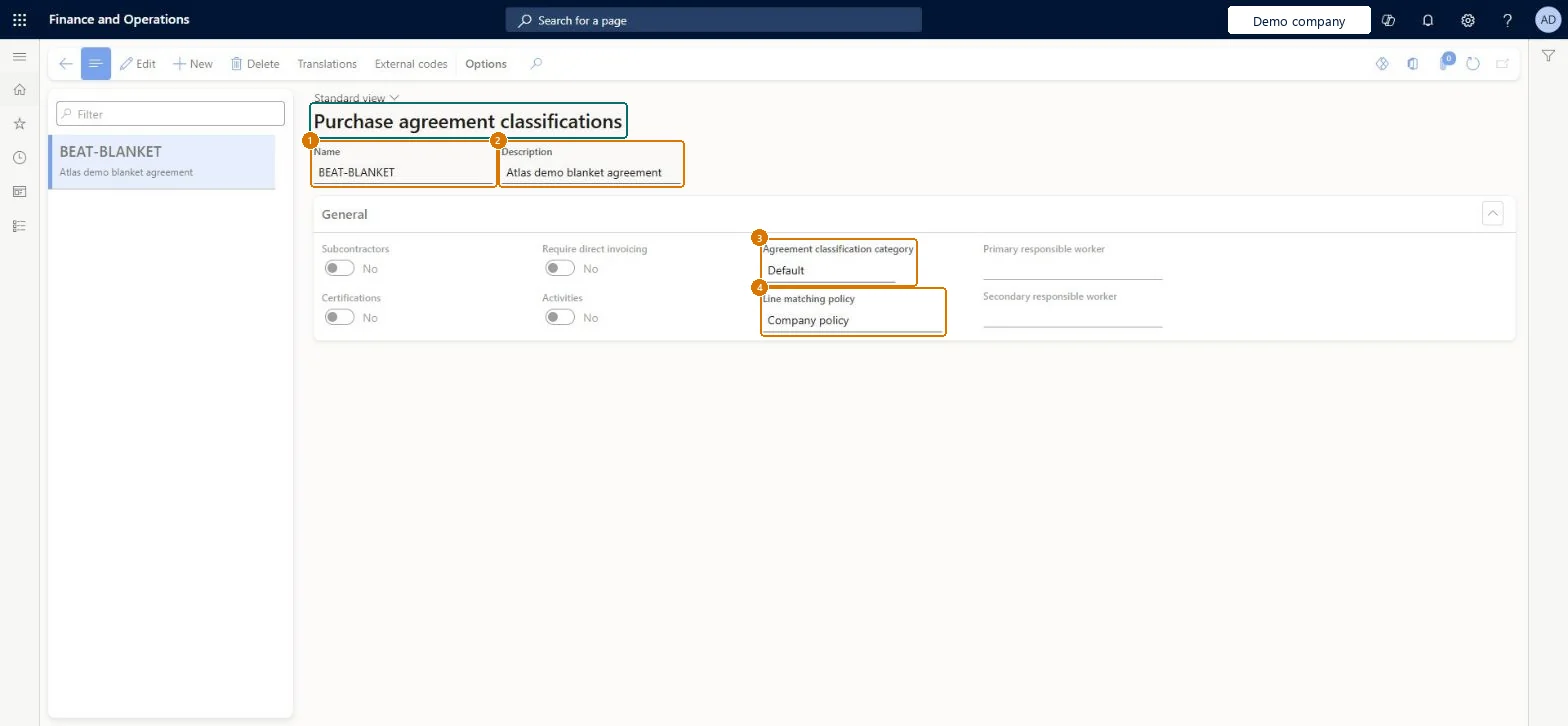
Create the purchase agreement classification
Go to Procurement and sourcing > Setup > Purchase agreement classification
Select New
Enter the name and description
Keep the default category and line matching policy
Select Save
1Name
BEAT-BLANKET
2Description
Blanket agreement
3Agreement classification category
Default
4Line matching policy
Company policy
Show the full screen page title tab to open what to set or check
Steps from Microsoft
Go to Procurement and sourcing > Setup > Purchase agreement classification.
Select New.
In the Name field, enter a name.
In the Description field, enter a description.
Optionally select Subcontractors, Certifications, Require direct invoicing or Activities.
One classification per agreement type, turning on only the options that type needs (Subcontractors, Certifications, Activities, Require direct invoicing)The classification controls which administrative information is available on purchase agreements, such as subcontractors, vendor certifications and tasks and milestones.
Selecting Require direct invoicing on a classification for agreements that will be called off. That option prevents release orders.
PurchAgreementClassificationChecked in Dynamics 365
Form
AgreementClassificationChecked in Dynamics 365
Table
AgreementClassificationShown as “Agreement classification” in Record infoChecked in Dynamics 365
Data entities
PurchAgreementClassificationEntityPurchase agreement classification Microsoft data model SalesAgreementClassificationEntitySales agreement classification Microsoft data model
Who can open it
PrivilegesMaintain purchase agreement classification PurchAgreementClassificationMaintainView purchase agreement classification PurchAgreementClassificationViewDutiesEnable purchase order to invoice process PurchOrderToInvoiceProcessEnableInquire into purchase order to invoice reference data PurchOrderToInvoiceReferenceDataInquire2 security rolesPurchasing manager TradePurchasingManagerAccounts payable manager VendInvoiceAccountsPayableManagerChecked in Dynamics 365
Roles to set it up and use it
To set it up or change itPurchasing manager TradePurchasingManagerAccounts payable manager VendInvoiceAccountsPayableManagerGive people one of these roles. On this system, 2 roles can open this page.Checked in Dynamics 365
Actions on the page
Options: Personalize, Page options, ShareChecked in Dynamics 365
PurchAgreementClassificationEntity (Purchase agreement classification): shared by all companies, in Microsoft's default template 320 - Procurement and sourcing.SalesAgreementClassificationEntity (Sales agreement classification): shared by all companies, in Microsoft's default template 330 - Sales and marketing.Load order: Microsoft's default template 320 - Procurement and sourcing loads Purchase agreement classification at execution unit 1, level 30, sequence 10. Lower levels load first, and entities at the same level load in sequence order.Load first: the default templates at lower levels (System setup to General ledger)Microsoft Learn
Checked in a working Dynamics 365 system, version 10.0.49: the menu item, form, table and security, the page, the demo records and the values in the screenshots.