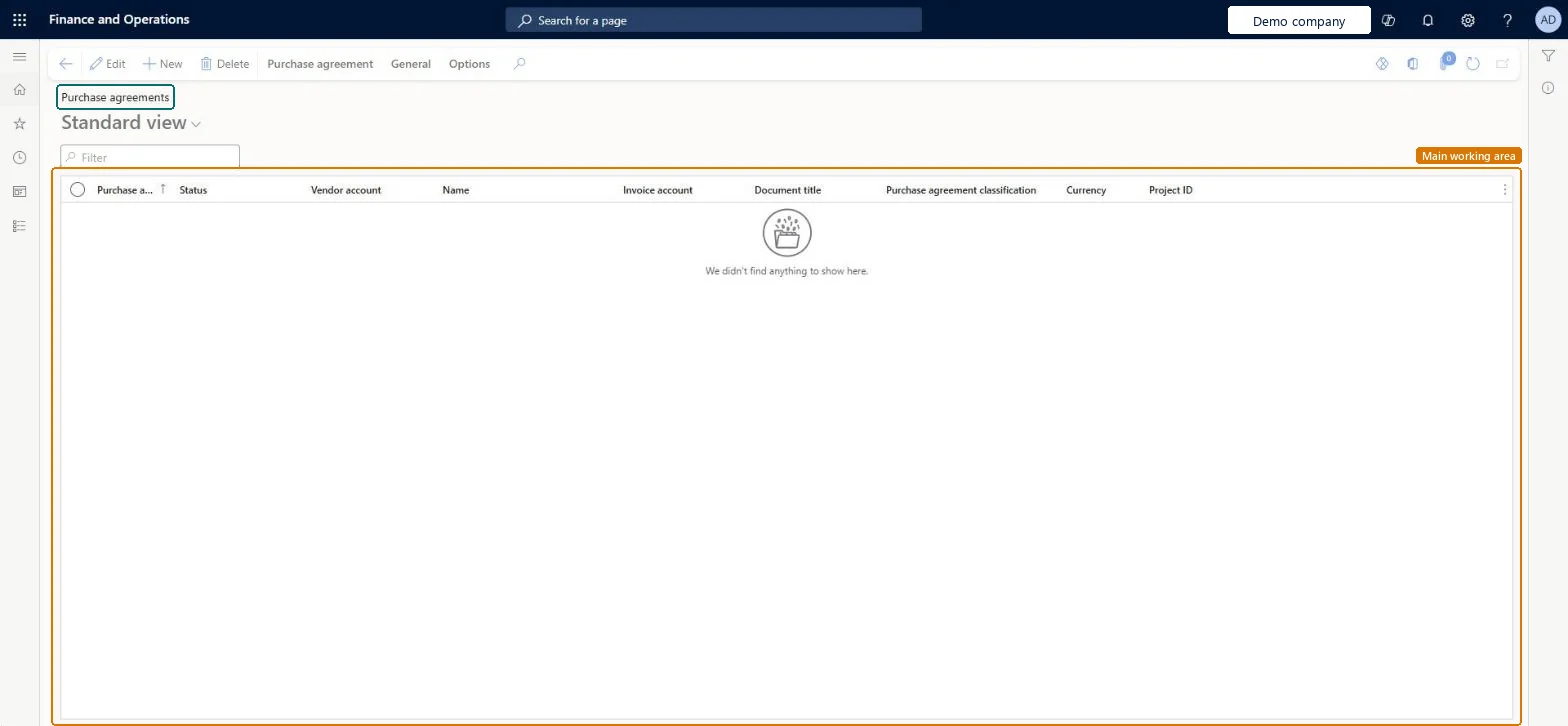
A purchase agreement is a contract that commits the organization to buy a specified quantity or amount over time through multiple purchase orders, in exchange for special prices and discounts.
Purchasing agent, Purchasing Agent - Public Sector, Materials manager and 6 more roles
Business process
Source and contract goods and services
Menu item
PurchAgreementListPage
Main table
PurchAgreementHeader
Data entity
PurchPurchaseAgreementHeaderV2Entity
Show what matters for
PAGE GUIDEWhat the page does and how to use it7 sections. Choose a role to highlight what matters to you.
Everyone
1What it is and why
What it is
A purchase agreement is a contract that commits the organization to buy a specified quantity or amount over time through multiple purchase orders, in exchange for special prices and discounts.
What you do here
Use this page to create, apply, and follow up on purchase agreements with vendors, including commitment lines, validity period, and activation of the agreement.
Example
After creating and activating a purchase agreement, order directly from it so that the agreement's prices and discounts apply to the purchase order lines.
The page in Dynamics 365. page title tab to open what to set or check
About the examples: Examples and screenshots in this guide use BEAT, a demo company in a Dynamics 365 test environment. Use your own company's codes and values instead of copying them.
Steps from Microsoft
Go to the Purchase agreements page.
Select New.
Select the Vendor account and the Purchase agreement classification.
On the General FastTab, enter the Expiration date and a Document title, and check the Default commitment.
Select OK.
Select Add line, then enter the item number, quantity and unit price.
On the line details, set Max is enforced if purchases must not go over the quantity.
On the Action Pane, select Purchase agreement > Confirmation, set Mark agreement as effective to Yes, and select OK.
Hard to reverse: You can close an agreement and set it back to Effective later, but an agreement can only be selected when a purchase order is created, not added afterward. Changing financial dimensions on the agreement only affects new orders, not released ones. Microsoft Learn
If you change it later
Changing financial dimensions on the agreement affects only new orders, not orders already released. Microsoft Learn
Technical architect
5Technical
Menu item
PurchAgreementListPageChecked in Dynamics 365
Form
PurchAgreementChecked in Dynamics 365
Table
PurchAgreementHeaderShown as “Purchase agreement” in Record infoKey field: RecIdChecked in Dynamics 365
PrivilegesMaintain purchase agreements PurchAgreementListMaintainView purchase agreements PurchAgreementListViewMaintain all purchase requisitions PurchReqPurchaseRequisitionMaintainAllDutiesInquire into purchase agreement master AgreementPurchaseAgreementMasterInquireMaintain purchase agreement master AgreementPurchaseAgreementMasterMaintaiMaintain service receipts kanban execution KanbanExecutionServiceReceiptsMaintainMaintain kanban purchase orders schedule KanbanSchedulePurchaseOrdersMaintainMaintain production flow service master LeanProductionFlowServiceMaintainInquire into production flow service master LeanProductionFlowServiceMasterInquireMaintain purchase order release from agreements PurchaseAgreementReleasePurchaseOrderMaintain all purchase requisitions PurchReqPurchaseRequisitionMaintainAll9 security rolesMaterials manager InventMaterialsManagerProduction manager ProdProductionManagerProduction supervisor ProdProductionSupervisorProject manager ProjProjectManagerProcess engineer RouteProcessEngineerBuying agent TradeBuyingAgentPurchasing manager TradePurchasingManagerPurchasing agent VendPurchasingAgentPurchasing Agent - Public Sector VendPurchasingAgent_PSNChecked in Dynamics 365
Roles to set it up and use it
To set it up or change itPurchasing agent VendPurchasingAgentPurchasing Agent - Public Sector VendPurchasingAgent_PSNTo use itPurchasing manager TradePurchasingManagerBuying agent TradeBuyingAgentProject manager ProjProjectManagerProduction supervisor ProdProductionSupervisorMaterials manager InventMaterialsManagerGive people one of these roles. On this system, 9 roles can open this page.Checked in Dynamics 365
Actions on the page
Purchase agreement: New, Maintain, Generate, Intercompany, Related informationGeneral: Set upOptions: Personalize, Page options, ShareChecked in Dynamics 365