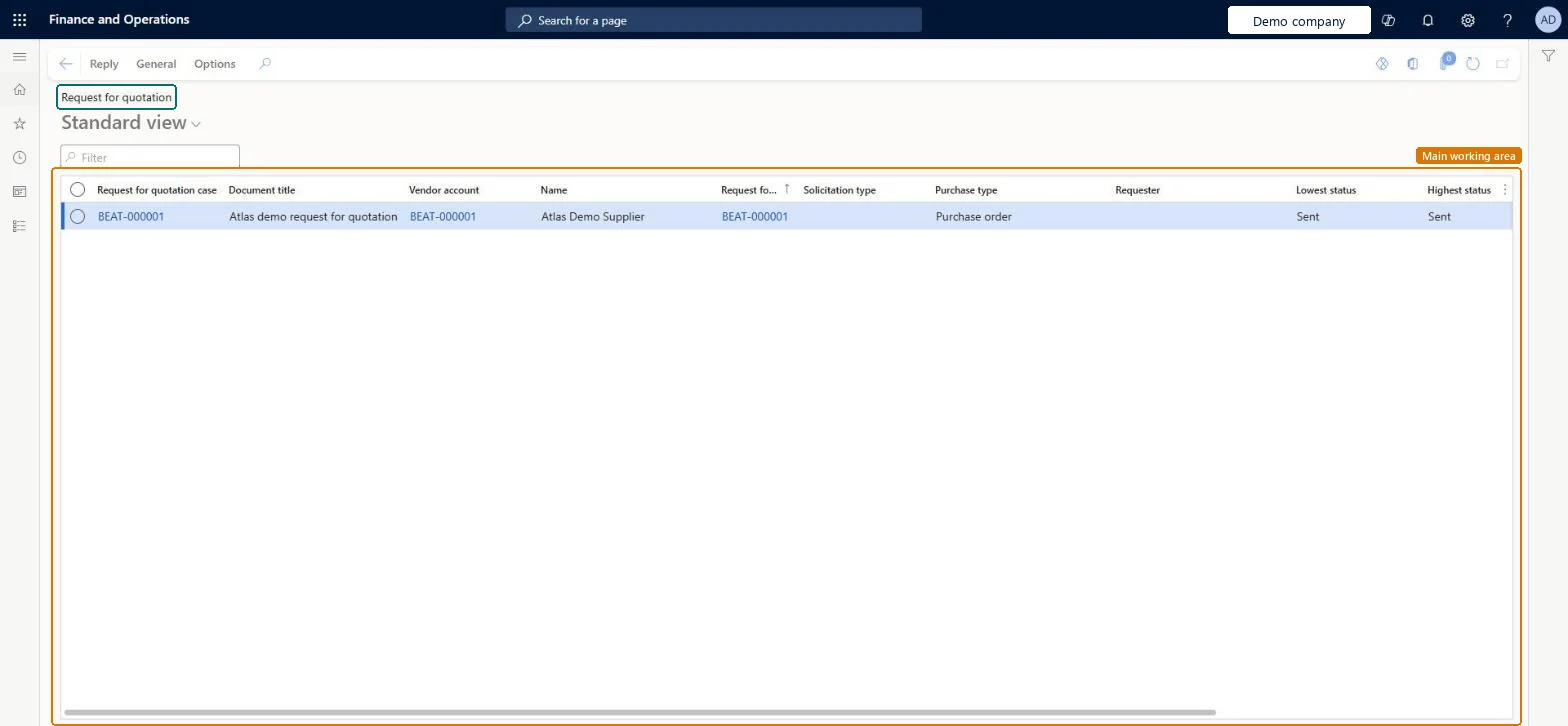
About the examples: Examples and screenshots in this guide use BEAT, a demo company in a Dynamics 365 test environment. Use your own company's codes and values instead of copying them.
Steps from Microsoft
Select an RFQ that has not been replied to yet (Reply progress is Not started).
Select Edit > Edit RFQ reply.
Enter the bid data from the vendor.
Select Submit.
To accept the bid, on the Action Pane select Reply > Accept, enter a reason in Parameters, and select OK.
To change a bid after it is submitted, edit the reply and submit it again. Microsoft Learn
Technical architect
5Technical
Menu item
PurchRFQReplyTableListPageChecked in Dynamics 365
Form
PurchRFQReplyTableListPageChecked in Dynamics 365
Table
PurchRFQTableShown as “Requests for quotations” in Record infoKey field: RFQId, RFQCaseIdChecked in Dynamics 365
Data entities
PurchRequestForQuotationReplyHeaderEntityRequest for quotation reply headers Microsoft data model
Who can open it
PrivilegesMaintain request for quotation replies PurchRFQReplyTableMaintainView request for quotation replies PurchRFQReplyTableViewDutiesApprove request for quotations PurchRFQRequestForQuoteApproveInquire into request for quotation reply status PurchRFQRequestForQuoteReplyInquireMaintain request for quotation replies PurchRFQRequestForQuoteReplyMaintainReview request for quotation performance PurchRFQRequestForQuoteReview4 security rolesChief executive officer CompanyChiefExecutiveOfficerPurchasing manager TradePurchasingManagerPurchasing agent VendPurchasingAgentPurchasing Agent - Public Sector VendPurchasingAgent_PSNChecked in Dynamics 365
Roles to set it up and use it
To set it up or change itPurchasing agent VendPurchasingAgentPurchasing Agent - Public Sector VendPurchasingAgent_PSNTo use itPurchasing manager TradePurchasingManagerChief executive officer CompanyChiefExecutiveOfficerGive people one of these roles. On this system, 4 roles can open this page.Checked in Dynamics 365
Actions on the page
Reply: Process, Maintain, Financials, JournalsGeneral: Set up, Other information, Trade agreementsOptions: Personalize, Page options, ShareChecked in Dynamics 365