BeyondERP.Newsletter
Menu

Page · Procurement and sourcing

Release approved purchase requisitions

A list page of approved purchase requisition lines that are held for manual processing.

Used by
Purchasing agent, Purchasing Agent - Public Sector, Buying agent and 1 more role
Business process
Procure goods and services
Menu item
PurchReqCreatePurchListPage
Main table
PurchReqLine
Data entity
PurchaseRequisitionLineEntity
Show what matters for
PAGE GUIDEWhat the page does and how to use it7 sections. Choose a role to highlight what matters to you.
Everyone

1What it is and why

What it isA list page of approved purchase requisition lines that are held for manual processing.
What you do hereUse this page to review approved requisition lines, add eligible lines to consolidation opportunities, and create purchase orders from them by hand.
ExampleFor example, releasing a requisition with two lines from two different vendors creates two purchase orders.
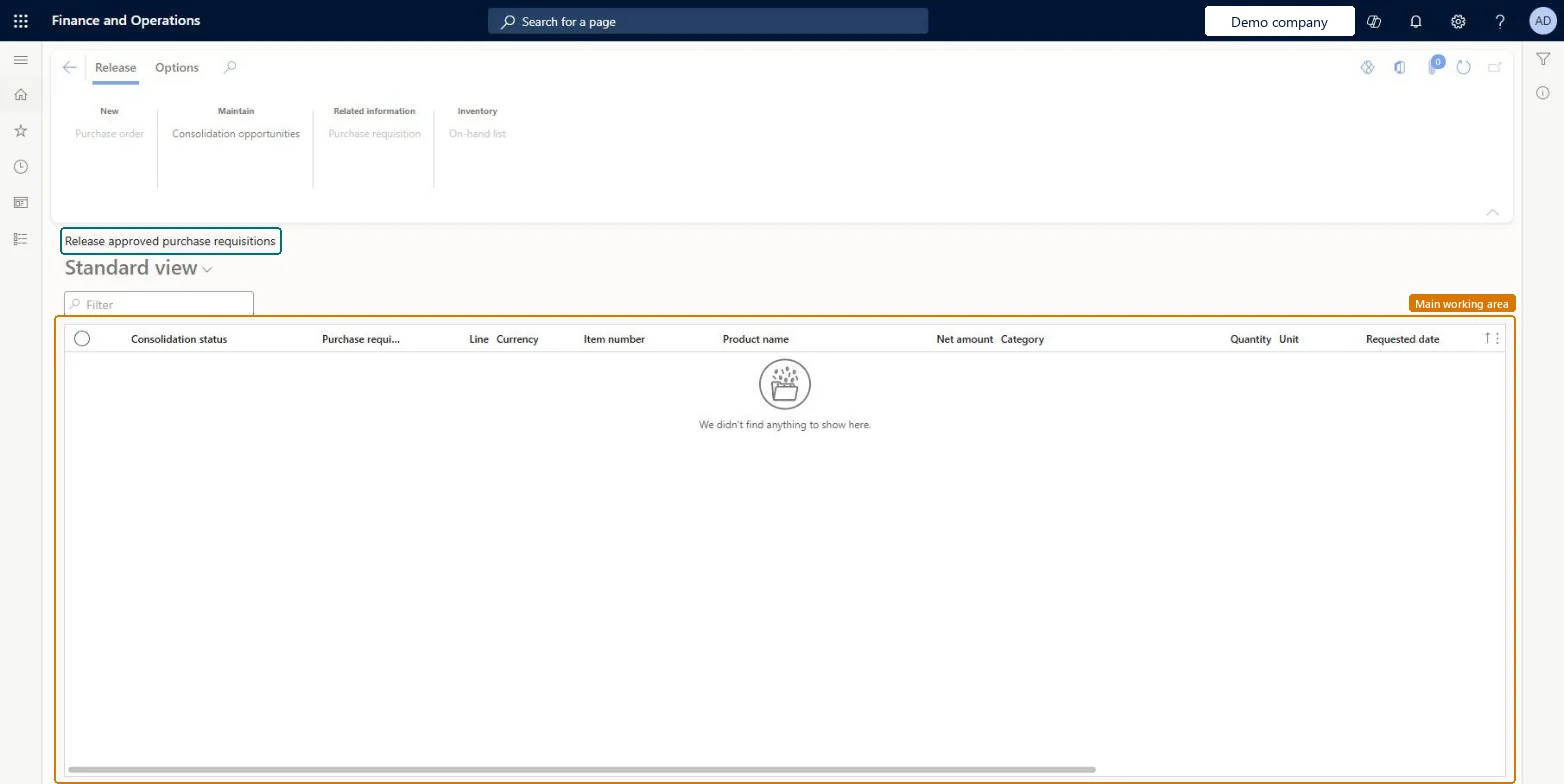
Release approved purchase requisitions page in Dynamics 365
The page in Dynamics 365. page title tab to open what to set or check
Functional consultant · Solution architect

2Where it fits

Business processProcure goods and services
Menu pathProcurement and sourcing › Purchase requisitions › Approved purchase requisition processing › Release approved purchase requisitions
Set up firstPurchasing policies Microsoft Learn
Used next byConsolidation opportunities Microsoft Learn
End user · Functional consultant

3How to do it

About the examples: Examples and screenshots in this guide use BEAT, a demo company in a Dynamics 365 test environment. Use your own company's codes and values instead of copying them.

Steps from Microsoft

  1. Go to Procurement and sourcing > Purchase requisitions > Approved purchase requisition processing > Release approved purchase requisitions.
  2. Select the purchase requisition lines that you want to create a purchase order for.
  3. On the Action Pane, select Purchase order.
  4. Review the message that lists the purchase orders that were created.

Source: Microsoft Learn

Fields on the page

FieldWhat it meansTable column
Consolidation statusShows whether the line can be, or has been, added to a consolidation opportunity.Microsoft Learn PurchReqConsolidationStatus
CurrencyThe currency the line was requested in.Microsoft Learn CurrencyCode
Net amountThe total price for the line.Microsoft Learn LineAmount
Solution architect

4Design impact

If you change it laterIf a line fails validation and the error processing rule is No action, it stays on this page as Approved until the errors are fixed. Microsoft Learn
Technical architect

5Technical

Menu itemPurchReqCreatePurchListPage Checked in Dynamics 365
FormPurchReqCreatePurchListPage Checked in Dynamics 365
TablePurchReqLineShown as “Purchase requisition lines” in Record infoKey field: LineNumChecked in Dynamics 365
Data entitiesPurchaseRequisitionLineEntityPurchase requisition lines Microsoft data model
Who can open itPrivilegesMaintain creation of purchase orders from purchase requisition PurchReqOrderFromRequisitionMaintainView approved purchase requisitions ready for release PurchReqOrderFromRequisitionViewDutiesMaintain creation of purchase orders from purchase requisitions PurchReqOrderFromRequisitionMaintainView approved purchase requisitions ready for release PurchReqOrderFromRequisitionView
4 security rolesBuying agent TradeBuyingAgentPurchasing manager TradePurchasingManagerPurchasing agent VendPurchasingAgentPurchasing Agent - Public Sector VendPurchasingAgent_PSN
Checked in Dynamics 365
Roles to set it up and use itTo set it up or change itPurchasing Agent - Public Sector VendPurchasingAgent_PSNBuying agent TradeBuyingAgentTo use itPurchasing manager TradePurchasingManagerPurchasing agent VendPurchasingAgentGive people one of these roles. On this system, 4 roles can open this page.Checked in Dynamics 365
Actions on the pageRelease: New, Maintain, Related information, InventoryOptions: Personalize, Page options, ShareChecked in Dynamics 365
Developer

6Developer

Open it by URLhttps://<your-environment>/?mi=PurchReqCreatePurchListPage
Integrate withPurchaseRequisitionLineEntity data entity Microsoft data model
Data migrationPurchaseRequisitionLineEntity (Purchase requisition lines): shared by all companies.Microsoft Learn
Table definitionPurchReqLine columns and relations Microsoft data model
Everyone

7Sources