BeyondERP.Newsletter
Menu

Page · Procurement and sourcing

Consolidation opportunities

A page where you group approved purchase requisition lines into consolidation opportunities, so that one buyer can negotiate the purchase.

Used by
Purchasing agent, Purchasing Agent - Public Sector, Chief executive officer and 4 more roles
Business process
Procure goods and services
Menu item
PurchReqConsolidation
Main table
PurchReqConsolidation
Show what matters for
PAGE GUIDEWhat the page does and how to use it7 sections. Choose a role to highlight what matters to you.
Everyone

1What it is and why

What it isA page where you group approved purchase requisition lines into consolidation opportunities, so that one buyer can negotiate the purchase.
What you do hereUse this page to combine demand from several purchase requisitions, adjust the lines, and create purchase orders for them.
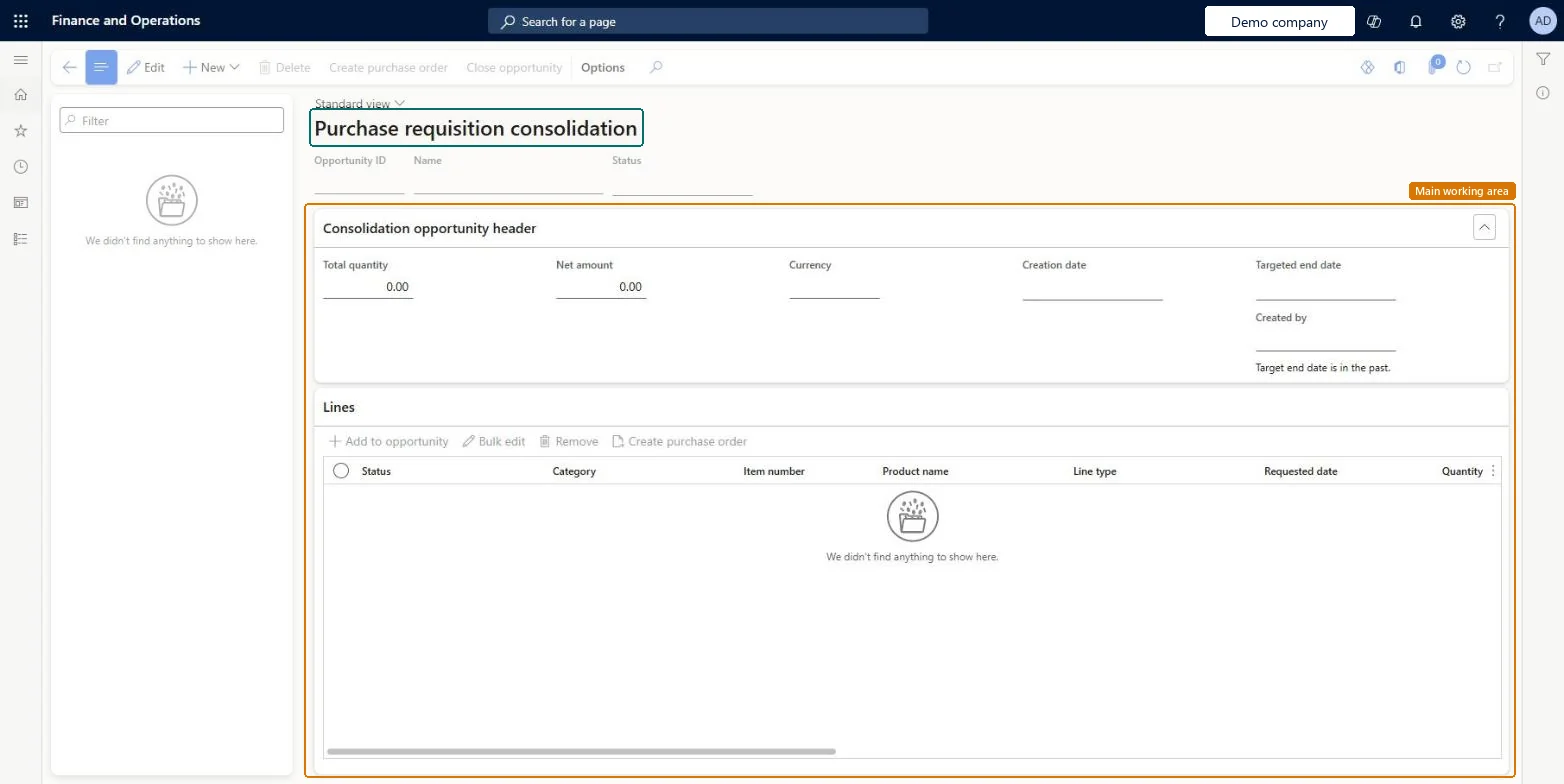
Consolidation opportunities page in Dynamics 365
The page in Dynamics 365. page title tab to open what to set or check
Functional consultant · Solution architect

2Where it fits

Business processProcure goods and services
Menu pathProcurement and sourcing › Purchase requisitions › Approved purchase requisition processing › Consolidation opportunities
Set up firstPurchasing policies Microsoft Learn
Related pagesRelease approved purchase requisitions Microsoft Learn
End user · Functional consultant

3How to do it

About the examples: Examples and screenshots in this guide use BEAT, a demo company in a Dynamics 365 test environment. Use your own company's codes and values instead of copying them.

Steps from Microsoft

  1. Review the approved requisition lines that are held for manual processing and are eligible for consolidation.
  2. Select the lines to add to a consolidation opportunity.
  3. Create a new consolidation opportunity, or add the lines to an existing one.
  4. Make any changes the lines need, and remove the lines you no longer want.
  5. Create purchase orders for the consolidated lines.

Source: Microsoft Learn

Test checklist

  1. On the Purchase order creation and demand consolidation policy rule, set the Demand consolidation tab to Always allow demand consolidation (or a condition that matches your test category) and make sure the line is held for manual processing.
  2. Approve two purchase requisitions for the same product from different requesters.
  3. On Release approved purchase requisitions, select both lines and add them to a new consolidation opportunity.
  4. Open the opportunity, change the quantity or vendor on one line, then create the purchase order.
  5. Check the purchase order carries the changed values and the original requisition line still shows its old values.

Source: Microsoft Learn

Solution architect

4Design impact

Shared or per companyShared: the same records are used by every legal entity. Microsoft data model
Can it be undoneReversible: Until you create the purchase order you can add lines to a consolidation opportunity, remove them and change them. Edits made here flow to the purchase order you create, but the original requisition line stays unchanged so its history is kept. Microsoft Learn
If you change it laterChanges you make to lines here carry over to the purchase order you create. Microsoft Learn
Technical architect

5Technical

Menu itemPurchReqConsolidation Checked in Dynamics 365
FormPurchReqConsolidation Checked in Dynamics 365
TablePurchReqConsolidationShown as “Purchase requisition consolidation table” in Record infoChecked in Dynamics 365
Who can open itPrivilegesMaintain purchase requisition consolidation PurchReqConsolidationMaintainView purchase requisition consolidation PurchReqConsolidationViewDutiesMaintain purchase requisition consolidation PurchReqConsolidationMaintainInquire into purchase requisition consolidation PurchReqConsolidationReview
7 security rolesChief executive officer CompanyChiefExecutiveOfficerProject assistant ProjProjectClerkProject manager ProjProjectManagerBuying agent TradeBuyingAgentPurchasing manager TradePurchasingManagerPurchasing agent VendPurchasingAgentPurchasing Agent - Public Sector VendPurchasingAgent_PSN
Checked in Dynamics 365
Roles to set it up and use itTo set it up or change itPurchasing Agent - Public Sector VendPurchasingAgent_PSNBuying agent TradeBuyingAgentProject assistant ProjProjectClerkTo use itPurchasing manager TradePurchasingManagerPurchasing agent VendPurchasingAgentProject manager ProjProjectManagerChief executive officer CompanyChiefExecutiveOfficerGive people one of these roles. On this system, 7 roles can open this page.Checked in Dynamics 365
Actions on the pageOptions: Personalize, Page options, ShareChecked in Dynamics 365
Developer

6Developer

Open it by URLhttps://<your-environment>/?mi=PurchReqConsolidation
Table definitionPurchReqConsolidation columns and relations Microsoft data model
Everyone

7Sources