BeyondERP.Newsletter
Menu

Transaction page · Procurement and sourcing

Receipts list

An inquiry page that lists all receipts lists that have been posted for purchase orders.

Used by
Accounts payable clerk, Accounts payable manager, Chief financial officer and 9 more roles
Business process
Procure goods and services
Menu item
VendReceiptsJournal
Main table
VendReceiptsListJour
Show what matters for
PAGE GUIDEWhat the page does and how to use it7 sections. Choose a role to highlight what matters to you.
Everyone

1What it is and why

What it isAn inquiry page that lists all receipts lists that have been posted for purchase orders.
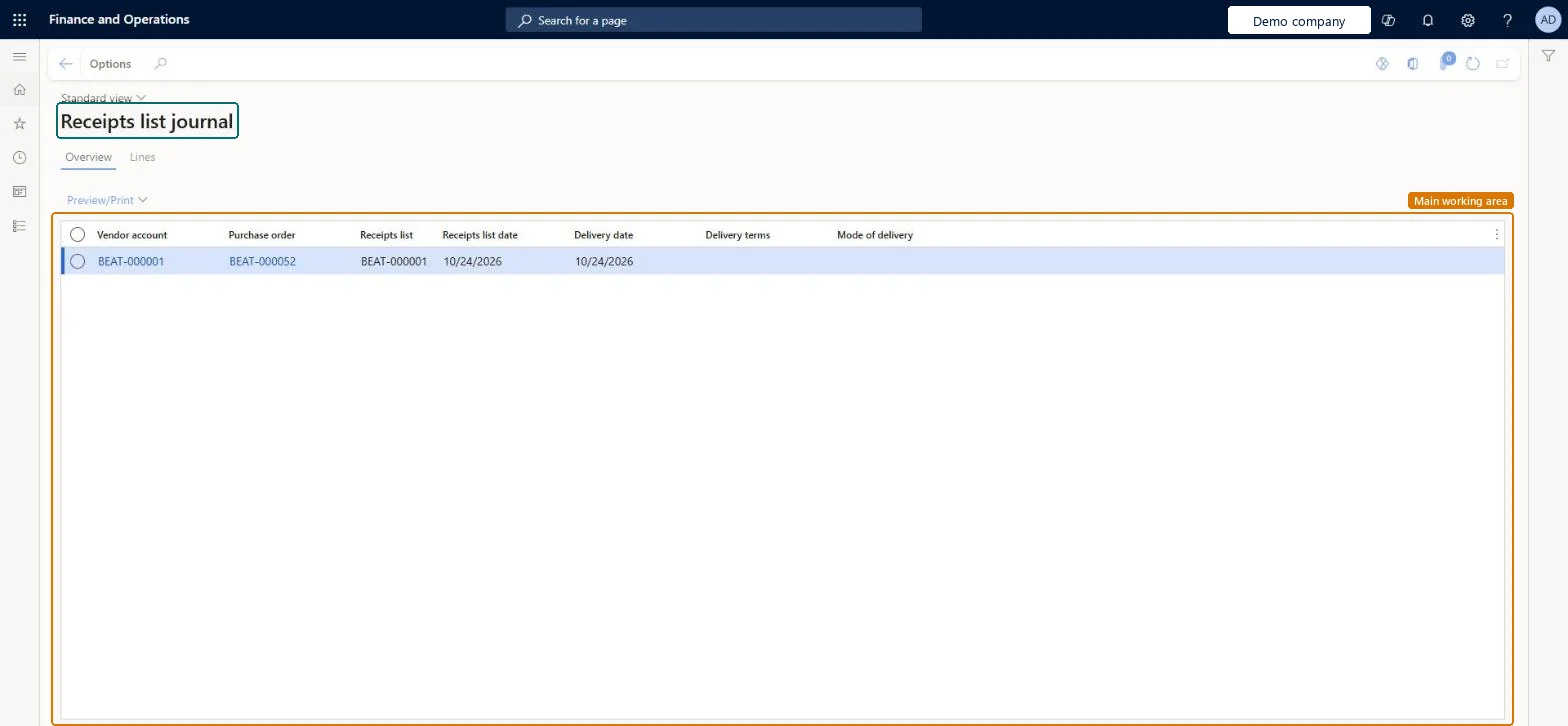
What you do hereUse this page to look up posted receipts lists and their details, such as vendor, purchase order, receipts list number and delivery terms.
Receipts list page in Dynamics 365
The page in Dynamics 365. page title tab to open what to set or check
Functional consultant · Solution architect

2Where it fits

Business processProcure goods and services
Menu pathProcurement and sourcing › Purchase orders › Receiving products › Receipts list
Set up firstPost receipts list Microsoft Learn
Related pagesReceipts list report Microsoft Learn
End user · Functional consultant

3How to do it

About the examples: Examples and screenshots in this guide use BEAT, a demo company in a Dynamics 365 test environment. Use your own company's codes and values instead of copying them.

How to use it

  1. Go to Procurement and sourcing > Purchase orders > Receiving products > Receipts list.
  2. On the Overview tab, check the Vendor account, Purchase order, Receipts list, Receipts list date, Delivery date, Delivery terms and Mode of delivery columns.
  3. Select a receipts list in the list.
  4. Select Preview/Print to preview or print it.
  5. Select the Lines tab to see the lines.

Source: Checked in Dynamics 365

Fields on the page

FieldWhat it meansTable column
Receipts listThe number that identifies the receipts list.Microsoft Learn ReceiptsListId
Receipts list dateThe date the receipts list journal was posted.Microsoft Learn ReceiptsListDate
Vendor accountThe vendor that the purchase order is placed with.Microsoft Learn VendAccount
Delivery termsThe terms of delivery for the receipts list.Microsoft Learn DlvTerm
Mode of deliveryHow the goods on the receipts list are delivered.Microsoft Learn DlvMode
Solution architect

4Design impact

Shared or per companyPer company: each legal entity has its own records. Microsoft data model
Technical architect

5Technical

Menu itemVendReceiptsJournal Checked in Dynamics 365
FormVendReceiptsListJournal Checked in Dynamics 365
TableVendReceiptsListJourShown as “Receipts list journal” in Record infoChecked in Dynamics 365
Who can open itPrivilegesView receipts list VendReceiptsJournalViewDutiesInquire into purchase order to invoice progress PurchOrderToInvoiceProgressInquireInquire into vendor invoice status VendInvoiceVendorInvoiceStatusInquire
12 security rolesChief financial officer CompanyChiefFinancialOfficerAccountant LedgerAccountantAccounting manager LedgerAccountingManagerAccounting supervisor LedgerAccountingSupervisorFinancial controller LedgerFinancialControllerAccounts payable centralized payments clerk PaymAccountsPayableCentralPaymClerkAccounts payable payments clerk PaymAccountsPayablePaymentsClerkProject manager ProjProjectManagerBuying agent TradeBuyingAgentPurchasing manager TradePurchasingManagerAccounts payable clerk VendInvoiceAccountsPayableClerkAccounts payable manager VendInvoiceAccountsPayableManager
Checked in Dynamics 365
Roles to set it up and use itTo use itPurchasing manager TradePurchasingManagerAccounts payable manager VendInvoiceAccountsPayableManagerBuying agent TradeBuyingAgentProject manager ProjProjectManagerAccountant LedgerAccountantGive people one of these roles. On this system, 12 roles can open this page.Checked in Dynamics 365
Actions on the pageOptions: Personalize, Page options, ShareChecked in Dynamics 365
Developer

6Developer

Open it by URLhttps://<your-environment>/?mi=VendReceiptsJournal
Table definitionVendReceiptsListJour columns and relations Microsoft data model
Everyone

7Sources