Procurement and sourcingPurchase ordersReceiving products
VendPackingSlipNotInvoicedJour_W
Business process
Procure goods and services
Menu item
VendPackingSlipNotInvoicedJour_W
Main table
VendPackingSlipJour
Data entity
VendProductReceiptHeaderEntity
Show what matters for
PAGE GUIDEWhat the page does and how to use it7 sections. Choose a role to highlight what matters to you.
Everyone
1What it is and why
What it is
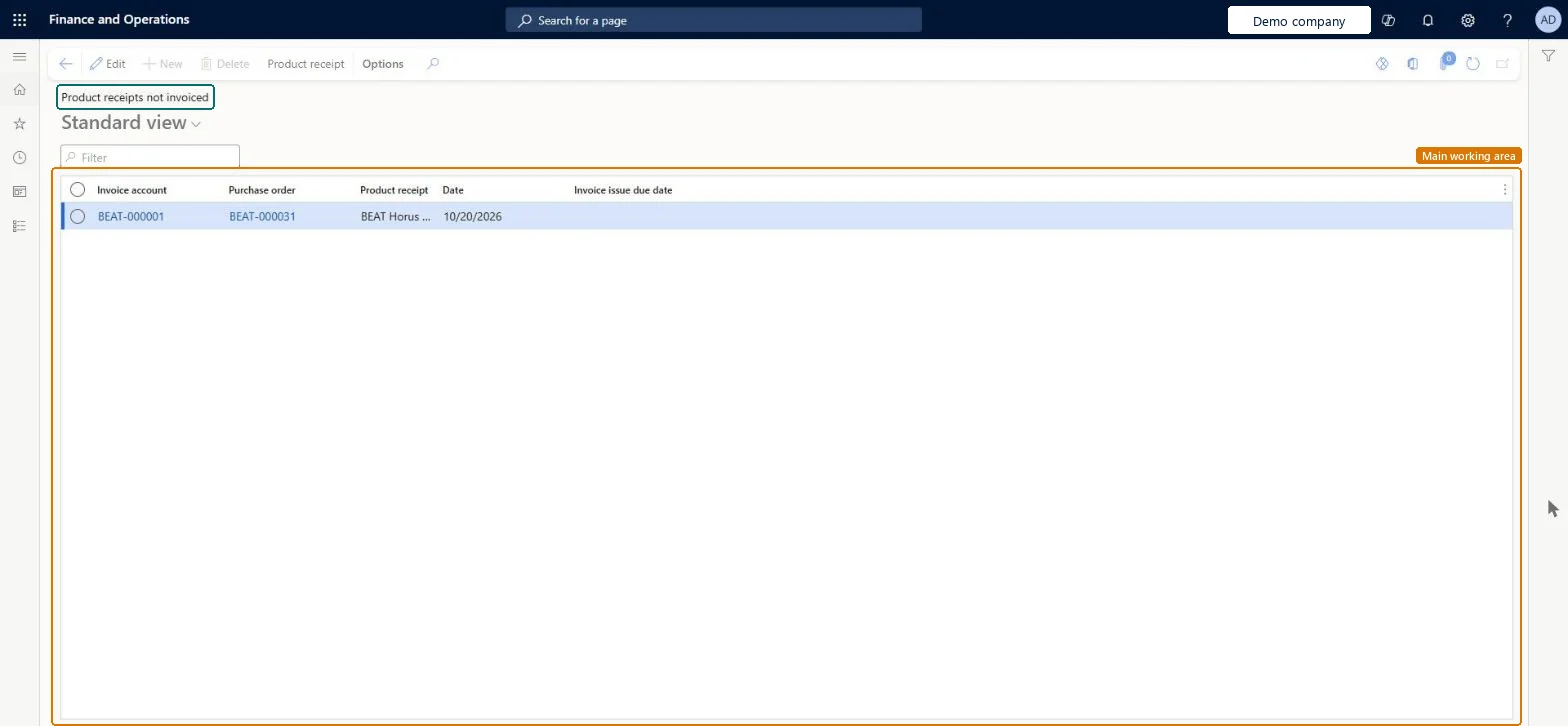
An inquiry page that lists the product receipts that aren't invoiced yet, together with their invoice issue due dates.
What you do here
Use this page to follow up on received purchase order products that still need a vendor invoice before the invoice issue deadline.
Example
For example, a company that must have intra-EU deliveries invoiced by the fifteenth day of the following month uses this page to see which receipts are still waiting for an invoice and when they're due.
The page in Dynamics 365. page title tab to open what to set or check
About the examples: Examples and screenshots in this guide use BEAT, a demo company in a Dynamics 365 test environment. Use your own company's codes and values instead of copying them.
How to use it
Go to Procurement and sourcing > Purchase orders > Receiving products > Product receipts not invoiced.
Type in the Filter box to narrow the list by invoice account, purchase order or product receipt.
Check the Invoice account, Purchase order, Product receipt, Date and Invoice issue due date columns.
Select a row, then select Edit to change it.
Use the Product receipt tab in the Action Pane for the next task.
Source: Checked in Dynamics 365
Fields on the page
Field
What it means
Table column
Invoice issue due date
The date by which the invoice for the receipt should be issued, based on the date interval for the vendor's country/region.Microsoft Learn
To use itPurchasing manager TradePurchasingManagerAccounts payable manager VendInvoiceAccountsPayableManagerPurchasing agent VendPurchasingAgentPurchasing Agent - Public Sector VendPurchasingAgent_PSNBuying agent TradeBuyingAgentGive people one of these roles. On this system, 19 roles can open this page.Checked in Dynamics 365
Actions on the page
Options: Personalize, Page options, ShareChecked in Dynamics 365