Procurement and sourcingPurchase ordersPurchase order confirmation
PurchVendorPortalVersionHistoryInternal
Business process
Procure goods and services
Menu item
PurchVendorPortalVersionHistoryInternal
Main table
PurchTableAllVersions
Show what matters for
PAGE GUIDEWhat the page does and how to use it7 sections. Choose a role to highlight what matters to you.
Everyone
1What it is and why
What it is
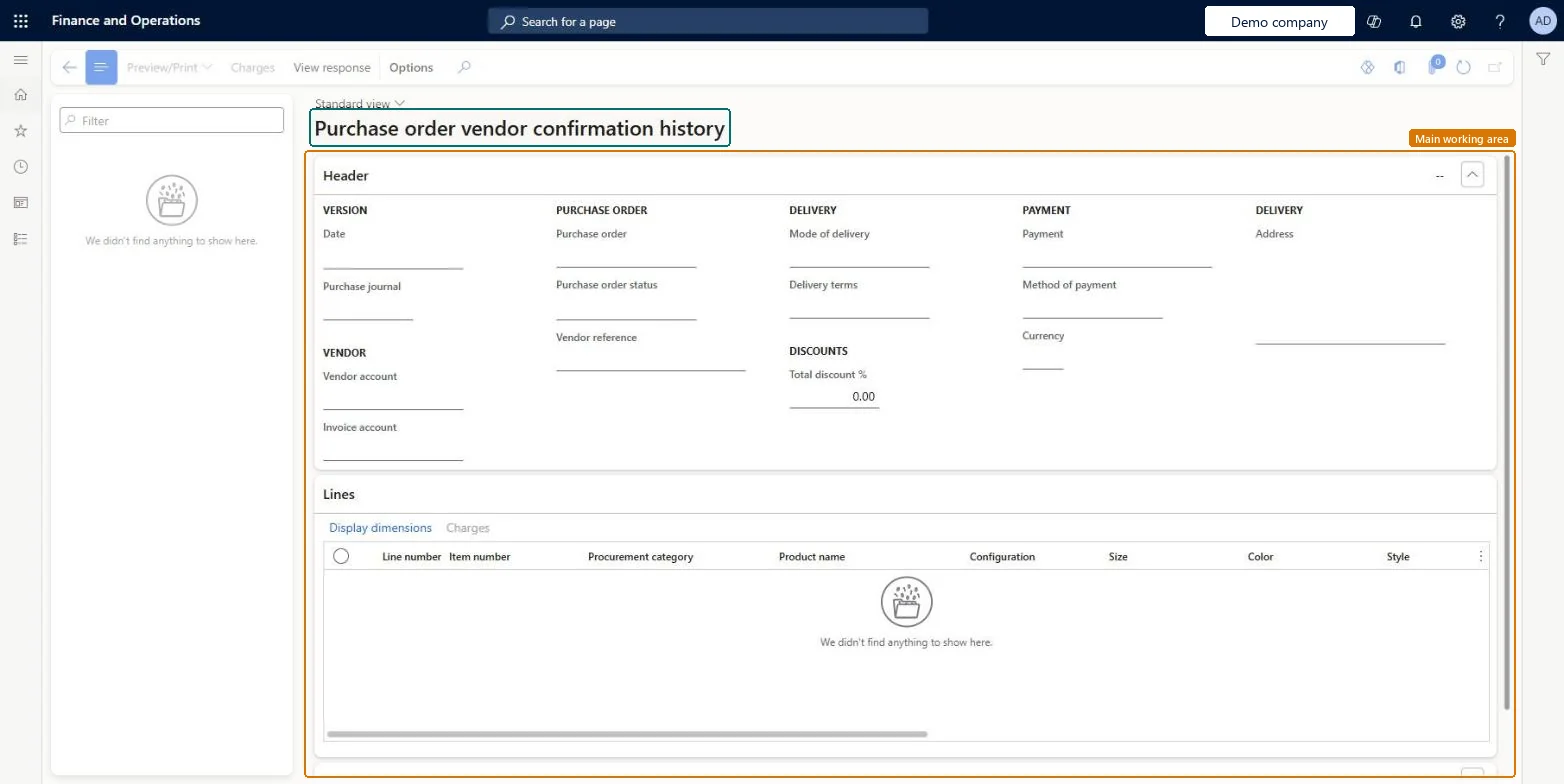
An inquiry page that shows the history of each purchase order sent to a vendor through vendor collaboration, including its versions.
What you do here
Use this page to track how each purchase order sent to a vendor has changed over time.
Example
For example, when you change an order that the vendor already answered, you send a new version with a version suffix, and the history keeps every version.
The page in Dynamics 365. page title tab to open what to set or check
About the examples: Examples and screenshots in this guide use BEAT, a demo company in a Dynamics 365 test environment. Use your own company's codes and values instead of copying them.
How to use it
Go to Procurement and sourcing > Purchase orders > Purchase order confirmation > Purchase order vendor confirmation history.
Type in the Filter box on the left to find a purchase order version.
Select a version in the list.
Check the Header details, such as Date, Purchase journal, Purchase order, Vendor account, Delivery and Payment.
Check the Lines section for the Line number, Item number and Product name.
Select View response, Preview/Print or Charges in the Action Pane.
Source: Checked in Dynamics 365
Solution architect
4Design impact
If you change it later
The previously confirmed version stays in the list of confirmed purchase orders until the new version is confirmed. Microsoft Learn
Technical architect
5Technical
Menu item
PurchVendorPortalVersionHistoryInternalChecked in Dynamics 365
Form
PurchVendorPortalRequestsChecked in Dynamics 365
Table
PurchTableAllVersionsShown as “Purchase order header versions” in Record infoChecked in Dynamics 365
Roles to set it up and use it
To use itPurchasing manager TradePurchasingManagerAccounts payable manager VendInvoiceAccountsPayableManagerPurchasing agent VendPurchasingAgentPurchasing Agent - Public Sector VendPurchasingAgent_PSNBuying agent TradeBuyingAgentGive people one of these roles. On this system, 18 roles can open this page.Checked in Dynamics 365
Actions on the page
Options: Personalize, Page options, ShareChecked in Dynamics 365