Inventory accountant, Retail merchandising manager, Retail service and 3 more roles
Business process
Set product prices
Menu item
GUPBasePriceVersion
Main table
GUPBasePriceVersion
Data entity
GUPBasePriceVersionEntity
Setup steps
1 on this page
Show what matters for
PAGE GUIDEWhat the page does and how to use it8 sections. Choose a role to highlight what matters to you.
Everyone
1What it is and why
What it is
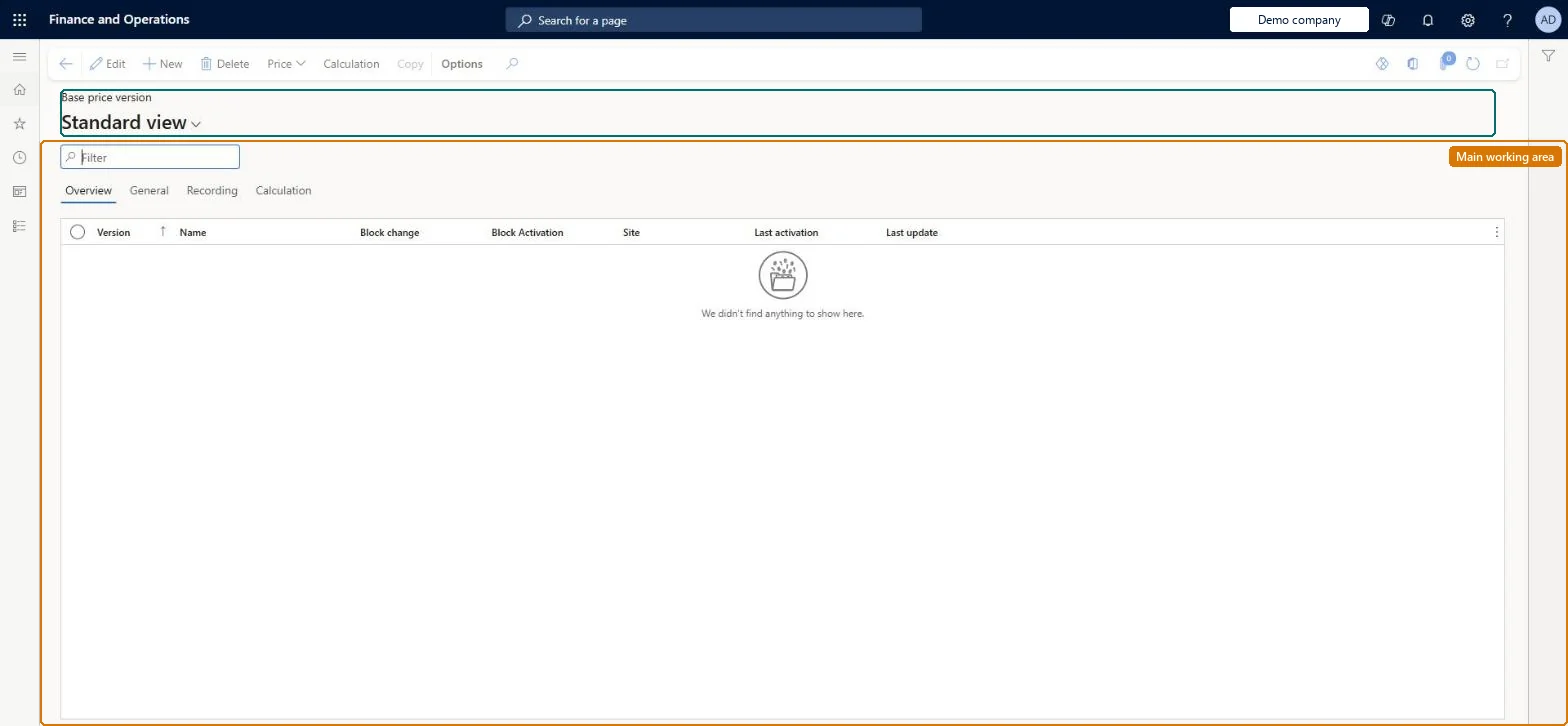
A page that lists the base price versions you created and the dates that each version is valid for.
What you do here
Use this page to maintain a list of item base prices for a specific period. Select a version and then Price > Base price to view and edit the prices in that version.
Example
For example, a manufacturer whose items have bills of materials but don't use the standard cost model defines their item base prices here.
The page in Dynamics 365. page title tab to open what to set or check
About the examples: Examples and screenshots in this guide use BEAT, a demo company in a Dynamics 365 test environment. Use your own company's codes and values instead of copying them.
Setup steps on this page
Set up Base price versions
Use this page to maintain a list of item base prices for a specific period. Select a version and then Price > Base price to view and edit the prices in that version.
Steps from Microsoft
Go to Pricing management > Pre-sales pricing > Base price versions.
Select a version in the list.
On the Action Pane, select Price > Base price.
View and edit the item base prices that apply for that version.
Base price versions for traded items and for manufactured items that don't use standard cost; for standard-cost manufactured items, rely on the active costing version cost price insteadThe price engine uses the active item base price first. If an item has no active item base price, it uses the active cost price from a costing version, so standard-cost items don't need base price versions.
Forgetting that a posted sales trade agreement price takes priority over the base price. Teams edit base prices and see no change on orders for customers who have a trade agreement.Test: Base price falls back to costing version
Solution architect
5Design impact
Can it be undone
Reversible: Versions are date-ranged. Changing a base price changes the selling price before margin component price adjustments for orders priced afterwards. Microsoft Learn
If you change it later
The base price is the starting point of the selling price, so changing it changes the selling price before margin component price adjustments are added. Microsoft Learn
Technical architect
6Technical
Menu item
GUPBasePriceVersionChecked in Dynamics 365
Form
GUPBasePriceVersionChecked in Dynamics 365
Table
GUPBasePriceVersionShown as “BASE PRICE VERSION” in Record infoChecked in Dynamics 365
Data entities
GUPBasePriceVersionEntityBase price version Checked in Dynamics 365
Who can open it
PrivilegesMaintain pricing service base price version GUPBasePriceVersionMaintainView pricing service base price status GUPBasePriceVersionViewDutiesMaintain activation of base price GUPBasePriceActivationMaintainMaintain sales base price GUPBasePriceMaintainInquire into pricing service base price status GUPBasePriceView7 security rolesInventory accountant InventCostAccountantMCRTestUserRoleRetail merchandising manager RetailMerchandisingManagerRetail service RetailServicePurchasing manager TradePurchasingManagerSales clerk TradeSalesClerkSales manager TradeSalesManagerChecked in Dynamics 365
Roles to set it up and use it
To set it up or change itRetail service RetailServiceSales manager TradeSalesManagerRetail merchandising manager RetailMerchandisingManagerPurchasing manager TradePurchasingManagerInventory accountant InventCostAccountantTo use itSales clerk TradeSalesClerkGive people one of these roles. On this system, 6 roles can open this page.Checked in Dynamics 365
Actions on the page
(Action Pane without tabs): Price, Calculation, CopyChecked in Dynamics 365