PAGE GUIDEWhat the page does and how to use it8 sections. Choose a role to highlight what matters to you.
Everyone
1What it is and why
What it is
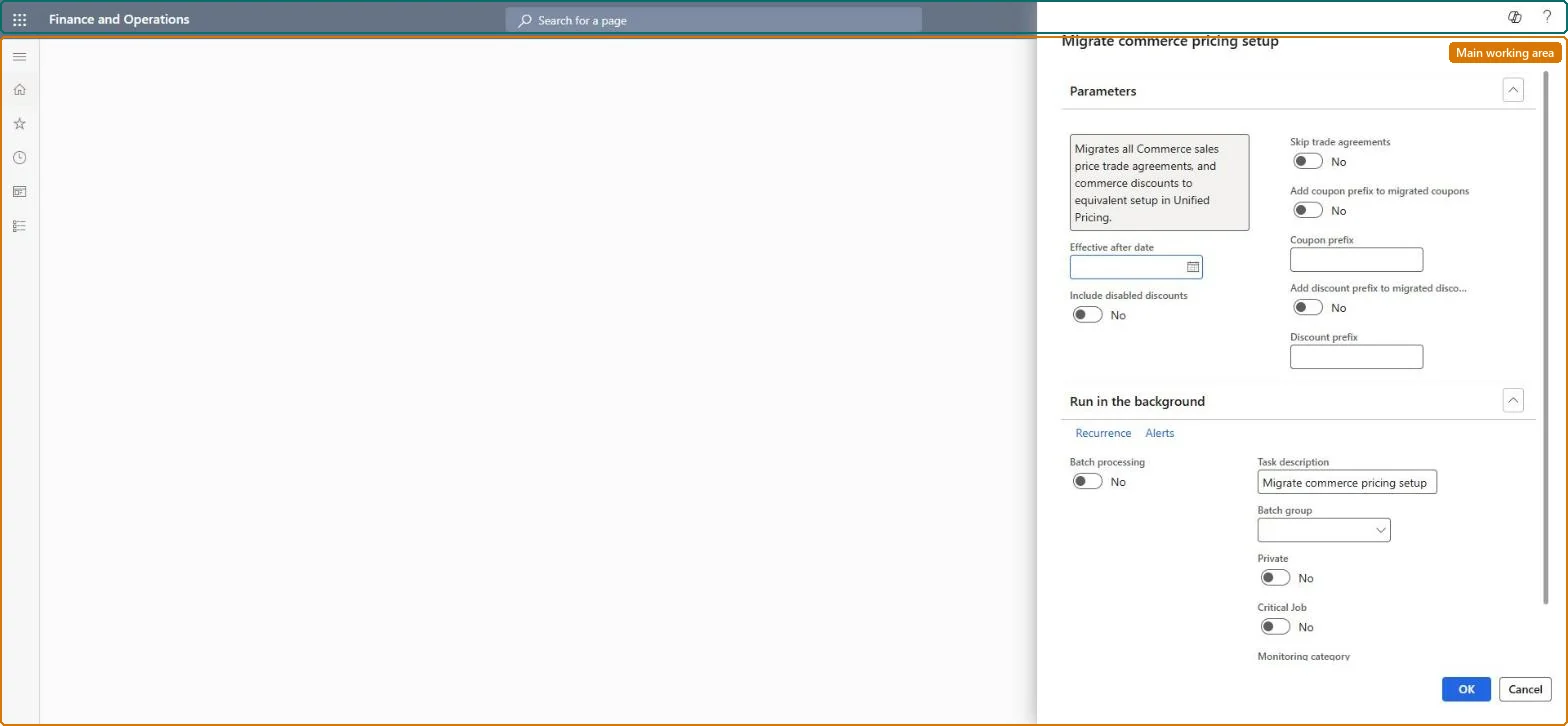
A dialog that runs the job that moves your Commerce pricing engine data into Unified pricing management.
What you do here
Use this page to migrate the Commerce pricing rules that are still active, choosing whether disabled discounts are included and whether trade agreements are skipped.
Example
For example, a Commerce customer runs the job to move from the legacy Commerce pricing engine to Unified pricing management without setting everything up again by hand.
The page in Dynamics 365. page title tab to open what to set or check
About the examples: Examples and screenshots in this guide use BEAT, a demo company in a Dynamics 365 test environment. Use your own company's codes and values instead of copying them.
Steps from Microsoft
Go to Pricing management > Migration > Migrate commerce pricing setup.
In the Effective after date field, enter the date that selects the pricing rules that are still active.
Hard to reverse: The job moves Commerce pricing data and configuration into Unified pricing management. Learn describes no rollback, and the migration is a preview not meant for production, so run and check it in a test environment first. Microsoft Learn
If you change it later
Running the job moves your Commerce pricing data and configuration into Unified pricing management. In version 10.0.46 price adjustments are not included. Microsoft Learn
Technical architect
6Technical
Menu item
GUPRetailDataMigrationJobChecked in Dynamics 365
Form
SysOperationTemplateFormChecked in Dynamics 365
Roles to set it up and use it
To use itRetail service RetailServiceSales manager TradeSalesManagerRetail merchandising manager RetailMerchandisingManagerRetail operations manager RetailOperationsManagerPurchasing manager TradePurchasingManagerGive people one of these roles. On this system, 6 roles can run this page.Checked in Dynamics 365