Business Performance Planning app role, Data management administrator, Data management migration user and 5 more roles
Business process
Manage compensation and benefits
Menu item
PayrollPayCycle
Main table
PayrollPayCycle
Data entity
PayrollPayCycleEntity
Setup steps
1 on this page
Show what matters for
PAGE GUIDEWhat the page does and how to use it8 sections. Choose a role to highlight what matters to you.
Everyone
1What it is and why
What it is
A setup page where you create pay cycles, which set how often payroll runs and the days workers are paid, and generate the pay periods for each cycle.
What you do here
Use this page to define each unique combination of pay frequency and pay date, generate pay periods (usually a year at a time) and adjust pay dates or period statuses.
Example
For example, a company with semimonthly management pay, weekly salaried pay and weekly hourly pay on a different day needs three pay cycles.
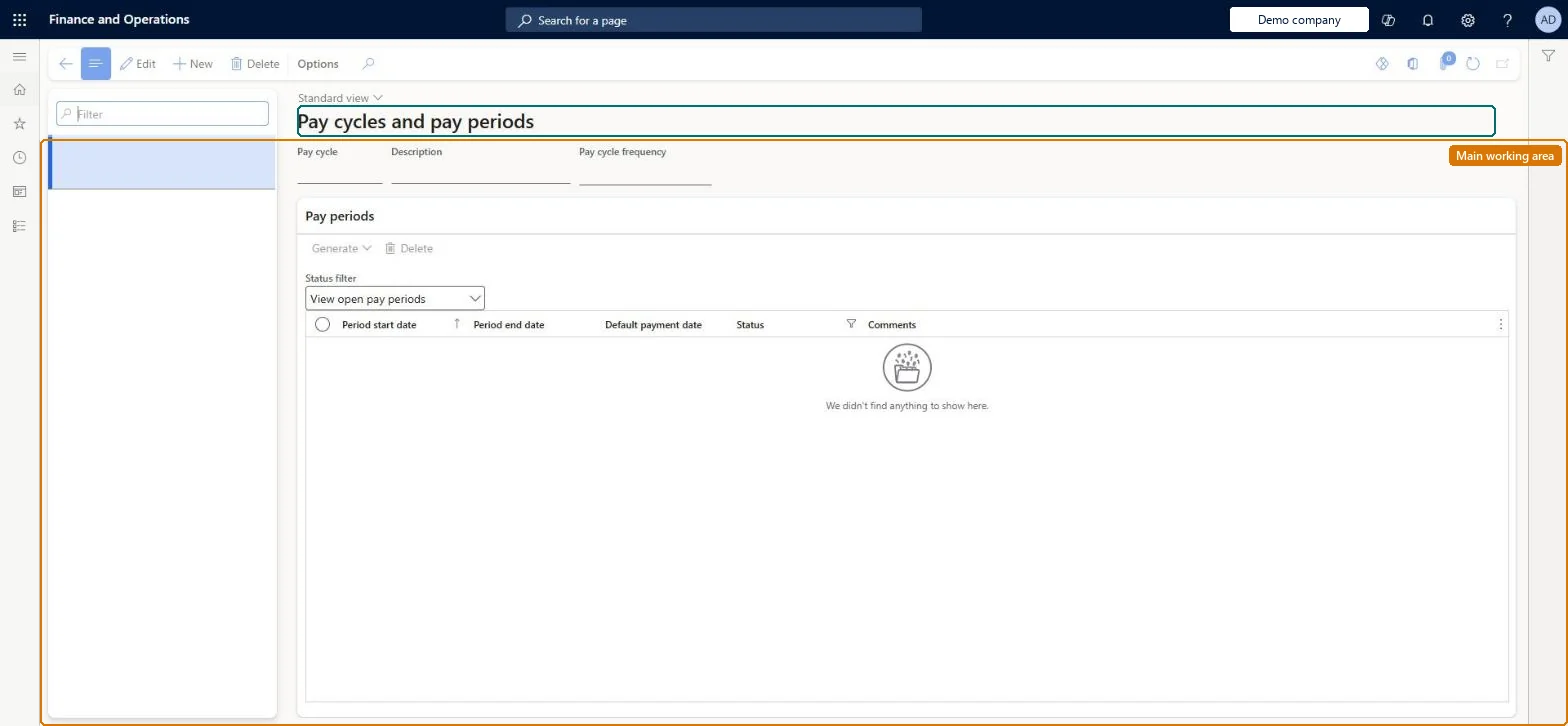
The page in Dynamics 365. page title tab to open what to set or check
About the examples: Examples and screenshots in this guide use BEAT, a demo company in a Dynamics 365 test environment. Use your own company's codes and values instead of copying them.
Setup steps on this page
Set up Pay cycles and pay periods
Use this page to define each unique combination of pay frequency and pay date, generate pay periods (usually a year at a time) and adjust pay dates or period statuses.
Steps from Microsoft
Go to Payroll > Setup > Pay cycles and pay periods.
Select New and enter a name and description for the pay cycle.
Select the pay cycle frequency, such as Weekly or Monthly.
Generate pay periods, entering the number of periods (for example 52 for a weekly year).
Optionally change default payment dates that fall on holidays, and set period statuses.
Assign the pay cycle to positions on the Payroll tab.
One pay cycle per unique combination of pay cycle frequency and pay date; generate pay periods a year at a time (for example 26 for biweekly) before the existing periods run outEach unique frequency and pay date combination needs its own pay cycle. Pay can be processed only for periods that exist, and Microsoft notes most organizations generate one year at a time, often when preparing for a new fiscal year.
Saving a pay cycle with the wrong frequency: the frequency can't be changed after saving, so you must create a new pay cycle and reassign positions.Test: Pay periods generated and protected
Solution architect
5Design impact
Can it be undone
One-way: Warning: a saved pay cycle's frequency can't be changed; create a new pay cycle instead. Payment dates and period statuses can still be edited, and only periods at the start or end of the list can be deleted. Microsoft Learn
If you change it later
The frequency of a saved pay cycle cannot be changed, and pay can be processed only for pay periods that exist, so new periods must be generated before the existing ones run out. Microsoft Learn
Technical architect
6Technical
Menu item
PayrollPayCycleChecked in Dynamics 365
Form
PayrollPayCycleChecked in Dynamics 365
Table
PayrollPayCycleShown as “PAY CYCLE” in Record infoKey field: PayCycleIdChecked in Dynamics 365
PrivilegesMaintain pay cycles and create pay periods PayrollPayCycleMaintainView pay cycles and pay periods PayrollPayCycleViewDutiesMaintain Reference entity data for data management DataManagementApplicationReferenceEntitiesMaintainView Reference entity data for data management DataManagementApplicationReferenceEntitiesViewInquire into payroll master data PayrollMasterDataInquireSet up payroll master data PayrollMasterDataMaintain8 security rolesBusiness Performance Planning app role BPPBudgetPlanningAppRoleData management administrator DataManagementAdministratorData management migration user DataManagementMigrationUserCompensation and benefits manager HcmCompensationAndBenefitsManagerPayroll administrator HcmPayrollAdministratorPayroll manager HcmPayrollManagerDemand planning app role ScpDemandPlanningAppRoleInformation technology manager SysServerITManagerChecked in Dynamics 365
Roles to set it up and use it
To set it up or change itPayroll administrator HcmPayrollAdministratorCompensation and benefits manager HcmCompensationAndBenefitsManagerInformation technology manager SysServerITManagerBusiness Performance Planning app role BPPBudgetPlanningAppRoleData management migration user DataManagementMigrationUserTo use itPayroll manager HcmPayrollManagerGive people one of these roles. On this system, 8 roles can open this page.Checked in Dynamics 365