BeyondERP.Newsletter
Menu

Inquiry page · Payroll

Pay statement earnings

An inquiry page that lists the earning lines on pay statements across workers, pay cycles and pay periods.

Used by
Payroll administrator, Payroll manager
Business process
Pay employees
Menu item
PayrollPayStatementEarningLineInquiry
Main table
PayrollPayStatementEarningLine
Data entity
PayrollPayStatementEarningLineEntity
Show what matters for
PAGE GUIDEWhat the page does and how to use it6 sections. Choose a role to highlight what matters to you.
Everyone

1What it is and why

What it isAn inquiry page that lists the earning lines on pay statements across workers, pay cycles and pay periods.
What you do hereUse this page to view the earnings amounts that were included on pay statements and export them to Excel to analyze the data or build custom reports.
ExampleFor example, export the pay statement earnings for a quarter to Excel to total amounts by earning code and position.
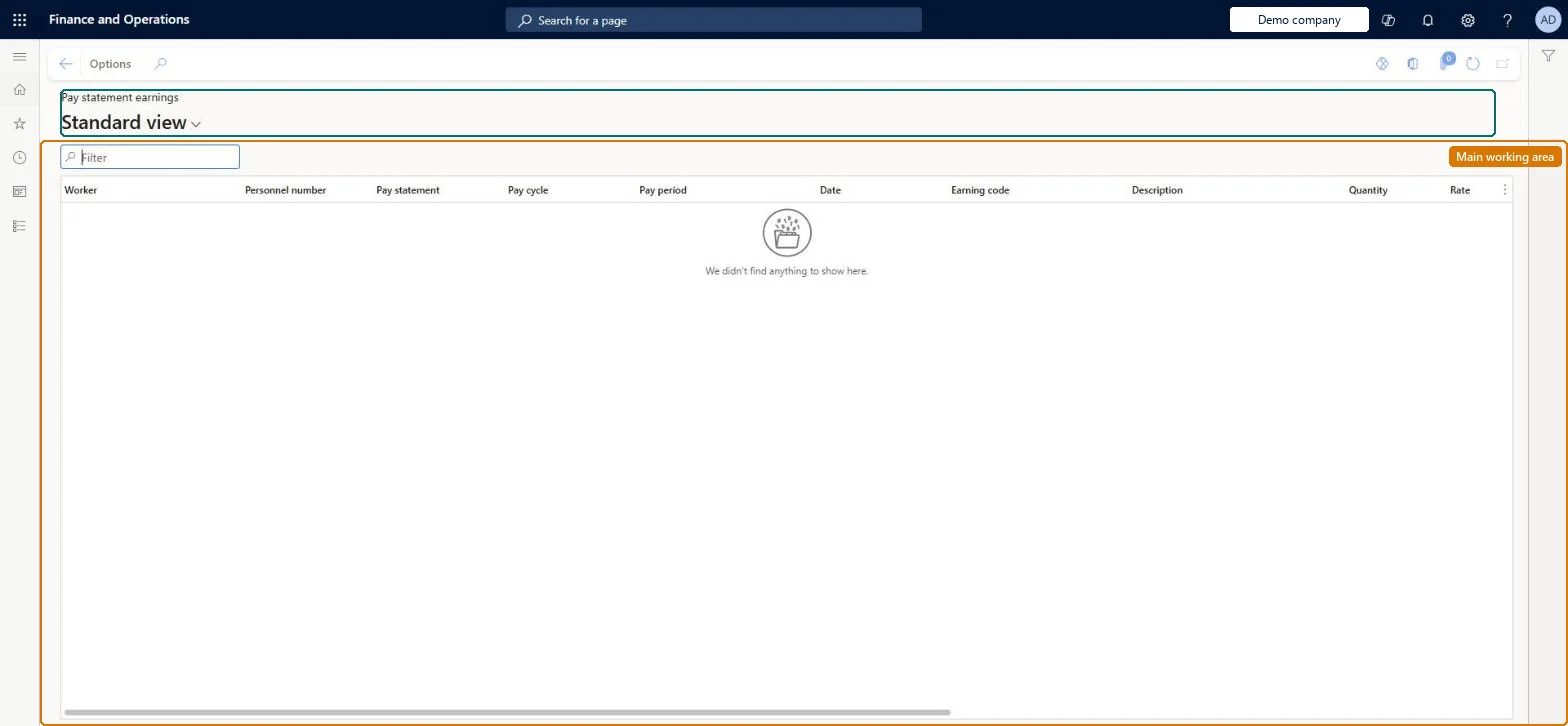
Pay statement earnings page in Dynamics 365
The page in Dynamics 365. page title tab to open what to set or check
Functional consultant · Solution architect

2Where it fits

Business processManage compensation and benefits › Pay employees
Menu pathPayroll › Inquiries and reports › Pay statement earnings
Set up firstGenerate pay statements Microsoft Learn
Related pagesEarnings statement lines Microsoft Learn
End user · Functional consultant

3How to do it

About the examples: Examples and screenshots in this guide use BEAT, a demo company in a Dynamics 365 test environment. Use your own company's codes and values instead of copying them.

How to use it

  1. Go to Payroll > Inquiries and reports > Pay statement earnings.
  2. Use the Filter box to find earnings by worker, pay statement or earning code.
  3. Review the Pay cycle, Pay period, Date, Quantity and Rate columns.
  4. Use Options to change the view or export the lines.

Source: Checked in Dynamics 365

Fields on the page

FieldWhat it meansTable column
Pay statementThe pay statement that included the earnings amount.Microsoft Learn PayStatement
Pay periodThe pay period that the pay statement covers.Microsoft Learn PayPeriod
DateThe accounting date of the pay statement earning line.Microsoft Learn AccountingDate
Earning code / DescriptionThe earning reported on the pay statement line.Microsoft Learn
Quantity / Rate / AmountThe amount is quantity multiplied by rate.Microsoft Learn
PositionThe position the earning is for.Microsoft Learn Position
Pay statement line sourceThe document or process the line came from, usually an earnings statement.Microsoft Learn Source
Technical architect

4Technical

Menu itemPayrollPayStatementEarningLineInquiry Checked in Dynamics 365
FormPayrollPayStatementEarningLineInquiry Checked in Dynamics 365
TablePayrollPayStatementEarningLineShown as “PAY STATEMENT EARNING LINES” in Record infoChecked in Dynamics 365
Data entitiesPayrollPayStatementEarningLineEntityPay statement earning lines Microsoft data model PayrollPayStatementEarningLineInquiryEntityPay statement earning lines Microsoft data model
Who can open itPrivilegesMaintain pay statements PayrollPayStatementMaintainView pay statements PayrollPayStatementViewDutiesInquire into payroll payments PayrollPayStatementGenerationInquireMaintain pay statements PayrollPayStatementGenerationMaintain
2 security rolesPayroll administrator HcmPayrollAdministratorPayroll manager HcmPayrollManager
Checked in Dynamics 365
Roles to set it up and use itTo set it up or change itPayroll administrator HcmPayrollAdministratorTo use itPayroll manager HcmPayrollManagerGive people one of these roles. On this system, 2 roles can open this page.Checked in Dynamics 365
Developer

5Developer

Open it by URLhttps://<your-environment>/?mi=PayrollPayStatementEarningLineInquiry
Integrate withPayrollPayStatementEarningLineEntity data entity Microsoft data model
Table definitionPayrollPayStatementEarningLine columns and relations Microsoft data model
Everyone

6Sources

KEEP EXPLORING

More in Payroll.

Open the other pages and setup steps in this module, or go back to the Atlas Hub to search every page.