PAGE GUIDEWhat the page does and how to use it6 sections. Choose a role to highlight what matters to you.
Everyone
1What it is and why
What it is
An inquiry page that lists the benefit deduction and employer contribution lines on pay statements across workers.
What you do here
Use this page to view benefit amounts on pay statements, see whether each amount is a deduction or an employer contribution and which vendor invoice includes it, and export the data to Excel.
Example
For example, filter on a benefit and pay period and export to Excel to agree employer contributions with the benefit vendor's invoice.
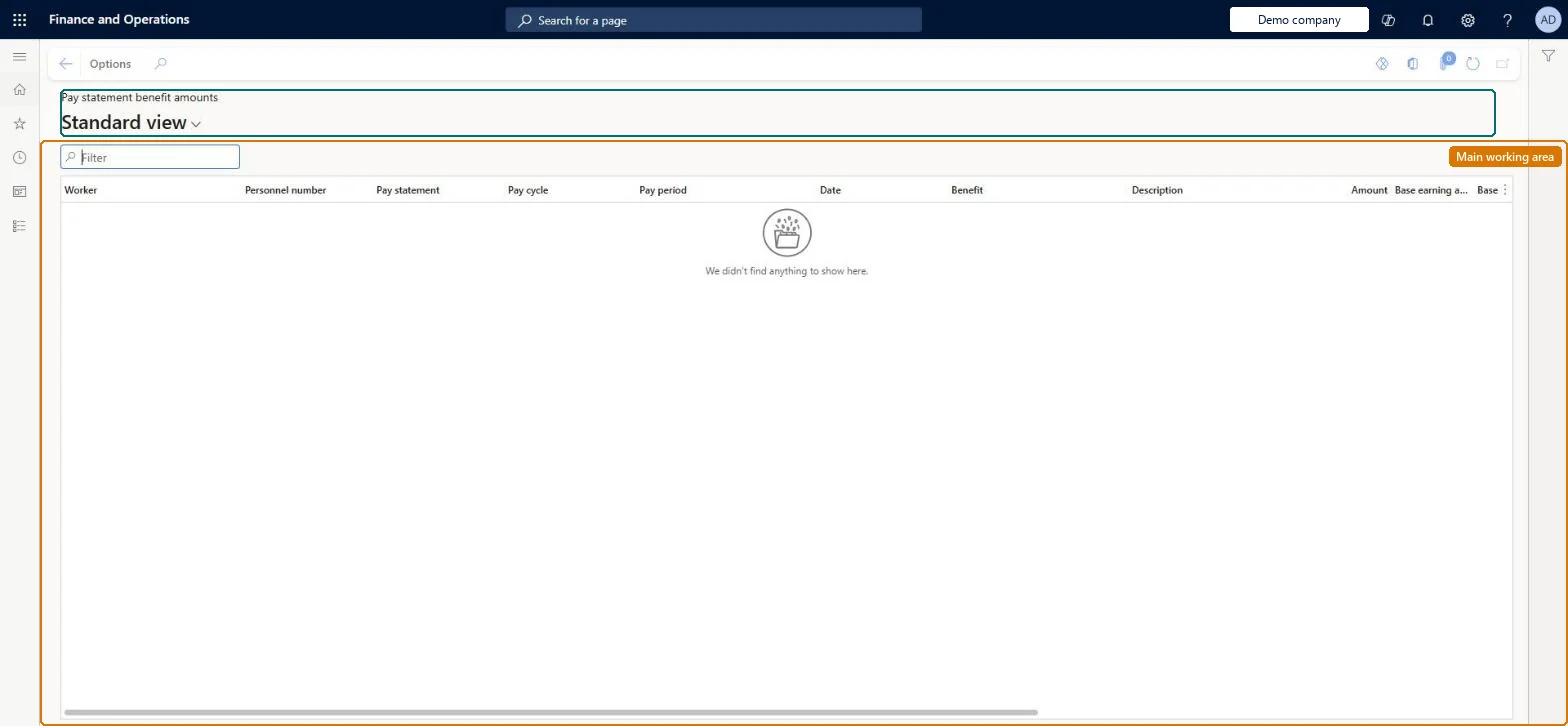
The page in Dynamics 365. page title tab to open what to set or check
About the examples: Examples and screenshots in this guide use BEAT, a demo company in a Dynamics 365 test environment. Use your own company's codes and values instead of copying them.
How to use it
Go to Payroll > Inquiries and reports > Pay statement benefit amounts.
Use the Filter box to find amounts by worker, pay statement or benefit.
Review the Pay cycle, Pay period, Date, Amount and Base earning amount columns.
Use Options to change the view or export the lines.
Where the benefit line came from, usually a worker enrolled benefit.Microsoft Learn
Source
Vendor invoice
The accounts payable invoice that includes the amount owed to the benefit vendor.Microsoft Learn
Technical architect
4Technical
Menu item
PayrollPayStatementBenefitLineInquiryChecked in Dynamics 365
Form
PayrollPayStatementBenefitLineInquiryChecked in Dynamics 365
Table
PayrollPayStatementBenefitLineShown as “PAY STATEMENT BENEFIT LINES” in Record infoChecked in Dynamics 365
Data entities
PayrollPayStatementBenefitLineEntityPay statement benefit lines Microsoft data model PayrollPayStatementBenefitLineInquiryEntityPay statement benefit lines Microsoft data model
To set it up or change itPayroll administrator HcmPayrollAdministratorTo use itPayroll manager HcmPayrollManagerGive people one of these roles. On this system, 2 roles can open this page.Checked in Dynamics 365