PAGE GUIDEWhat the page does and how to use it7 sections. Choose a role to highlight what matters to you.
Everyone
1What it is and why
What it is
A setup page where you create rules with conditions that decide which work item queue a document is sent to.
What you do here
Use this page to route documents to the right queue automatically, with the rules checked in the order you set.
Example
For example, a USD 15,000 purchase requisition for Adventure Works matches a rule for amounts over USD 10,000 and goes to the Adventure Works High Cost Queue.
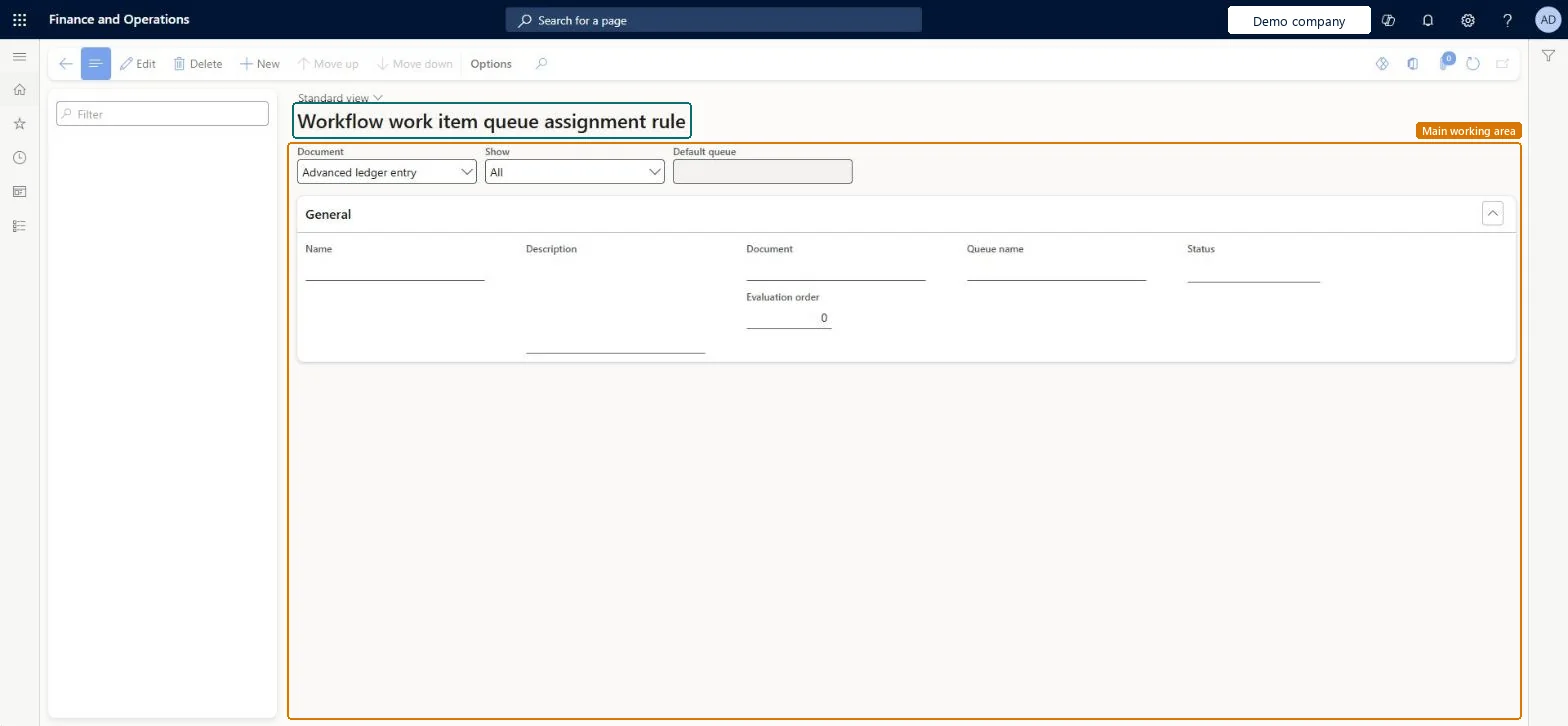
The page in Dynamics 365. page title tab to open what to set or check
About the examples: Examples and screenshots in this guide use BEAT, a demo company in a Dynamics 365 test environment. Use your own company's codes and values instead of copying them.
Steps from Microsoft
Go to Organization administration > Workflow > Work item queue assignment rules.
Select a type of document from the Document list.
Select New to create a rule.
Enter a Name and Description, select the Queue name, and then select Create rule.
Select the rule, expand the Conditions tab, and select Add condition.
Enter the conditions for the rule.
Use Move up or Move down to set when the rule is evaluated.
PrivilegesMaintain work item queues WorkflowWorkItemQueueAdminDutiesMaintain workflow and alerts settings WorkflowAlertsSettingsMaintain1 security roleInformation technology manager SysServerITManagerChecked in Dynamics 365
Roles to set it up and use it
To set it up or change itInformation technology manager SysServerITManagerGive people one of these roles. On this system, 1 role can open this page.Checked in Dynamics 365
Actions on the page
Options: Personalize, Page options, ShareChecked in Dynamics 365
WorkflowWorkItemQueueEntity (Workflow work item queue): shared by all companies, in Microsoft's default template 022 - Workflow.Load order: Microsoft's default template 022 - Workflow loads Workflow work item queue at execution unit 1, level 22, sequence 60. Lower levels load first, and entities at the same level load in sequence order.Load first: the default templates at lower levels (System setup to General ledger shared)Microsoft Learn