BeyondERP.Newsletter
Menu

Setup page · Organization administration

File states for the sources

An inquiry page that lists the inbound files in each Electronic reporting file source, with their import status and history.

Used by
Electronic reporting developer, Electronic reporting functional consultant
Business process
Administer system features
Menu item
ERImportFormatFileSourceStateTable
Main table
ERImportFormatFileSourceTable
Show what matters for
PAGE GUIDEWhat the page does and how to use it7 sections. Choose a role to highlight what matters to you.
Everyone

1What it is and why

What it isAn inquiry page that lists the inbound files in each Electronic reporting file source, with their import status and history.
What you do hereUse this page to see which files are ready, imported or failed, and to put files on hold.
ExampleFor example, you can set a waiting file to On hold to postpone its import.
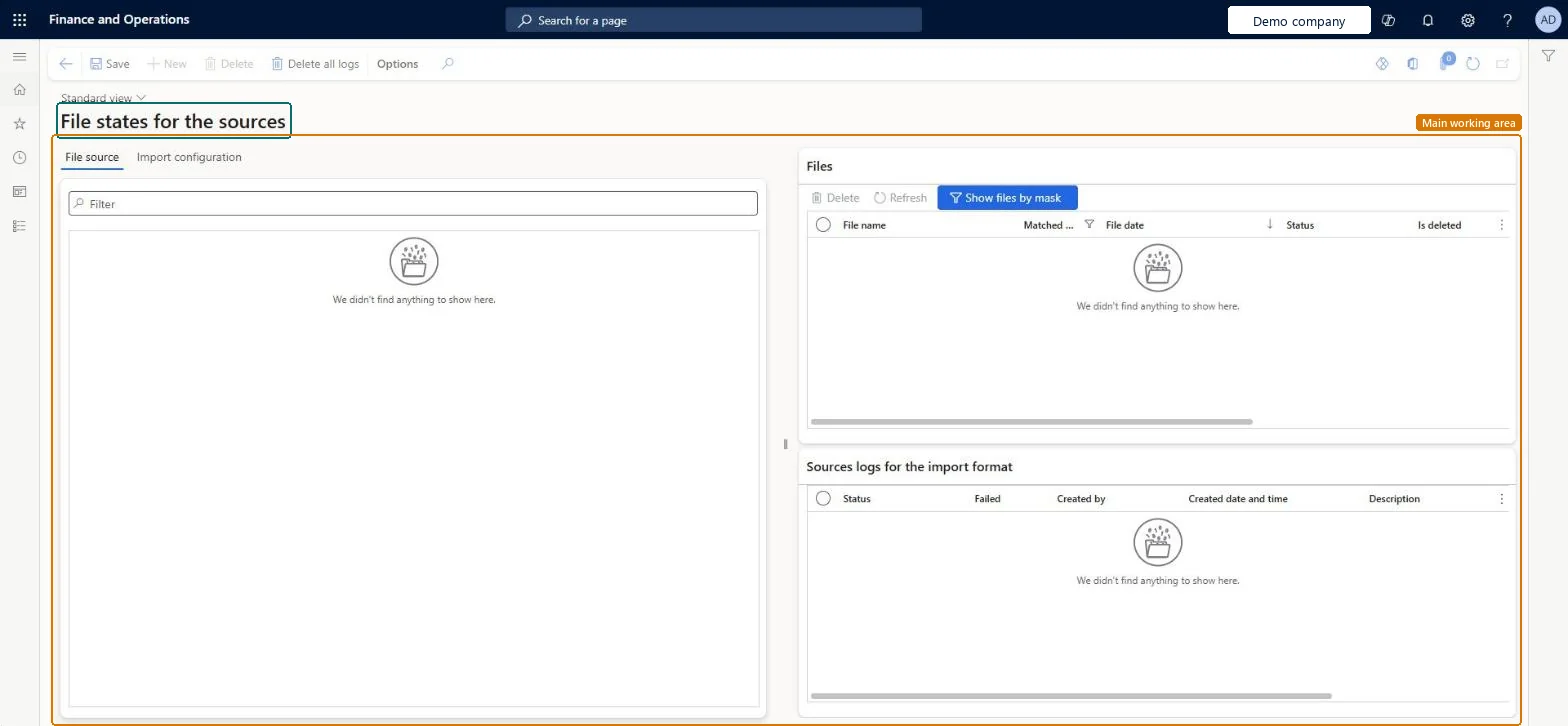
File states for the sources page in Dynamics 365
The page in Dynamics 365. page title tab to open what to set or check
Functional consultant · Solution architect

2Where it fits

Business processAdminister system features
Menu pathOrganization administration › Electronic reporting › File states for the sources
Set up firstElectronic reporting source Microsoft Learn
End user · Functional consultant

3How to do it

About the examples: Examples and screenshots in this guide use BEAT, a demo company in a Dynamics 365 test environment. Use your own company's codes and values instead of copying them.

Steps from Microsoft

  1. Go to Organization administration > Electronic reporting > File states for the sources.
  2. Select Refresh to update the list.
  3. In the Files section, review the files and their status.
  4. In the Sources log for the import format section, review the import history of the selected file.
  5. To postpone a file, set its status to On hold.

Source: Microsoft Learn

Fields on the page

FieldWhat it meansTable column
ReadyThe file is new in the source folder and ready for import.Microsoft Learn
ImportingThe file is locked while it's being imported.Microsoft Learn
ImportedThe file was imported and removed from the source folder.Microsoft Learn
FailedThe import ended with errors or exceptions.Microsoft Learn Failed
On holdSet by a user to keep the file from being imported for now.Microsoft Learn

Test checklist

  1. Upload a file to the source folder and select Refresh; check it shows as Ready.
  2. Set a second file to On hold and run the import; check only the first file is imported.
  3. Upload a file with an error and run the import; check it shows as Failed and the log shows it in the error folder.

Source: Microsoft Learn

Solution architect

4Design impact

Can it be undoneReversible: On hold is set by hand to postpone a file. A failed file can be fixed and moved back to the source folder to import again. Microsoft Learn
If you change it laterDeleting a source setting for a format also deletes, after you confirm, the file states linked to it. Microsoft Learn
Technical architect

5Technical

Menu itemERImportFormatFileSourceStateTable Checked in Dynamics 365
FormERImportFormatFileSourceStateTable Checked in Dynamics 365
TableERImportFormatFileSourceTableShown as “File source” in Record infoKey field: Name, FormatSource, FormatSource_Format_Name, FormatSource_Format_Solution_Name, M_settingTextChecked in Dynamics 365
Who can open itPrivilegesMaintain electronic reporting import format source ERImportFormatSourceMaintainDutiesConfigure electronic reporting import format source ERImportFormatSourceConfigure
2 security rolesElectronic reporting developer ERDeveloperElectronic reporting functional consultant ERFunctionalConsultant
Checked in Dynamics 365
Roles to set it up and use itTo set it up or change itElectronic reporting functional consultant ERFunctionalConsultantElectronic reporting developer ERDeveloperGive people one of these roles. On this system, 2 roles can open this page.Checked in Dynamics 365
Actions on the pageOptions: Personalize, Page options, Edit, ShareChecked in Dynamics 365
Developer

6Developer

Open it by URLhttps://<your-environment>/?mi=ERImportFormatFileSourceStateTable
Everyone

7Sources