About the examples: Examples and screenshots in this guide use BEAT, a demo company in a Dynamics 365 test environment. Use your own company's codes and values instead of copying them.
Setup steps on this page
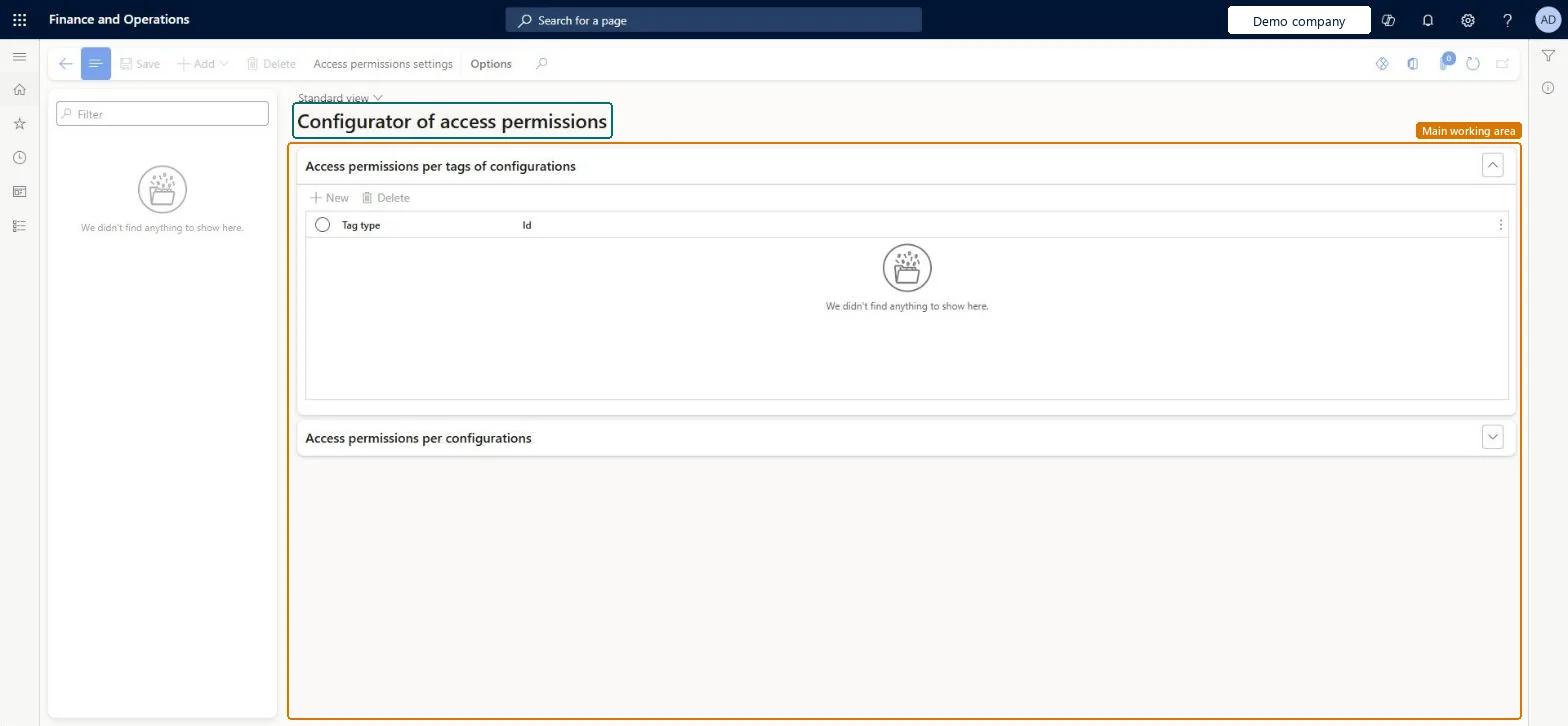
Manage access permissions to edit templates
Use this page to give users access only to the templates for their own business area.
Steps from Microsoft
Go to Organization administration > Electronic reporting > Business document management > Manage access permissions to edit templates.
Select Access permissions setting.
Turn on Apply configured access permissions, and then select OK.
Select Add and choose the security role to set permissions for.
On the Access permissions per tags of configurations tab, select New and choose the Tag type and ID, such as Functional area and Invoicing.
On the Access permissions per configurations tab, select Add and choose any extra format configurations.
Turn on Apply configured access permissions and give each role templates by Functional area tag, plus named configurations where needed.Without it, every user with the Manage Business document templates duty can edit every template in the workspace.
Leaving permissions off: an accounts receivable clerk can then edit payment and regulatory templates as well as invoices.
Solution architect
5Design impact
Can it be undone
Reversible: Permissions can be changed or switched off at any time. Rules per configuration use the configuration's unique ID, so they survive a delete and re-import. Microsoft Learn
If you change it later
Rules for a configuration stay even if that configuration is deleted, and apply again if it's imported back. Microsoft Learn
Technical architect
6Technical
Menu item
ERBDRowLevelSecurityAccessEditorChecked in Dynamics 365
Form
ERSecurityAccessEditorChecked in Dynamics 365
Table
ERSecurityRoleTableShown as “Electronic reporting security roles to manage access permissions” in Record infoChecked in Dynamics 365
Who can open it
PrivilegesERBDEditRowLevelSecurityAccessForTemplatesDutiesConfigure permissions to access Business document templates for editing ERBDTemplatesSecurity1 security roleSecurity administrator SysSecSecurityAdministratorChecked in Dynamics 365
Roles to set it up and use it
To set it up or change itSecurity administrator SysSecSecurityAdministratorGive people one of these roles. On this system, 1 role can open this page.Checked in Dynamics 365
Actions on the page
Options: Personalize, Page options, Edit, ShareChecked in Dynamics 365