BeyondERP.Newsletter
Menu

Setup page · Master planning

Sequence value

A setup page where you assign sequences and sequence values to an item, an item group, or all items.

Business process
Plan production
Menu item
PMFSequenceItemTable
Setup steps
1 on this page
Show what matters for
PAGE GUIDEWhat the page does and how to use it7 sections. Choose a role to highlight what matters to you.
Everyone

1What it is and why

What it isA setup page where you assign sequences and sequence values to an item, an item group, or all items.
What you do hereUse this page to give items the characteristics that sequencing uses to order planned batch orders, so that items with similar characteristics are produced together.
ExampleFor example, paint products are sequenced by the priority of color and package size.
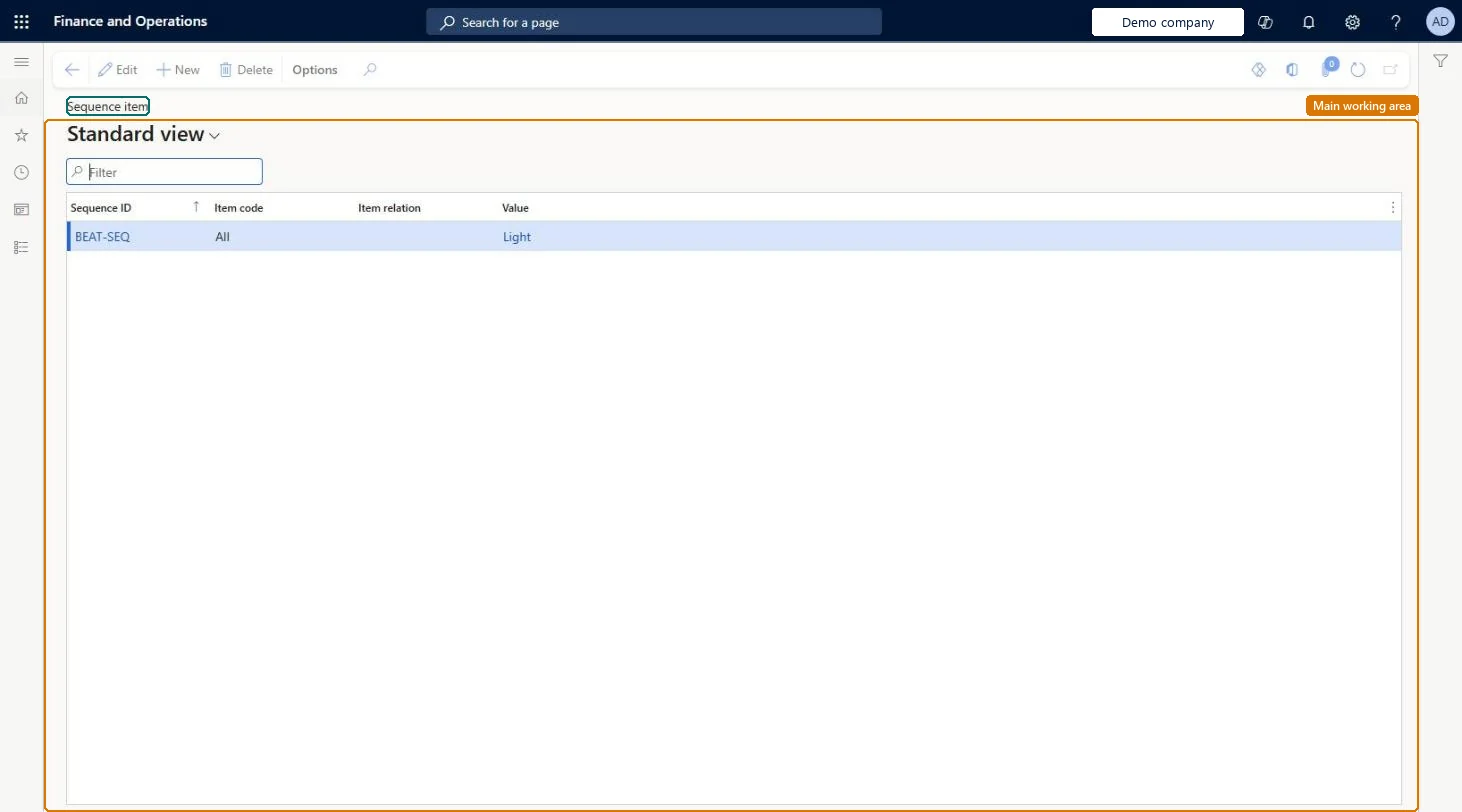
Sequence value page in Dynamics 365
The page in Dynamics 365. page title tab to open what to set or check
Functional consultant · Solution architect

2Where it fits

Business processExecute sales and operations › Plan production
Menu pathMaster planning › Setup › Sequencing › Sequence value
Set up firstProduct sequences Microsoft Learn
Used next bySequencing generation Microsoft Learn
Related pagesSequence groups Microsoft Learn
End user · Functional consultant

3How to do it

About the examples: Examples and screenshots in this guide use BEAT, a demo company in a Dynamics 365 test environment. Use your own company's codes and values instead of copying them.

Setup steps on this page

Set up Sequence value

Use this page to give items the characteristics that sequencing uses to order planned batch orders, so that items with similar characteristics are produced together.

Steps from Microsoft

  1. Go to Master planning > Setup > Sequencing > Sequence value.
  2. Create a record.
  3. In the Sequence ID field, select the sequence.
  4. In the Item code field, select Table, Group, or All.
  5. In the Item relation field, select the item or item group.
  6. In the Value field, select the sequence value.

Source: Microsoft Learn

Fields on the page

FieldWhat it meansTable column
Sequence IDThe sequence to assign.Microsoft Learn SequenceId
Item codeWhether the sequence applies to one item, an item group, or all items.Microsoft Learn ItemCode
Item relationThe item or item group that gets the sequence and value.Microsoft Learn ItemRelation
ValueThe sequence value given to the item, item group, or all items.Microsoft Learn SequenceValue

Test checklist

  1. Assign different sequence values (for example light and dark colour) to two items made on the same line.
  2. Create demand for both items and run master planning with Sequencing on the plan.
  3. Open Sequenced planned orders and check the items are ordered by the rank of their values.
  4. Accept and check the planned order dates on Planned orders.

Source: Microsoft Learn

Solution architect

4Design impact

Can it be undoneReversible: Change the item's sequence value at any time; the next run and Accept on Sequenced planned orders apply it. Microsoft Learn
Technical architect

5Technical

Menu itemPMFSequenceItemTable Checked in Dynamics 365
FormPMFSequenceItemTable Checked in Dynamics 365
Roles to set it up and use itTo set it up or change itProduction manager ProdProductionManagerMaterials manager InventMaterialsManagerGive people one of these roles. On this system, 2 roles can open this page.Checked in Dynamics 365
Developer

6Developer

Open it by URLhttps://<your-environment>/?mi=PMFSequenceItemTable
Everyone

7Sources