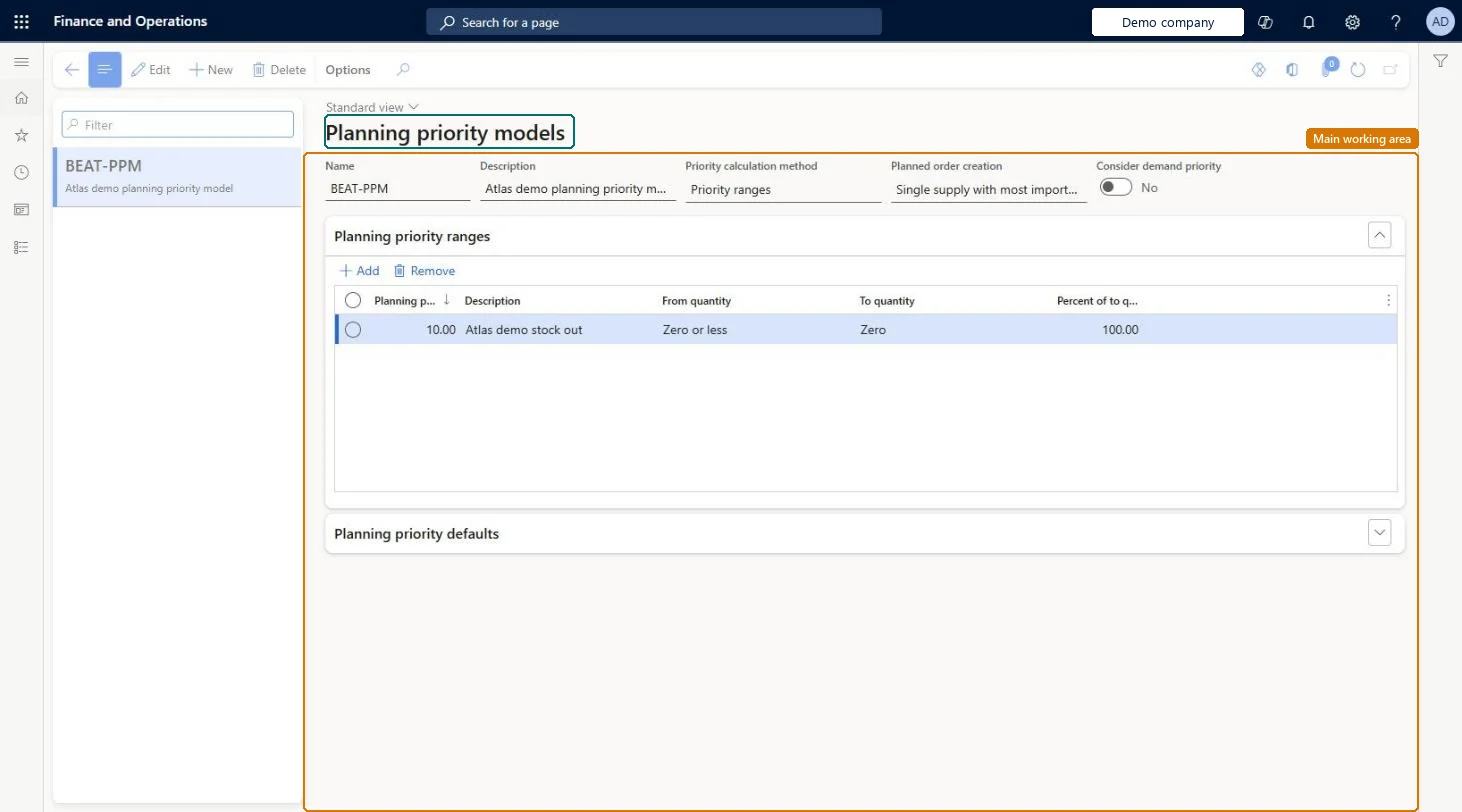
A setup page where you define planning priority models, which control how master planning calculates and assigns priority to planned orders in priority-based planning.
PAGE GUIDEWhat the page does and how to use it8 sections. Choose a role to highlight what matters to you.
Everyone
1What it is and why
What it is
A setup page where you define planning priority models, which control how master planning calculates and assigns priority to planned orders in priority-based planning.
What you do here
Use this page to set the priority calculation method, the priority ranges, and the default priority for each type of supply and demand line.
Example
For example, a model can give a stockout replenishment order a more urgent priority than a standard refill order, so that the urgent order is handled first.
The page in Dynamics 365. page title tab to open what to set or check
About the examples: Examples and screenshots in this guide use BEAT, a demo company in a Dynamics 365 test environment. Use your own company's codes and values instead of copying them.
Setup steps on this page
Set up Planning priority models
Use this page to set the priority calculation method, the priority ranges, and the default priority for each type of supply and demand line.
Steps from Microsoft
Go to Master planning > Setup > Planning priority models.
Select an existing model, or select New on the Action Pane.
Enter a Name and Description, and select the Priority calculation method.
If you selected Priority ranges, set Planned order creation and Consider demand priority.
On the Planning priority ranges FastTab, add the ranges and set their fields.
On the Planning priority defaults FastTab, set the default priority for each supply or demand type.
Reversible: Edit the model at any time. Because models are shared by all legal entities, the change applies to every coverage group that references it on the next run. Microsoft Learn
If you change it later
Planning priority models are shared by all legal entities, so a change to a model affects every company that uses it. Microsoft Learn
Technical architect
6Technical
Menu item
ReqPlanningPriorityModelChecked in Dynamics 365
Form
ReqPlanningPriorityModelChecked in Dynamics 365
Table
ReqPlanningPriorityModelShown as “PLANNING PRIORITY MODELS” in Record infoKey field: ModelIdChecked in Dynamics 365
Who can open it
PrivilegesMaintain planning priority models ReqPlanningPriorityModelMaintainView planning priority models ReqPlanningPriorityModelViewDutiesInquire into master scheduling policies ReqMasterSchedulingPoliciesInquireEnable master scheduling process ReqMasterSchedulingProcessEnable2 security rolesMaterials manager InventMaterialsManagerProduction manager ProdProductionManagerChecked in Dynamics 365
Roles to set it up and use it
To set it up or change itProduction manager ProdProductionManagerMaterials manager InventMaterialsManagerGive people one of these roles. On this system, 2 roles can open this page.Checked in Dynamics 365