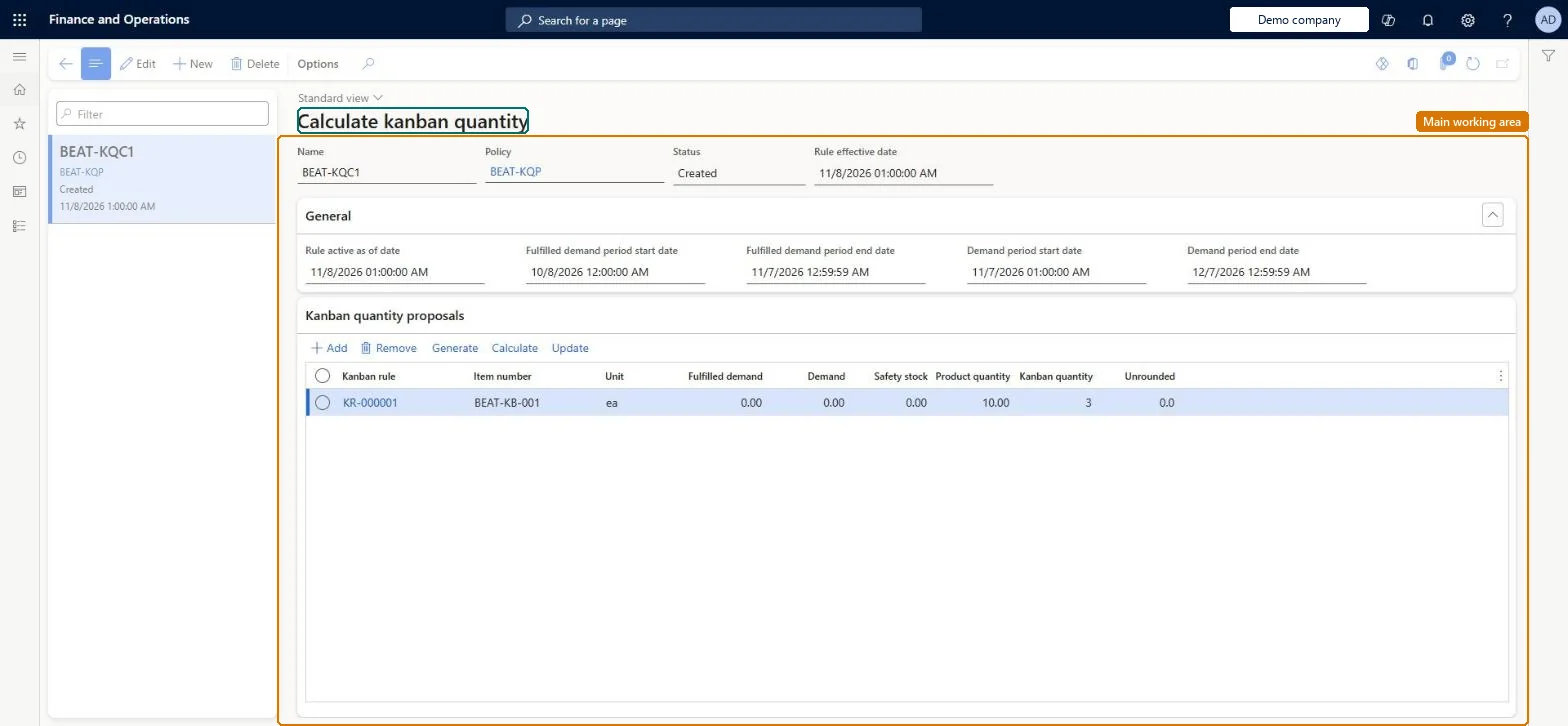
A periodic page where you create a kanban quantity calculation that proposes how many kanbans each fixed-quantity kanban rule needs, based on past and current demand in the chosen periods.
Chief executive officer, Materials manager, Shop supervisor and 4 more roles
Business process
Create Kanbans in Dynamics 365 Supply Chain Management
Menu item
KanbanQuantityCalculation
Main table
KanbanQuantityCalculatio
Show what matters for
PAGE GUIDEWhat the page does and how to use it7 sections. Choose a role to highlight what matters to you.
Everyone
1What it is and why
What it is
A periodic page where you create a kanban quantity calculation that proposes how many kanbans each fixed-quantity kanban rule needs, based on past and current demand in the chosen periods.
What you do here
Use this page to generate proposal lines for the rules linked to a policy, calculate the suggested kanban quantity, adjust the product quantity if needed, and update the kanban rules from a chosen effective date.
Example
For example, lowering the product quantity per kanban from the default to 5 changed the suggested kanban quantity from 2 to 4, because more kanbans are needed to cover the same demand.
The page in Dynamics 365. page title tab to open what to set or check
About the examples: Examples and screenshots in this guide use BEAT, a demo company in a Dynamics 365 test environment. Use your own company's codes and values instead of copying them.
Steps from Microsoft
Go to Master planning > Master planning > Run > Calculate kanban quantity.
Select New, enter a Name and select the calculation policy.
Set the Rule active as of date and the fulfilled demand and demand period start and end dates.
Select Save, then Generate to create a proposal line per kanban rule.
Select Calculate and then OK to calculate the kanban quantity proposals.
Enter a Rule effective date and select Update to apply the result to the kanban rules.
When the updated or new kanban rules become valid.Microsoft Learn
KanbanRuleNewValidFrom
Kanban quantity
The current or calculated (rounded up) number of kanbans for the rule.Microsoft Learn
KanbanQuantityProposal
Solution architect
4Design impact
If you change it later
Selecting Update changes the kanban rule valid on the effective date, or creates a replacement rule that takes over from that date. Microsoft Learn
Technical architect
5Technical
Menu item
KanbanQuantityCalculationChecked in Dynamics 365
Form
KanbanQuantityCalculationChecked in Dynamics 365
Table
KanbanQuantityCalculatioShown as “KANBAN QUANTITY CALCULATIONS” in Record infoKey field: NameChecked in Dynamics 365
Who can open it
PrivilegesMaintain kanban quantity calculations KanbanQuantityCalculationMaintainView kanban quantity calculations KanbanQuantityCalculationViewDutiesInquire into kanban rules master KanbanRulesMasterInquireMaintain kanban rules master KanbanRulesMasterMaintainReview the kanban rules management process performance KanbanRulesProcessPerformanceReviewMaintain kanban schedule KanbanScheduleMaintainInquire into kanban schedule status KanbanScheduleStatusInquire7 security rolesChief executive officer CompanyChiefExecutiveOfficerMaterials manager InventMaterialsManagerShop supervisor JmgShopSupervisorProduction supervisor ProdProductionSupervisorProduction planner ReqProductionPlannerProcess engineer RouteProcessEngineerSales manager TradeSalesManagerChecked in Dynamics 365
Roles to set it up and use it
To set it up or change itProduction planner ReqProductionPlannerProcess engineer RouteProcessEngineerShop supervisor JmgShopSupervisorProduction supervisor ProdProductionSupervisorTo use itMaterials manager InventMaterialsManagerChief executive officer CompanyChiefExecutiveOfficerSales manager TradeSalesManagerGive people one of these roles. On this system, 7 roles can open this page.Checked in Dynamics 365