PAGE GUIDE What the page does and how to use it 7 sections. Choose a role to highlight what matters to you.
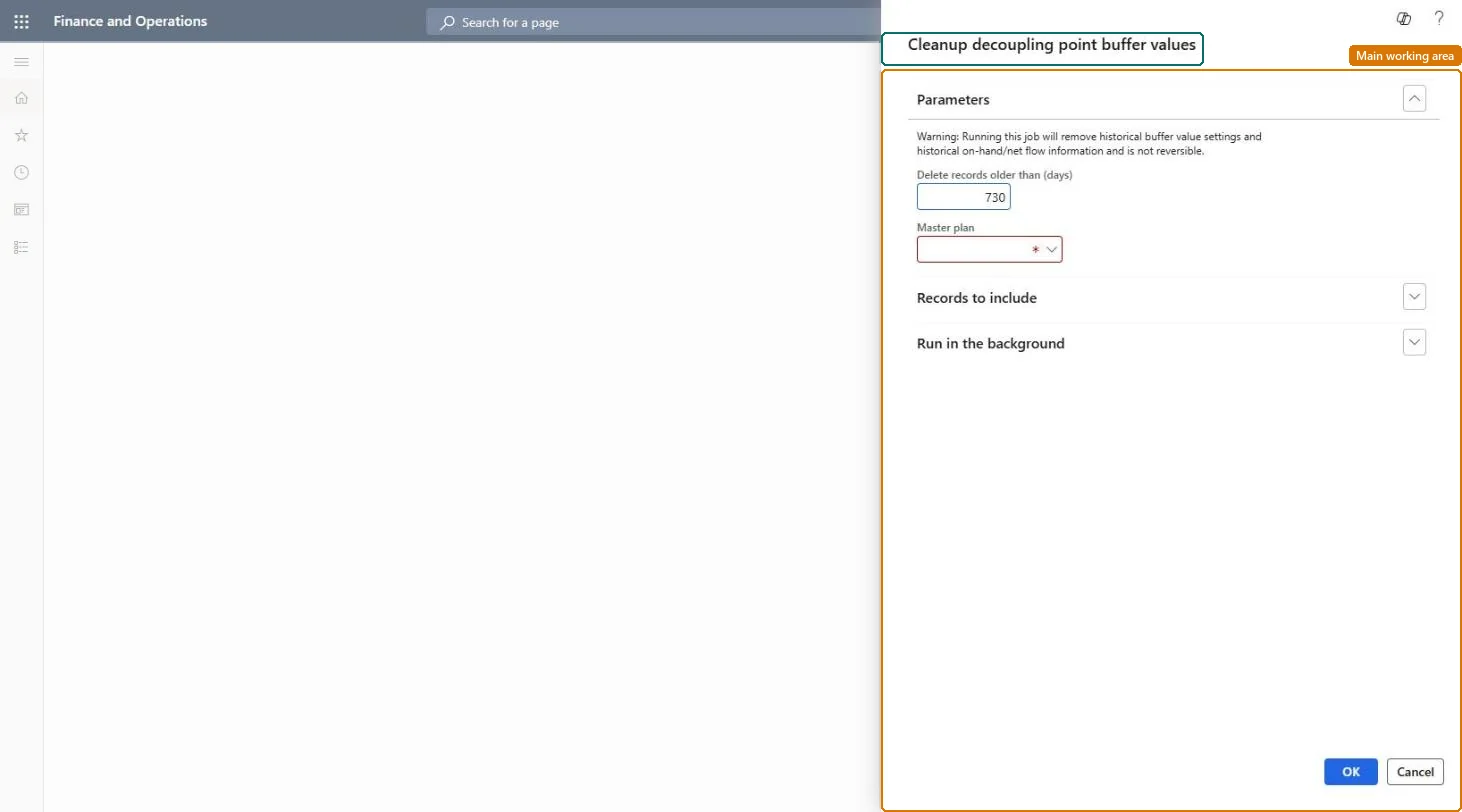
Everyone 1 What it is and whyWhat it is A dialog that starts a batch job to delete old decoupling point buffer value records. What you do here Use this dialog to remove historical buffer data that builds up over time and can slow the system down. Example For example, you set the cleanup to run on a recurring schedule and keep only buffer records younger than a set number of days.
The page in Dynamics 365. Functional consultant · Solution architect 2 Where it fitsEnd user · Functional consultant 3 How to do itAbout the examples: Examples and screenshots in this guide use BEAT, a demo company in a Dynamics 365 test environment. Use your own company's codes and values instead of copying them.
When to run it When to run it When historical buffer data has built up and starts to affect performance, as Microsoft recommends cleaning it up occasionally. How often Occasionally, for example on a schedule that keeps only the history you still review. Batch settings Schedule it in the background outside working hours so the delete doesn't slow down buffer calculations or planning. What the output shows Buffer value records, and the related on-hand and net-flow history, older than the number of days you entered are removed. If recent history is gone, the day value was too small.
Source: Microsoft Learn
Steps from Microsoft Go to Master planning > Master planning > DDMRP > Cleanup decoupling point buffer values. In Delete records older than (days), enter the age of the youngest records to keep. Every buffer value record older than this is deleted. In Master plan, select the plan whose items the cleanup applies to; use Filter under Records to include to limit it to some items. Before you run it, decide how much buffer history you still need for the charts on the Item coverage page, because that history goes too. Afterwards, open Item coverage for a decoupling point item and look at the Buffer values and On-hand tabs: history should start at the cut-off. Source: Microsoft Learn
Fields on the page Test checklist No buffer value records older than the cut-off remain for the items in the plan. Records newer than the cut-off are still there. Items outside the filter keep their full history. Source: Microsoft Learn
Solution architect 4 Design impactCan it be undone No: Deleted buffer values and on-hand and net-flow history can't be restored. Run it only for history you no longer need. Microsoft Learn If you change it later The cleanup permanently removes historical buffer values and on-hand and net-flow history; it cannot be undone. Microsoft Learn
Technical architect 5 TechnicalMenu item ReqDecouplingPointCleanupBufferValues Checked in Dynamics 365 Form Dialog Checked in Dynamics 365 Roles to set it up and use it To use it Production planner ReqProductionPlanner Give people one of these roles. On this system, 1 role can run this page. Checked in Dynamics 365
Developer 6 DeveloperOpen it by URL https://<your-environment>/?mi=ReqDecouplingPointCleanupBufferValues
Everyone 7 Sources