BeyondERP.Newsletter
Menu

Inquiry page · Master planning

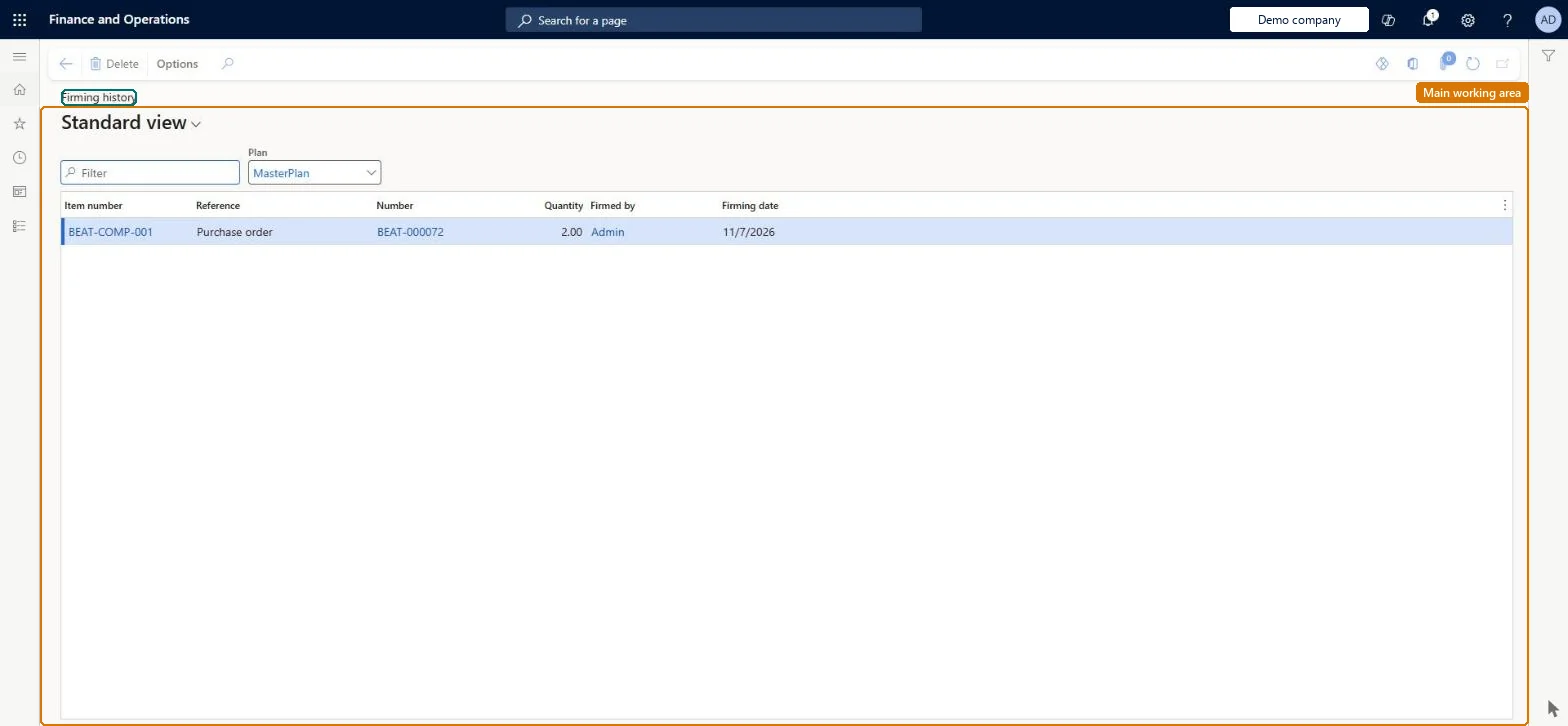
Firming history

An inquiry page that lists the planned orders that were firmed.

Used by
Production planner, Buying agent
Business process
Execute sales and operations
Menu item
ReqTransFirmLog
Main table
ReqTransFirmLog
Show what matters for
PAGE GUIDEWhat the page does and how to use it6 sections. Choose a role to highlight what matters to you.
Everyone

1What it is and why

What it isAn inquiry page that lists the planned orders that were firmed.
What you do hereUse this page to track which planned orders were firmed into real orders.
Firming history page in Dynamics 365
The page in Dynamics 365. page title tab to open what to set or check
Functional consultant · Solution architect

2Where it fits

Business processExecute sales and operations
Menu pathMaster planning › Inquiries and reports › Master planning › Firming history
Set up firstPlanned orders Microsoft Learn
Related pagesPlanned orders Microsoft Learn
Solution architect

3Design impact

Shared or per companyPer company: each legal entity has its own records. Microsoft data model
Technical architect

4Technical

Menu itemReqTransFirmLog Checked in Dynamics 365
FormReqTransFirmLog Checked in Dynamics 365
TableReqTransFirmLogShown as “FIRMING LOG” in Record infoChecked in Dynamics 365
Who can open itPrivilegesFirm planned orders ReqTransPoMarkFirmFirm all planned orders ReqTransPoMarkFirmAllDutiesMaintain firming of planned orders ReqPlannedOrderFirmingMaintainMaintain firming of planned purchase orders ReqPlannedPurchaseOrderFirmingMaintain
2 security rolesProduction planner ReqProductionPlannerBuying agent TradeBuyingAgent
Checked in Dynamics 365
Roles to set it up and use itTo set it up or change itProduction planner ReqProductionPlannerBuying agent TradeBuyingAgentGive people one of these roles. On this system, 2 roles can open this page.Checked in Dynamics 365
Developer

5Developer

Open it by URLhttps://<your-environment>/?mi=ReqTransFirmLog
Table definitionReqTransFirmLog columns and relations Microsoft data model
Everyone

6Sources