BeyondERP.Newsletter
Menu

Transaction page · Master planning

Customers

A list of customers from which you open the Demand forecast page to enter demand forecast lines for a selected customer.

Used by
Materials manager
Business process
Forecast demand
Menu item
ForecastCust
Main table
CustTable
Data entity
CustCustomerBaseEntity
Show what matters for
PAGE GUIDEWhat the page does and how to use it7 sections. Choose a role to highlight what matters to you.
Everyone

1What it is and why

What it isA list of customers from which you open the Demand forecast page to enter demand forecast lines for a selected customer.
What you do hereUse this page to record the demand that you expect from a customer, so that sales and marketing can tell master planning about expected demand for the coming forecast period.
ExampleFor example, a sales clerk enters a forecast line for a key customer and uses the Period allocation method with Months to create one forecast line for each month of the coming year.
Customers page in Dynamics 365
The page in Dynamics 365. page title tab to open what to set or check
Functional consultant · Solution architect

2Where it fits

Business processConduct sales and operations planning › Forecast demand
Menu pathMaster planning › Forecasting › Manual forecast entry › Customers
Used next byMaster plans Microsoft Learn
Related pagesCustomer groups Microsoft Learn Demand forecast lines Microsoft Learn
End user · Functional consultant

3How to do it

About the examples: Examples and screenshots in this guide use BEAT, a demo company in a Dynamics 365 test environment. Use your own company's codes and values instead of copying them.

Steps from Microsoft

  1. Go to Master planning > Forecasting > Manual forecast entry > Customers.
  2. Select the customer to create a forecast for.
  3. On the Action Pane, select Define demand forecast.
  4. On the Action Pane, select New.
  5. In the Model field, select the forecast model, and then enter the item and the quantity or amount.
  6. On the Overview tab, select Allocate forecast to spread the forecast over the period.

Source: Microsoft Learn

Fields on the page

FieldWhat it meansTable column
ModelThe forecast model that the forecast line belongs to.Microsoft Learn
DateThe start date of the forecast line.Microsoft Learn
Customer accountThe customer that the forecast line is for.Microsoft Learn AccountNum
Item numberThe item that is forecast.Microsoft Learn
Sales quantityThe forecast quantity in the sales unit.Microsoft Learn
AmountThe gross amount, excluding discounts, that the line adds to the forecast.Microsoft Learn
Item allocation keyThe item allocation key that is used when the forecast is allocated.Microsoft Learn
Solution architect

4Design impact

Shared or per companyPer company: each legal entity has its own records. Microsoft data model
Technical architect

5Technical

Menu itemForecastCust Checked in Dynamics 365
FormForecastCust Checked in Dynamics 365
TableCustTableShown as “CUSTOMERS” in Record infoKey field: Party_NameChecked in Dynamics 365
Data entitiesCustCustomerBaseEntityCustomer definitions Microsoft data model CustCustomerDetailV2EntityCustomer details V2 Microsoft data model CustCustomerV3EntityCustomers V3 Microsoft data model CustCollectionsBICustTableCustomers Microsoft data model DimAttributeCustTableEntityCustomers Microsoft data model
Who can open itPrivilegesView customer forecasts ForecastCustViewDutiesInquire into demand forecasts ForecastDemandForecastProgressInquire
1 security roleMaterials manager InventMaterialsManager
Checked in Dynamics 365
Roles to set it up and use itTo use itMaterials manager InventMaterialsManagerGive people one of these roles. On this system, 1 role can open this page.Checked in Dynamics 365
Actions on the page(Action Pane without tabs): Define demand forecastChecked in Dynamics 365
Developer

6Developer

Open it by URLhttps://<your-environment>/?mi=ForecastCust
Integrate withCustCustomerBaseEntity data entity Microsoft data model
Data migrationCustCustomerBaseEntity (Customer definitions): loaded for each company, in Microsoft's default template 140 - Accounts receivable.CustCustomerDetailV2Entity (Customer details V2): loaded for each company, in Microsoft's default template 140 - Accounts receivable.CustCustomerV3Entity (Customers V3): loaded for each company.Load order: Microsoft's default template 140 - Accounts receivable loads Customer definitions at execution unit 1, level 60, sequence 10. Lower levels load first, and entities at the same level load in sequence order.Load first: the default templates at lower levels (System setup to dependency bands 30 to 90)Microsoft Learn
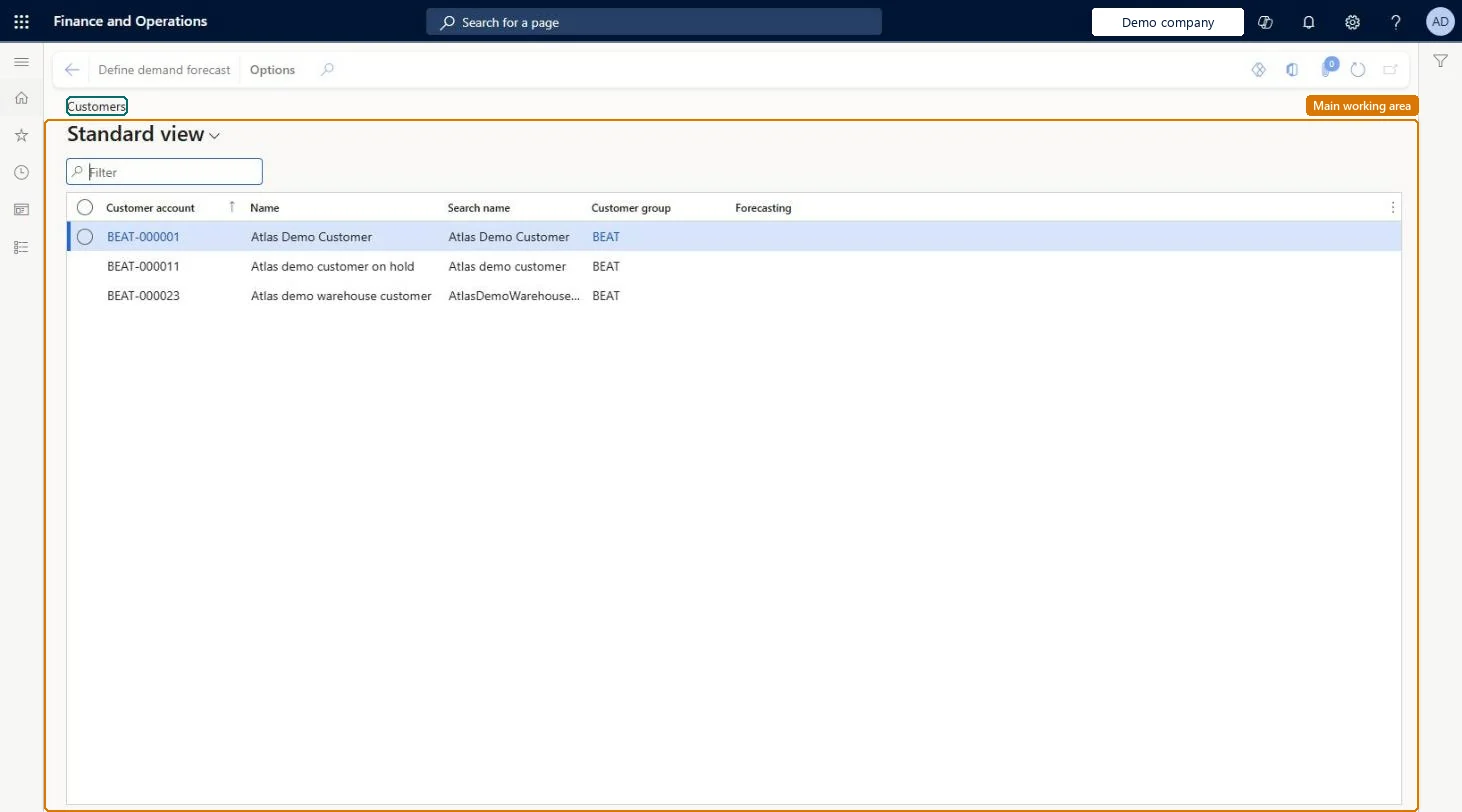
Table definitionCustTable columns and relations Microsoft data model
Everyone

7Sources