PAGE GUIDEWhat the page does and how to use it7 sections. Choose a role to highlight what matters to you.
Everyone
1What it is and why
What it is
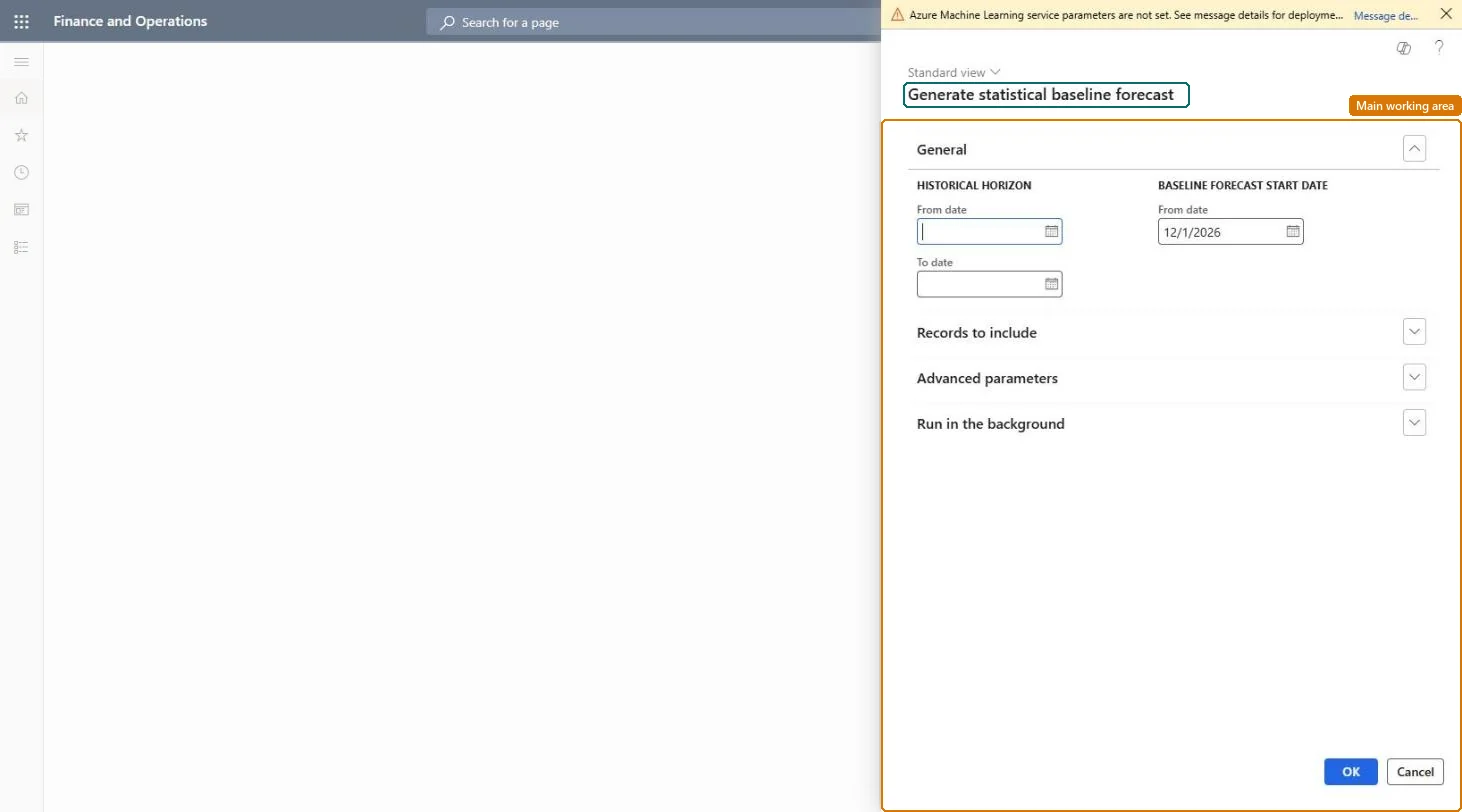
A dialog box where you set the parameters and filters that are used to calculate a statistical baseline demand forecast.
What you do here
Use this page to generate a baseline forecast from historical demand for a chosen historical period, set of items, forecast bucket, and forecast horizon.
Example
For example, a planner creates a baseline forecast for the coming month for a selected group of items, based on transaction data from the past year.
The page in Dynamics 365. page title tab to open what to set or check
About the examples: Examples and screenshots in this guide use BEAT, a demo company in a Dynamics 365 test environment. Use your own company's codes and values instead of copying them.
When to run it
When to run it
At the start of each forecasting cycle, after historical demand for the period has been posted or imported.
How often
Once per forecasting cycle, at the bucket you plan in (for example monthly).
Batch settings
Run it in the background for large item sets, or split it by item allocation key so each run stays manageable.
What the output shows
A statistical baseline forecast per item or item allocation key, for the number of buckets in Forecast horizon. A flat forecast usually means the history is too short; no forecast for an allocation key usually means the key isn't linked to an intercompany planning group.
Go to Master planning > Forecasting > Demand forecasting > Generate statistical baseline forecast.
Under Historical horizon, enter the From date and To date of the demand history to learn from; use at least three periods of history to pick up patterns.
Set Forecast bucket to Day, Week or Month, enter the number of buckets in Forecast horizon, and enter Freeze time fence for buckets that planners shouldn't change.
Enter Baseline forecast start date - From date. It can be in the past, and it is moved to the start of a bucket.
Select Transfer manual adjustments to the demand forecast if adjustments from earlier forecasts should carry over, and filter on intercompany planning group or item allocation key to split large runs.
Open the adjusted demand forecast and the Statistical baseline forecast generation history to review the result.
Yes, before authorization: Generate the forecast again to replace it. Nothing reaches master planning until you authorize it. Microsoft Learn
If you change it later
Manual adjustments to a forecast are saved only when the forecast is authorized; adjustments that are not authorized are lost. Microsoft Learn
Technical architect
5Technical
Menu item
ReqDemPlanGenerateBaselineForecastChecked in Dynamics 365
Form
ReqDemPlanCreateForecastDialogChecked in Dynamics 365
Roles to set it up and use it
To use itProduction planner ReqProductionPlannerProduction manager ProdProductionManagerGive people one of these roles. On this system, 2 roles can run this page.Checked in Dynamics 365