PAGE GUIDEWhat the page does and how to use it7 sections. Choose a role to highlight what matters to you.
Everyone
1What it is and why
What it is
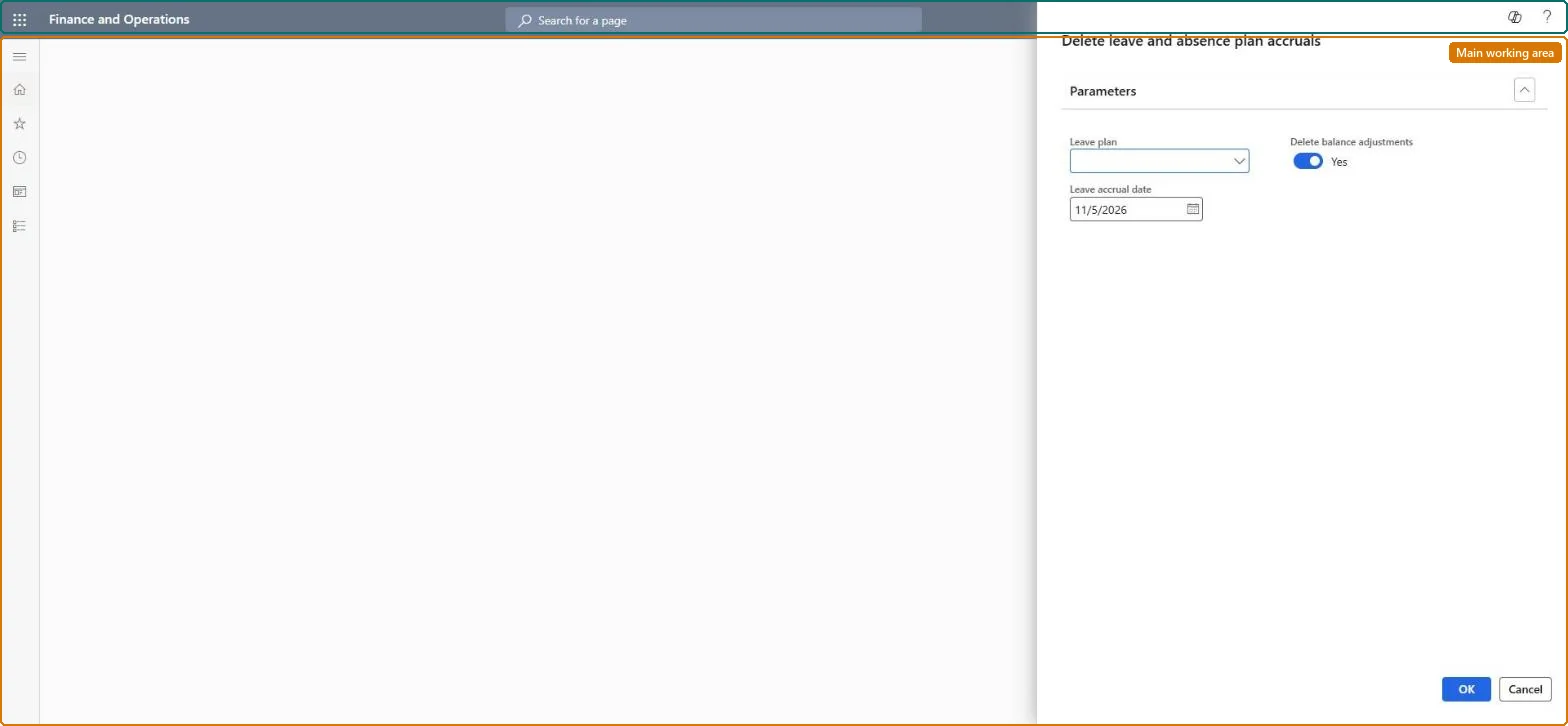
A process dialog that deletes leave accrual records for one leave plan from a chosen date onward.
What you do here
Use this page to remove accruals for a leave plan dated today or later, optionally including balance adjustments, for example before running the accrual again.
The page in Dynamics 365. page title tab to open what to set or check
About the examples: Examples and screenshots in this guide use BEAT, a demo company in a Dynamics 365 test environment. Use your own company's codes and values instead of copying them.
When to run it
When to run it
When accruals for a plan were run with wrong settings or dates and must be removed before you accrue again.
How often
On demand, only when accruals need correcting.
What the output shows
Accrual records for the plan from the chosen date on are removed, and employee balances drop by those amounts. If past accruals are still there, remember the date can't be earlier than today.
No: Deleted accruals and balance adjustments are gone. Run the accrual again to rebuild balances; deleted manual balance adjustments must be entered again. Microsoft Learn
If you change it later
Running the dialog deletes the matching accrual records, which changes the leave balances of the employees in that plan. Microsoft Learn
Technical architect
5Technical
Menu item
LeaveAccrualDeleteControllerChecked in Dynamics 365
Form
SysOperationTemplateFormChecked in Dynamics 365
Roles to set it up and use it
To use itHuman resource assistant HcmHumanResourceAssistantGive people one of these roles. On this system, 1 role can run this page.Checked in Dynamics 365