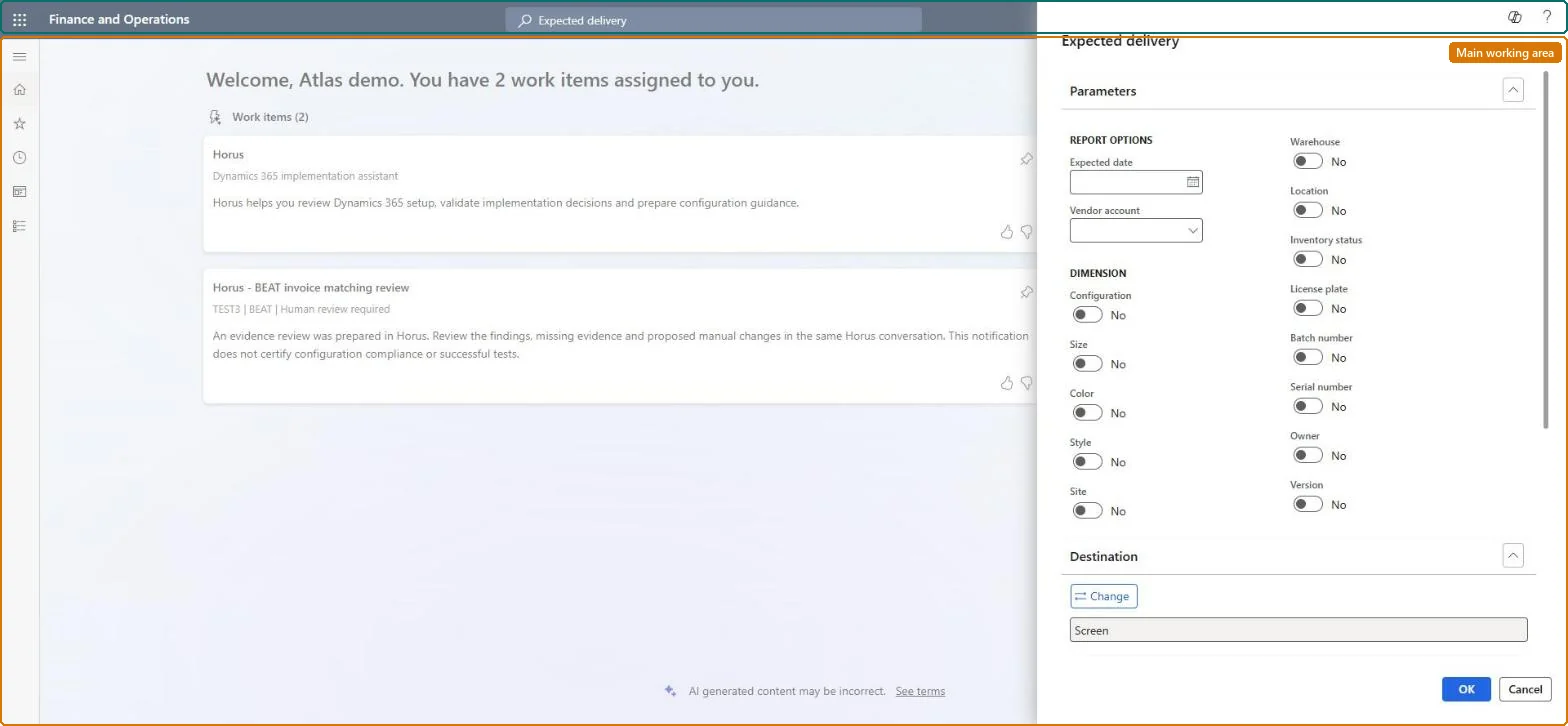
A report page that shows voyage, shipping container, folio and item details for goods that are expected to be delivered on or before a chosen date and have not yet been received.
Plan inbound transportation loads in Dynamics 365 Supply Chain Management
Show what matters for
PAGE GUIDEWhat the page does and how to use it6 sections. Choose a role to highlight what matters to you.
Everyone
1What it is and why
What it is
A report page that shows voyage, shipping container, folio and item details for goods that are expected to be delivered on or before a chosen date and have not yet been received.
What you do here
Use this page to list the voyage lines still due to arrive at the final destination warehouse by a given date, optionally for one vendor.
Example
For example, a planner runs the report for the end of the month to see which vendor deliveries are still outstanding.
The page in Dynamics 365. page title tab to open what to set or check
About the examples: Examples and screenshots in this guide use BEAT, a demo company in a Dynamics 365 test environment. Use your own company's codes and values instead of copying them.
When to run it
When to run it
When you plan receiving capacity and want to know which voyage lines should reach the final warehouse by a given date.
How often
On demand, for example at the start of each receiving week.
What the output shows
Voyage, shipping container, folio and item details for every unreceived voyage line expected on or before the chosen date, optionally for one vendor. A line with a past expected date usually means the voyage is late or its receipt hasn't been posted.
Go to Landed cost > Reports > Tracking > Expected delivery.
In Expected date, select the date by which delivery to the final warehouse is expected. Voyage lines due on or before that date that aren't received yet are included.
Optionally select a Vendor account to see only the deliveries from that vendor.
In the Dimensions section, choose the inventory dimensions to show on the report.
Use the result to plan receiving at the final warehouse for the voyage lines still due by that date.