Plan inbound transportation loads in Dynamics 365 Supply Chain Management
Menu item
ITMUpdate_DocReceived
Show what matters for
PAGE GUIDEWhat the page does and how to use it7 sections. Choose a role to highlight what matters to you.
Everyone
1What it is and why
What it is
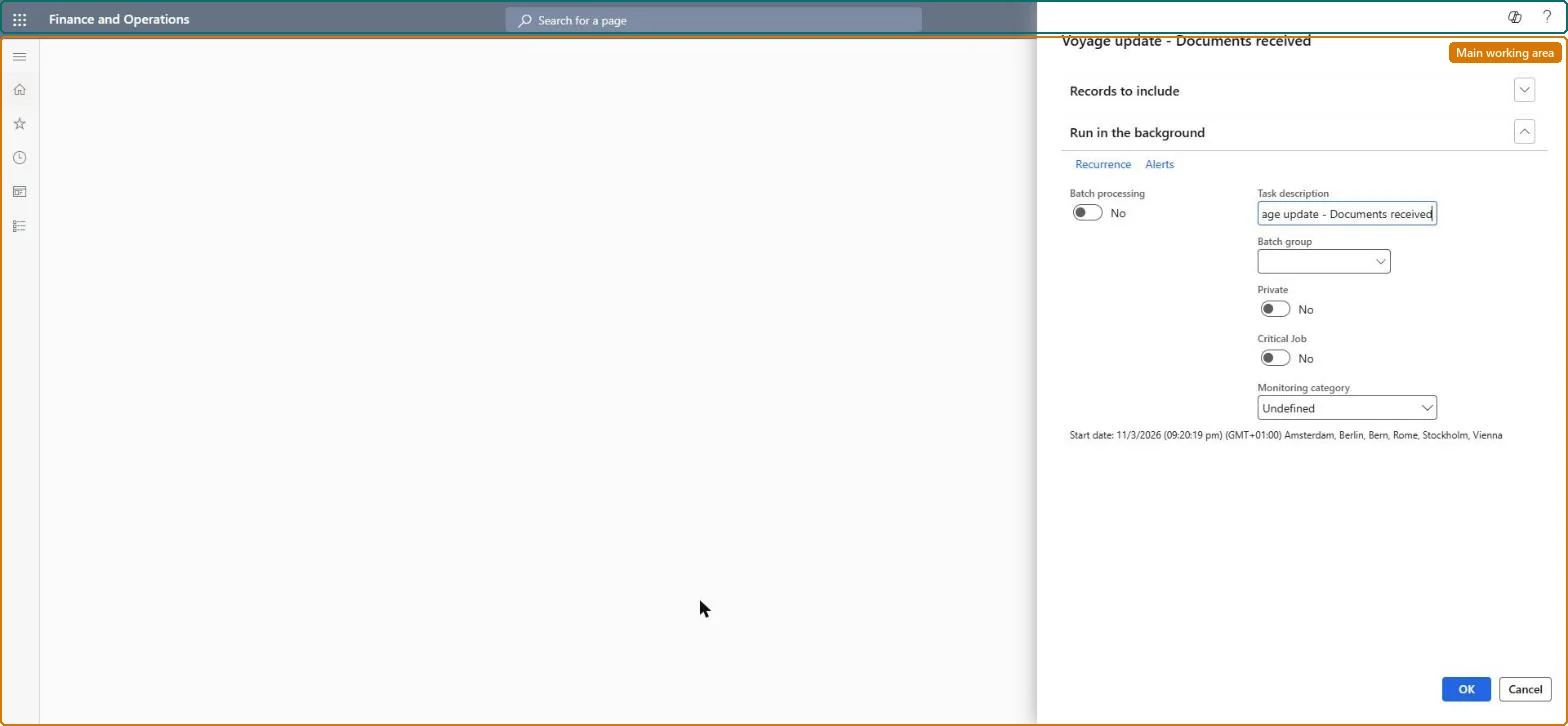
A periodic-task dialog that sets the Documents received option to Yes on many voyages at once.
What you do here
Use this page to mark a filtered set of voyages as having all their shipping documents received, which locks the items and purchase lines against further updates.
Example
For example, an import clerk filters on a vessel and runs the task when the bills of lading for all its voyages have arrived.
The page in Dynamics 365. page title tab to open what to set or check
About the examples: Examples and screenshots in this guide use BEAT, a demo company in a Dynamics 365 test environment. Use your own company's codes and values instead of copying them.
When to run it
When to run it
When all documents for a group of voyages have been received and their items and purchase lines must be locked.
How often
On demand, whenever documents for a set of voyages have arrived.
What the output shows
The Documents received option set to Yes on every voyage in the filter, which locks their items and purchase lines against further updates. A voyage that still shows No was outside the filter.