PAGE GUIDEWhat the page does and how to use it8 sections. Choose a role to highlight what matters to you.
Everyone
1What it is and why
What it is
A setup page where you define groups of vendors that share the same over/under tolerance.
What you do here
Use this page to create vendor tolerance groups that you assign on the vendor record and then reference in over/under tolerance records so one tolerance covers the whole group.
Example
For example, you group the vendors that regularly over-deliver or under-deliver and give the group a name that describes that type of vendor.
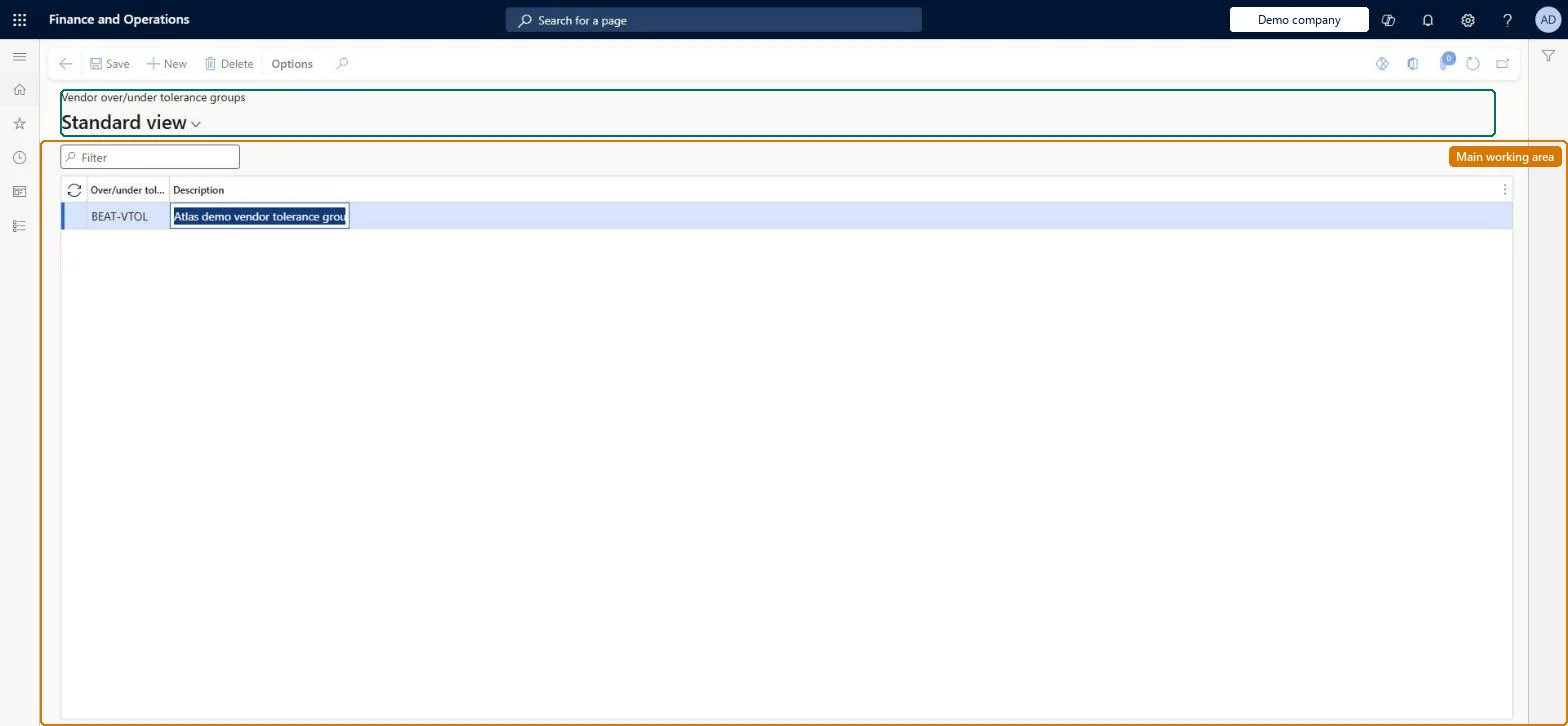
The page in Dynamics 365. page title tab to open what to set or check
About the examples: Examples and screenshots in this guide use BEAT, a demo company in a Dynamics 365 test environment. Use your own company's codes and values instead of copying them.
Setup steps on this page
Set up Vendor over/under tolerance groups
Use this page to create vendor tolerance groups that you assign on the vendor record and then reference in over/under tolerance records so one tolerance covers the whole group.
How to use it
Go to Landed cost > Over/under setup > Vendor over/under tolerance groups.
Use the Filter box to find a group.
Select New and enter the Over/under tolerance group code and its Description.
Select Save, or select a group and choose Delete to remove it.
Source: Checked in Dynamics 365
Fields on the page
Field
What it means
Table column
Over/under groups
A unique group name that describes the type of vendors in it.Microsoft Learn
Groups of vendors that regularly over-deliver or under-deliver, named by vendor typeLearn groups such vendors so one tolerance row can be set per group.
Not setting Over/under tolerance group on the vendor's Miscellaneous details FastTab, so the group's tolerance doesn't apply.
Solution architect
5Design impact
Can it be undone
Reversible: Group changes only affect the tolerance applied to later receipts. Microsoft Learn
Technical architect
6Technical
Menu item
ITMOverUnderToleranceGroup_VendChecked in Dynamics 365
Form
ITMOverUnderToleranceGroupChecked in Dynamics 365
Table
ITMOverUnderToleranceGroupShown as “OVER/UNDER TOLERANCE GROUPS” in Record infoKey field: GroupIdChecked in Dynamics 365
Data entities
ITMVendorOverUnderdeliveryToleranceGroupEntityVendor over/under tolerance groups Checked in Dynamics 365ITMItemOverUnderdeliveryToleranceGroupEntityItem over/under tolerance groups Checked in Dynamics 365
To set it up or change itLanded cost manager ITMManagerGive people one of these roles. On this system, 1 role can open this page.Checked in Dynamics 365