About the examples: Examples and screenshots in this guide use BEAT, a demo company in a Dynamics 365 test environment. Use your own company's codes and values instead of copying them.
Step by step, with screenshots
Set up Diagnostic groups1 screen
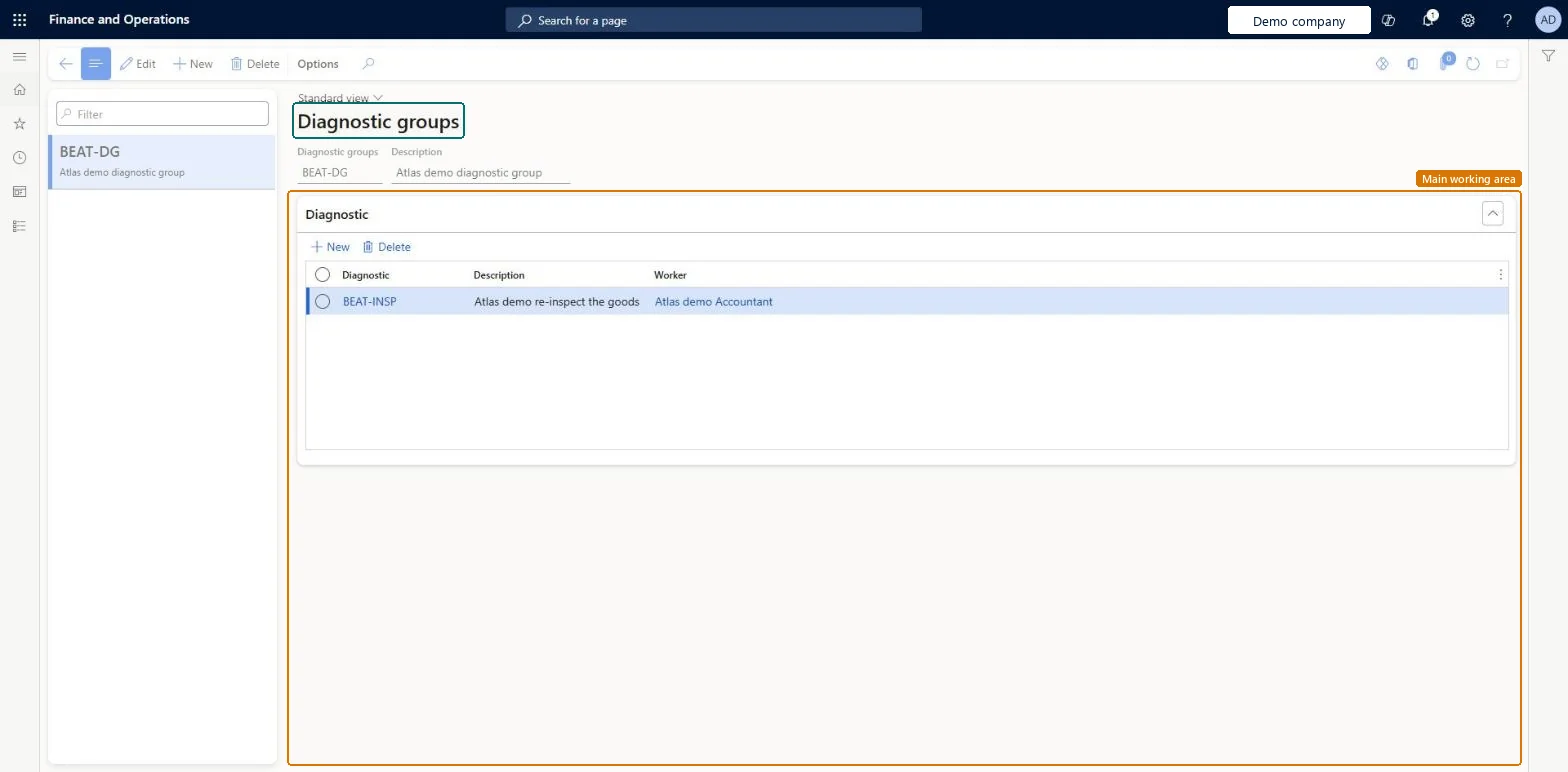
Use this page to add several corrections to a nonconformance in one step, each with the diagnostic to perform and the worker who performs it.
Screen 1
Create a diagnostic group
Go to Inventory management > Setup > Quality management > Diagnostic groups
Make sure the diagnostic types and the workers who perform them exist
Select New
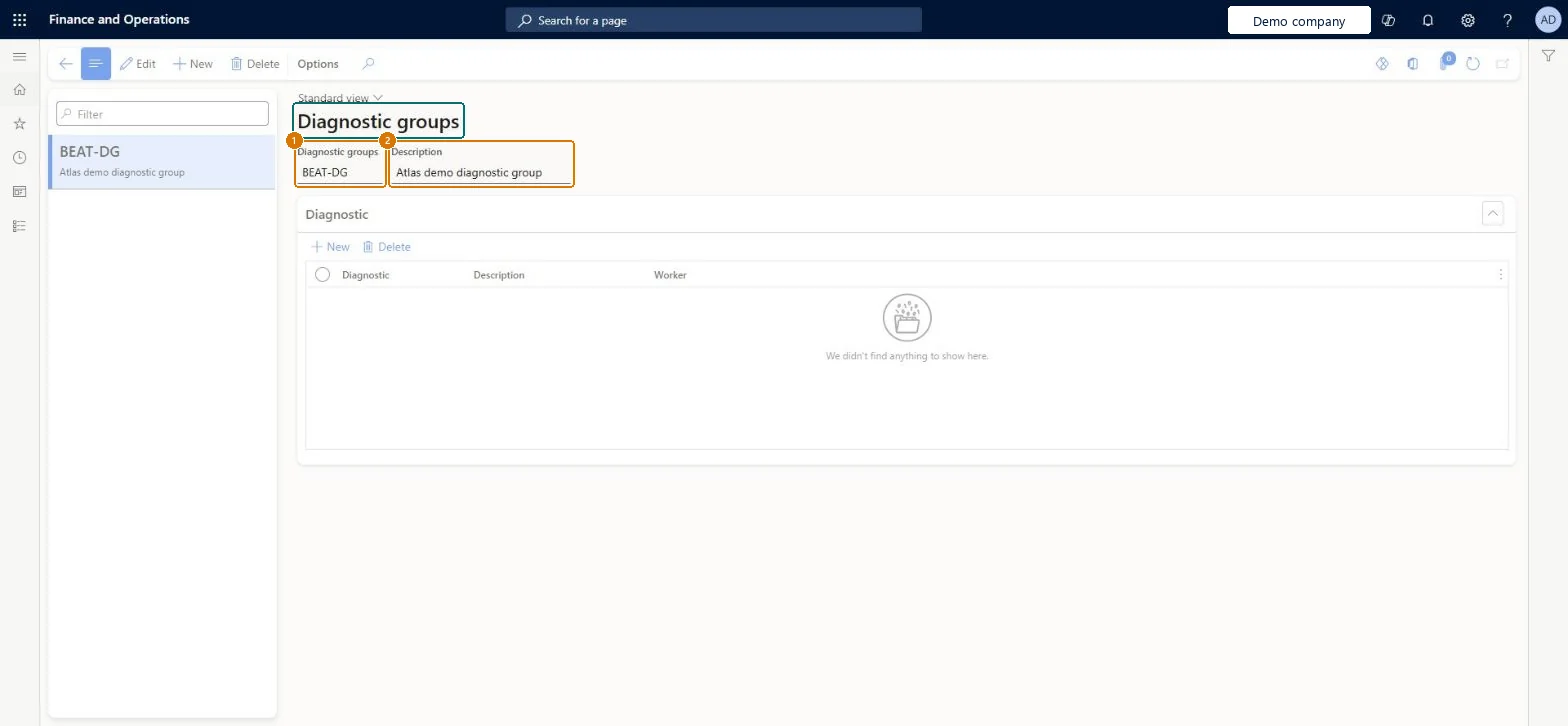
Enter the diagnostic group code and a description
Select Save
Under Diagnostic, select New for each diagnostic, then choose the diagnostic type and the worker who performs it
Select Save
1Diagnostic groups
BEAT-DG
2Description
Diagnostic group
Show the full screen page title tab to open what to set or check
Steps from Microsoft
Go to Inventory management > Setup > Quality management > Diagnostic groups.
Select New to create a diagnostic group, or select an existing one.
In the header, enter a name and description for the group.
On the Diagnostic FastTab, add a row for each diagnostic in the group.
For each row, select the diagnostic and the worker who should perform it.
Groups for recurring diagnostic sets (for example repair and retest), each line with the diagnostic and the worker who performs itLearn describes diagnostic groups as a way to apply several diagnostic types as corrections in one step.
Building groups before the diagnostic types exist, or leaving the worker blank so the corrections have no owner.
Feature management and licence
Feature to turn on
Advanced quality management (Mandatory, on by default)
Reversible: Groups can be created, edited or deleted. Applying a group creates corrections that you can still edit. Microsoft Learn
Technical architect
6Technical
Menu item
QMSInventTestDiagnosticGroupChecked in Dynamics 365
Form
QMSInventTestDiagnosticGroupChecked in Dynamics 365
Table
QMSInventTestDiagnosticGroupShown as “Diagnostic groups” in Record infoChecked in Dynamics 365
Data entities
QMSNonConformanceDiagnosticGroupEntityNon conformance diagnostic groups Checked in Dynamics 365
Who can open it
PrivilegesView diagnostic groups QMSInventTestDiagnosticGroupViewMaintain diagnostic groups QMSInventTestDiagnoticGroupMaintainDutiesEnable quality control process InventQualityControlProcessEnableInquire into quality control reference data InventQualityControlReferenceDataInquir2 security rolesQuality control clerk InventQualityControlClerkQuality control manager InventQualityControlManagerChecked in Dynamics 365
Roles to set it up and use it
To set it up or change itQuality control manager InventQualityControlManagerTo use itQuality control clerk InventQualityControlClerkGive people one of these roles. On this system, 2 roles can open this page.Checked in Dynamics 365
Checked in a working Dynamics 365 system, version 10.0.49: the menu item, form, table and security, the page, the demo records and the values in the screenshots.