About the examples: Examples and screenshots in this guide use BEAT, a demo company in a Dynamics 365 test environment. Use your own company's codes and values instead of copying them.
When to run it
When to run it
When transferred goods arrive at the receiving warehouse.
How often
On demand, each time a transfer shipment arrives.
What the output shows
Posted receipts that put the items on hand at the receiving warehouse. A remaining quantity usually means part of the shipment wasn't received or was recorded as scrap.
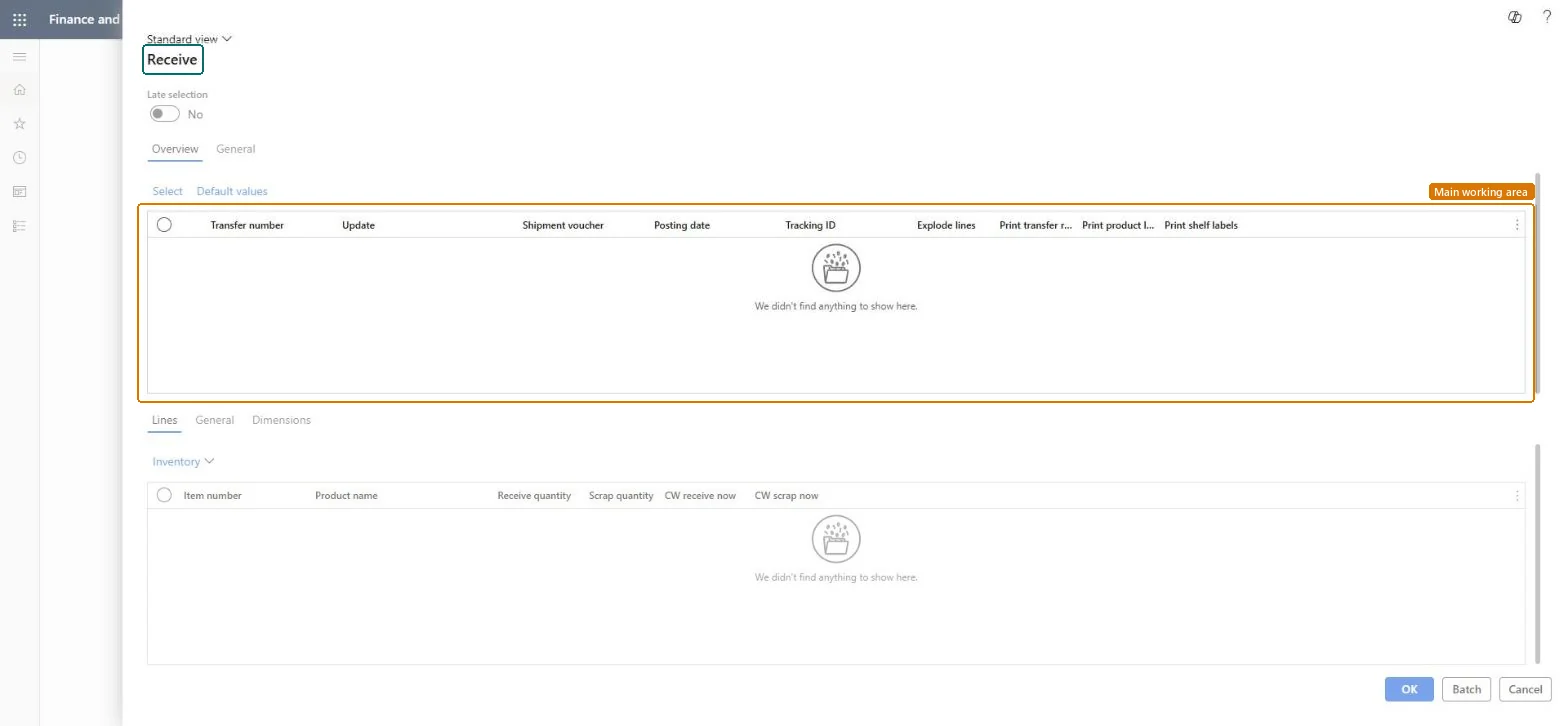
Go to Inventory management > Periodic tasks > Transfer update > Receive.
On the Overview tab, select Select to choose the transfer orders to receive, or Default values to apply default settings.
In Update, choose which quantity to receive, for example the quantity in Receive now, and check Shipment voucher, Posting date and Tracking ID for each order.
On the Lines tab, check Item number, Receive quantity and Scrap quantity. You can't receive more than was shipped.
Run it or select Batch, then check that the transfer order shows Received and the stock is on hand at the receiving warehouse.