PAGE GUIDEWhat the page does and how to use it7 sections. Choose a role to highlight what matters to you.
Everyone
1What it is and why
What it is
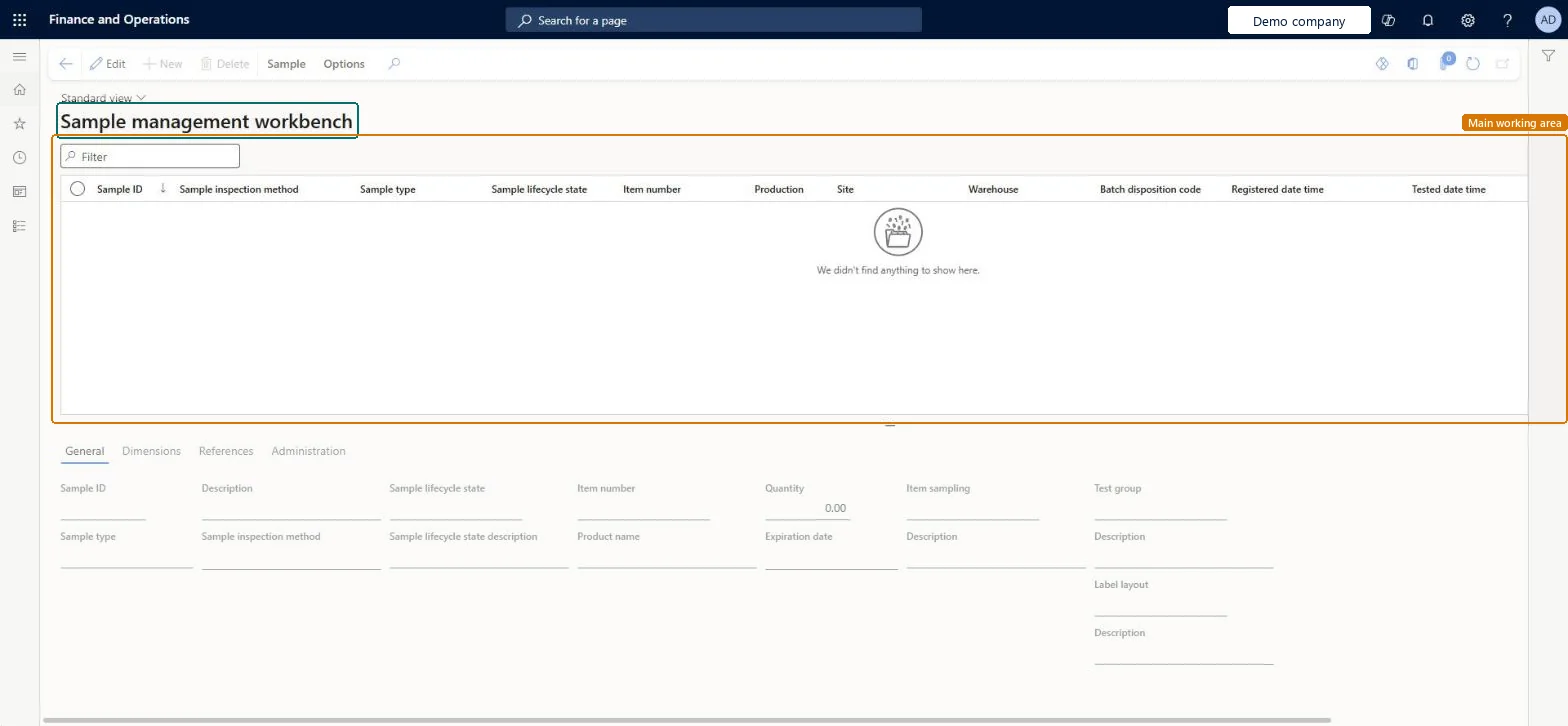
A workbench page where you find, register, label, test and track quality samples through their lifecycle.
What you do here
Use this page to manage samples, print sample labels, review audit trails and change the lifecycle state of samples.
Example
For example, workers can filter the workbench for samples in a state such as Quality order generated, which marks samples whose quality order isn't tested yet.
The page in Dynamics 365. page title tab to open what to set or check
About the examples: Examples and screenshots in this guide use BEAT, a demo company in a Dynamics 365 test environment. Use your own company's codes and values instead of copying them.
When to run it
When to run it
When samples are registered, labelled, tested or moved to the next lifecycle state.
How often
On demand, throughout sample testing.
What the output shows
Samples with their lifecycle state, labels and audit trail. A sample you can't delete hasn't reached a lifecycle state marked as Sample scrapped.
Partly: Lifecycle changes are kept in the audit trail. Samples can be deleted only after they reach a lifecycle state marked as Sample scrapped. Microsoft Learn
If you change it later
Samples can be deleted from the workbench only after they reach a lifecycle state marked as Sample scrapped. Microsoft Learn
Technical architect
5Technical
Menu item
QMSSampleManagementWorkbenchChecked in Dynamics 365
Form
QMSSampleManagementWorkbenchChecked in Dynamics 365
Table
QMSSampleShown as “Samples” in Record infoKey field: SampleIdChecked in Dynamics 365
Who can open it
PrivilegesMaintain sample management workbench QMSSampleManagementWorkbenchMaintainView sample management workbench QMSSampleManagementWorkbenchViewDutiesInquire into quality control master InventQualityControlMasterInquireEnable quality control process InventQualityControlProcessEnableMaintain quality inspection InventQualityInspectionMaintain2 security rolesQuality control clerk InventQualityControlClerkQuality control manager InventQualityControlManagerChecked in Dynamics 365
Roles to set it up and use it
To set it up or change itQuality control manager InventQualityControlManagerQuality control clerk InventQualityControlClerkGive people one of these roles. On this system, 2 roles can open this page.Checked in Dynamics 365
Actions on the page
SampleOptions: Personalize, Page options, ShareChecked in Dynamics 365