PAGE GUIDEWhat the page does and how to use it7 sections. Choose a role to highlight what matters to you.
Everyone
1What it is and why
What it is
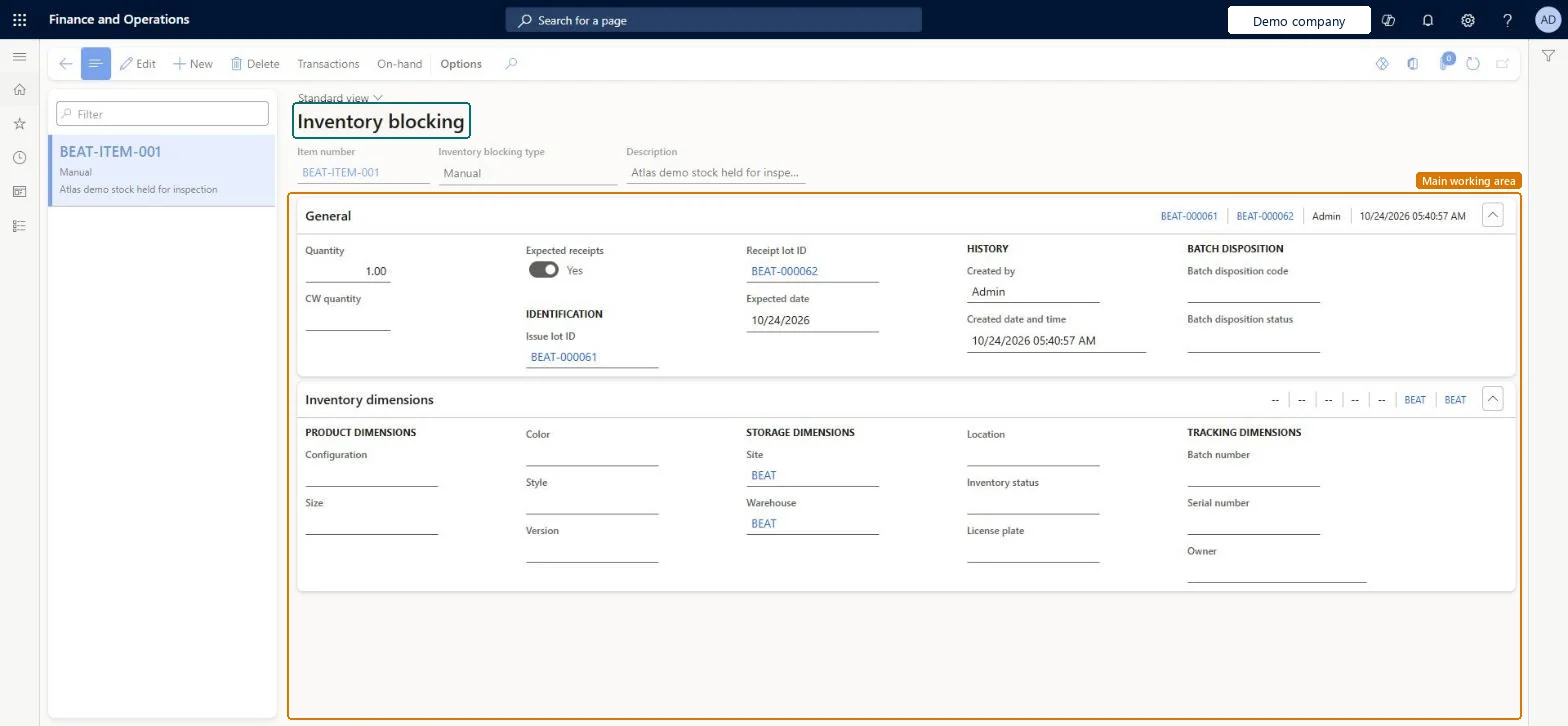
A list page where you create and maintain inventory blocking records that hold back on-hand quantities.
What you do here
Use this page to stop on-hand items from being processed, consumed or reserved by other outbound documents, for example during a quality inspection.
Example
For example, when a purchase order packing slip is posted and a quality order is created, the full purchase order line quantity can be blocked during inspection.
The page in Dynamics 365. page title tab to open what to set or check
About the examples: Examples and screenshots in this guide use BEAT, a demo company in a Dynamics 365 test environment. Use your own company's codes and values instead of copying them.
When to run it
When to run it
When on-hand stock must be held back from reservation and outbound documents, for example during a quality inspection.
How often
On demand, whenever stock has to be held back.
What the output shows
A manual inventory blocking record that removes the quantity from available stock. If the stock is still available, the site and warehouse on the record probably don't match where the items are.
Yes: Delete the blocking record to cancel the manual block; the quantity becomes available again. Microsoft Learn
If you change it later
Deleting a blocking record cancels the manual block and makes the quantity available again. Microsoft Learn
Technical architect
5Technical
Menu item
InventBlockingChecked in Dynamics 365
Form
InventBlockingChecked in Dynamics 365
Table
InventBlockingShown as “Inventory blocking” in Record infoKey field: InventTransIdIssue, InventTransIdReceipt, ExpectedReceiptDateChecked in Dynamics 365
Roles to set it up and use it
To set it up or change itQuality control clerk InventQualityControlClerkWarehouse worker WMSWarehouseWorkerTo use itQuality control manager InventQualityControlManagerWarehouse manager WMSWarehouseManagerMaterials manager InventMaterialsManagerProduction supervisor ProdProductionSupervisorShipping clerk InventShippingClerkGive people one of these roles. On this system, 22 roles can open this page.Checked in Dynamics 365
Actions on the page
Options: Personalize, Page options, ShareChecked in Dynamics 365