About the examples: Examples and screenshots in this guide use BEAT, a demo company in a Dynamics 365 test environment. Use your own company's codes and values instead of copying them.
When to run it
When to run it
After the commodity prices for the period are entered on the Pricing calculation page.
How often
Each time a new pricing calculation is entered, so at the commodity's pricing interval.
Batch settings
Run it directly for a small number of formula items; nothing in the dialog needs batch settings.
What the output shows
Price and margin data for review: a new cost price for every formula item that uses the commodity, and a sales price and margin for items with a quantity and margin template. An item without a sales price usually has no quantity and margin template.
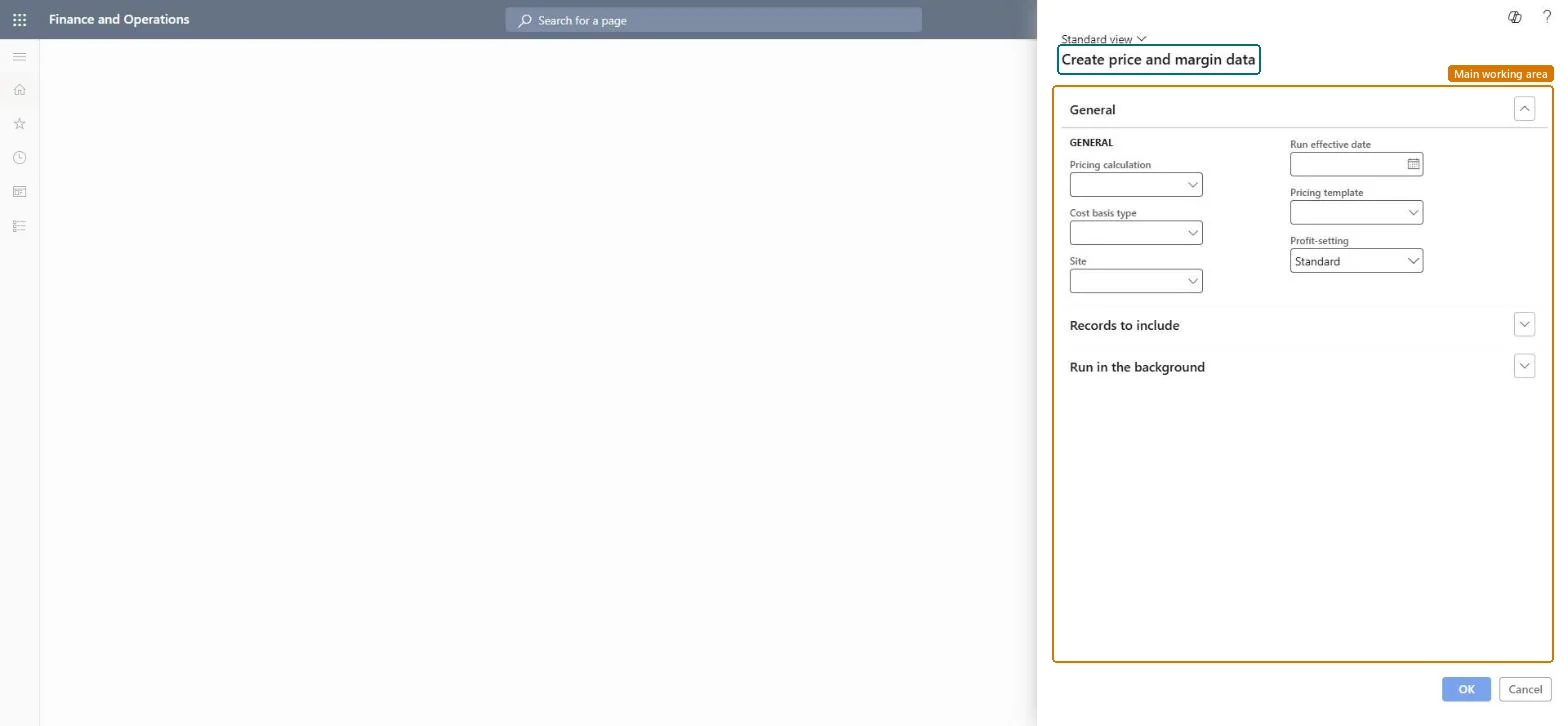
Go to Inventory management > Periodic tasks > Commodity pricing > Create price and margin data.
In Pricing calculation, select the pricing calculation that holds the new commodity prices.
In Pricing template, select the template whose quantity and margin template sets the cost multiplier, margin and customer relation for each formula item.
Select OK, and then select Yes. The system finds all formula items that use the commodity and runs a BOM calculation up the tree until it reaches finished goods.
Open Price margin update and review the new cost price, sales price and margin for each item before you create trade agreements.
Yes, before trade agreements: The calculated data is only for review. Nothing changes customer prices until you create and post trade agreements from Price margin update. Microsoft Learn
If you change it later
Creates price and margin data for formula items from the latest commodity prices; prices change only when trade agreements are created and posted. Microsoft Learn
Technical architect
5Technical
Menu item
action:PdsComdPricingMarginUpdateChecked in Dynamics 365
Form
PdsComdPricingMarginDialogChecked in Dynamics 365
Roles to set it up and use it
To use itPurchasing manager TradePurchasingManagerSales manager TradeSalesManagerGive people one of these roles. On this system, 2 roles can run this page.Checked in Dynamics 365