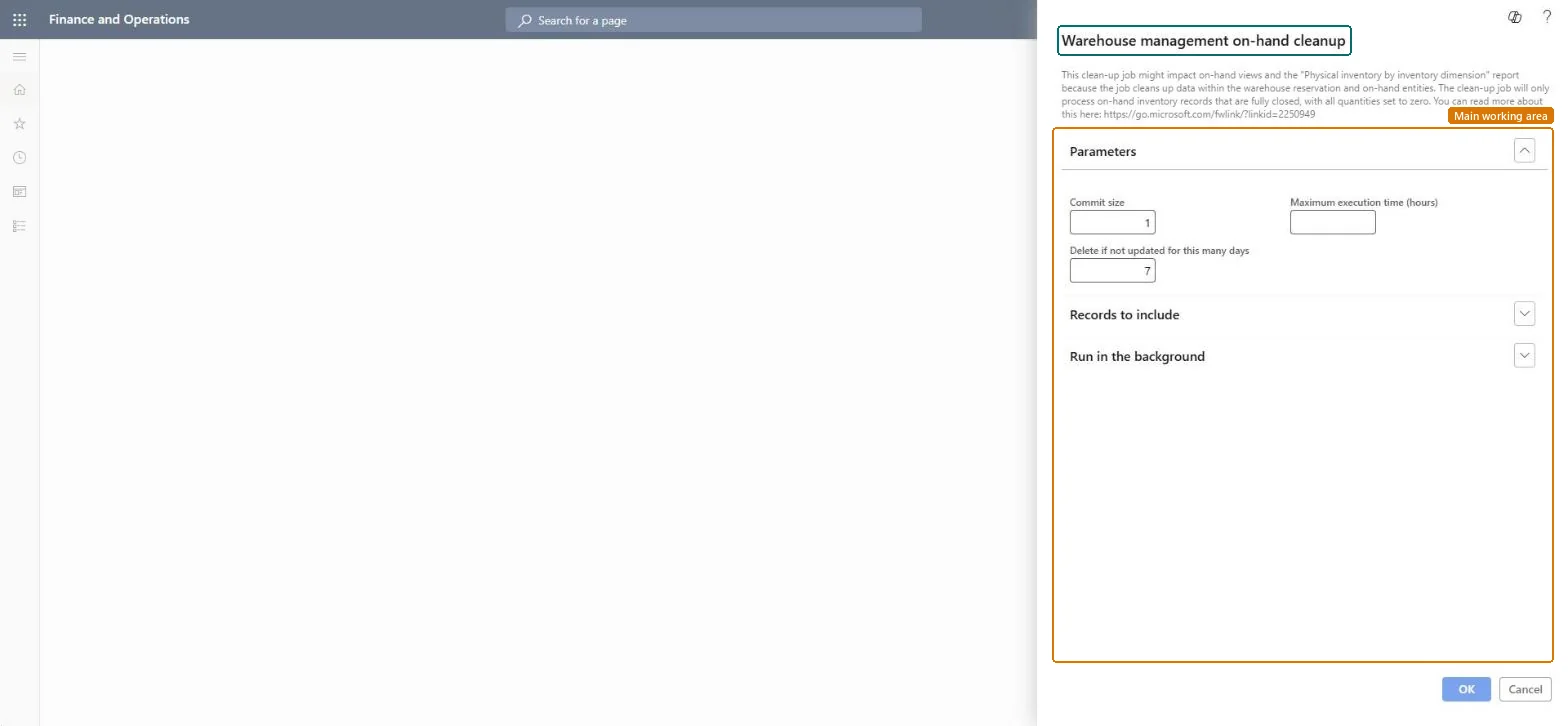
About the examples: Examples and screenshots in this guide use BEAT, a demo company in a Dynamics 365 test environment. Use your own company's codes and values instead of copying them.
When to run it
When to run it
When on-hand calculations for warehouse-managed items slow down because InventSum and WHSInventReserve hold many records with only zero values.
How often
As a recurring batch job outside working hours. Microsoft gives no fixed interval.
Batch settings
Schedule it outside working hours with a Maximum execution time, so it stops and saves its progress before the day starts. It commits about every 100 deletions, so lock escalations can still occur.
What the output shows
Records in InventSum and WHSInventReserve below the Location level whose values are all zero are deleted. If negative physical inventory is allowed, some zero entries can stay, for example a license plate with +1 and -1 of two serial numbers.
Go to Inventory management > Periodic tasks > Clean up > Warehouse management on-hand cleanup.
In Delete if not updated for this many days, enter the minimum number of days to wait before an on-hand entry that dropped to zero is deleted. Enter 0 or leave it blank to clean up as soon as possible.
In Maximum execution time (hours), enter how long the job may run before it saves its work and closes. Enter 0 or leave it blank to let it run until it's done.
Set the scope and schedule under Run in the background, at times when system load is lightest and outside working hours, to avoid deadlocks with users.
Afterwards, open the On-hand list with the Quantity <> 0 condition cleared: zero entries below the Location level, such as license plates, no longer appear.
No: Deleted zero records can't be restored. Users can no longer see that inventory used to be at a license plate, and Physical inventory by inventory dimension reports with an As of date can be incomplete. Microsoft Learn
If you change it later
If all records for a level such as a license plate are deleted, users can no longer see that inventory used to be on hand there. Microsoft Learn
Technical architect
5Technical
Menu item
action:InventCleanupWHSInventSumWithInventDimChecked in Dynamics 365
Form
SysOperationTemplateFormChecked in Dynamics 365
Roles to set it up and use it
To use itInformation technology manager SysServerITManagerGive people one of these roles. On this system, 1 role can run this page.Checked in Dynamics 365