About the examples: Examples and screenshots in this guide use BEAT, a demo company in a Dynamics 365 test environment. Use your own company's codes and values instead of copying them.
When to run it
When to run it
When many batches must be made available or unavailable at once, for example after a quality decision about a group of batches.
How often
On demand, whenever batch availability must change.
What the output shows
The selected batches carry the new disposition code and its status. An Unavailable code blocks the operations set on the code (reserve, pick, ship, master planning), so an order that can't reserve a batch often points to the code given here.
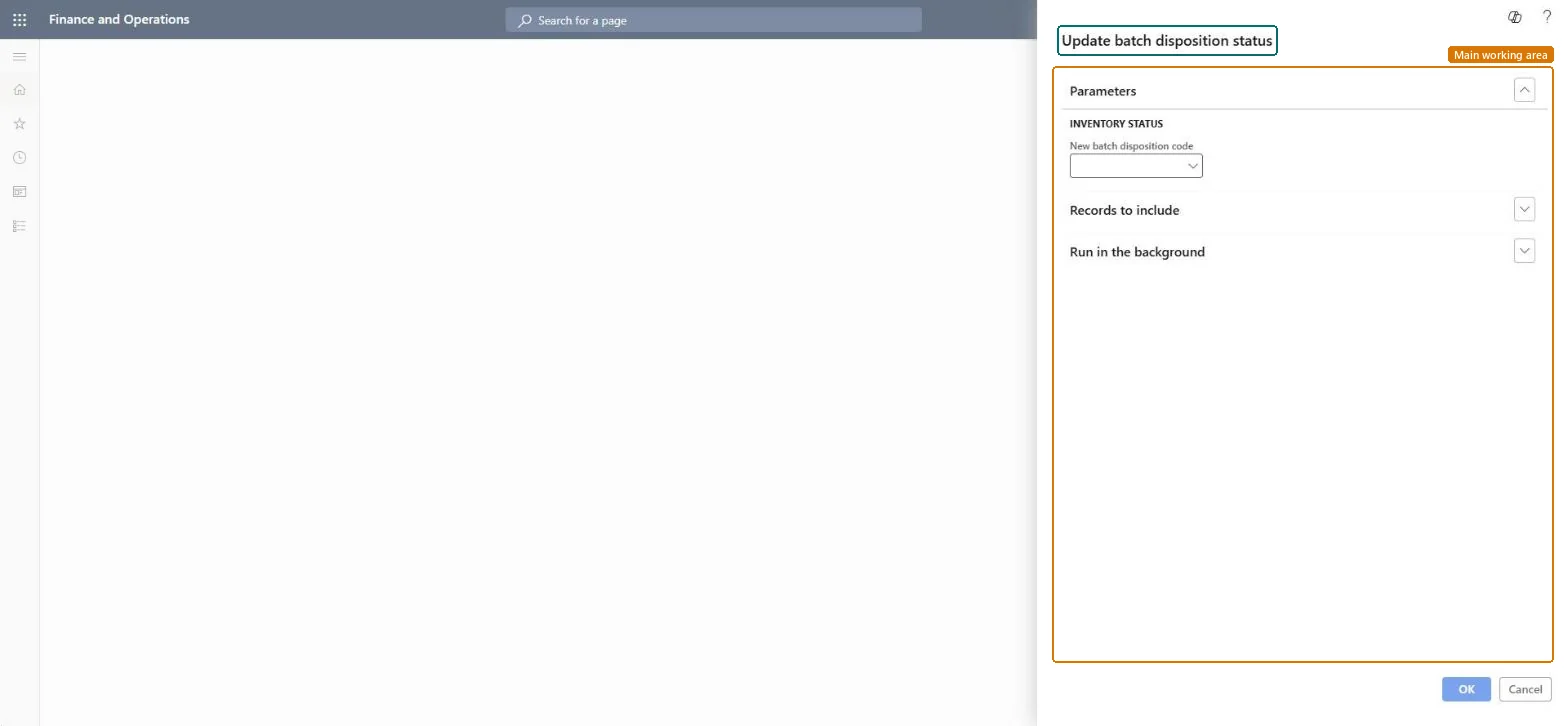
Go to Inventory management > Periodic tasks > Batches > Update batch disposition status.
In New batch disposition code, select the code to give the batches. Its status, Available or Unavailable, becomes the batch disposition status.
Select Select and filter the inventory batches to update.
Set up the batch job on the Batch tab only if many batches are selected, then select OK.
Afterwards, open Warehouse management > Setup > Inventory > Batches: the Batch disposition code and Batch disposition status columns show the new values.
Yes, by running it again: Run the job again with the previous disposition code to restore the status. Microsoft Learn
If you change it later
Changing a batch's disposition code also changes its status, which controls whether it can be used for planning, reservation, picking and shipping. Microsoft Learn
Technical architect
5Technical
Menu item
action:PdsUpdateDispositionStatusChecked in Dynamics 365
Form
DialogChecked in Dynamics 365
Roles to set it up and use it
To use itQuality control clerk InventQualityControlClerkShipping clerk InventShippingClerkPurchasing manager TradePurchasingManagerSales manager TradeSalesManagerWarehouse worker WMSWarehouseWorkerGive people one of these roles. On this system, 6 roles can run this page.Checked in Dynamics 365