BeyondERP.Newsletter
Menu

Transaction page · Inventory management

Movement

A journal page where you post inventory receipts or issues against a general ledger offset account that you choose.

Business process
Maintain inventory levels
Menu item
InventJournalTableMovement
Main table
InventJournalTable
Data entity
InventInventoryMovementJournalHeaderEntity
Show what matters for
PAGE GUIDEWhat the page does and how to use it7 sections. Choose a role to highlight what matters to you.
Everyone

1What it is and why

What it isA journal page where you post inventory receipts or issues against a general ledger offset account that you choose.
What you do hereUse this journal to update on-hand inventory by hand, such as loading opening stock into a warehouse.
ExampleFor example, a company loads its starting stock levels for an item into a warehouse with a movement journal.
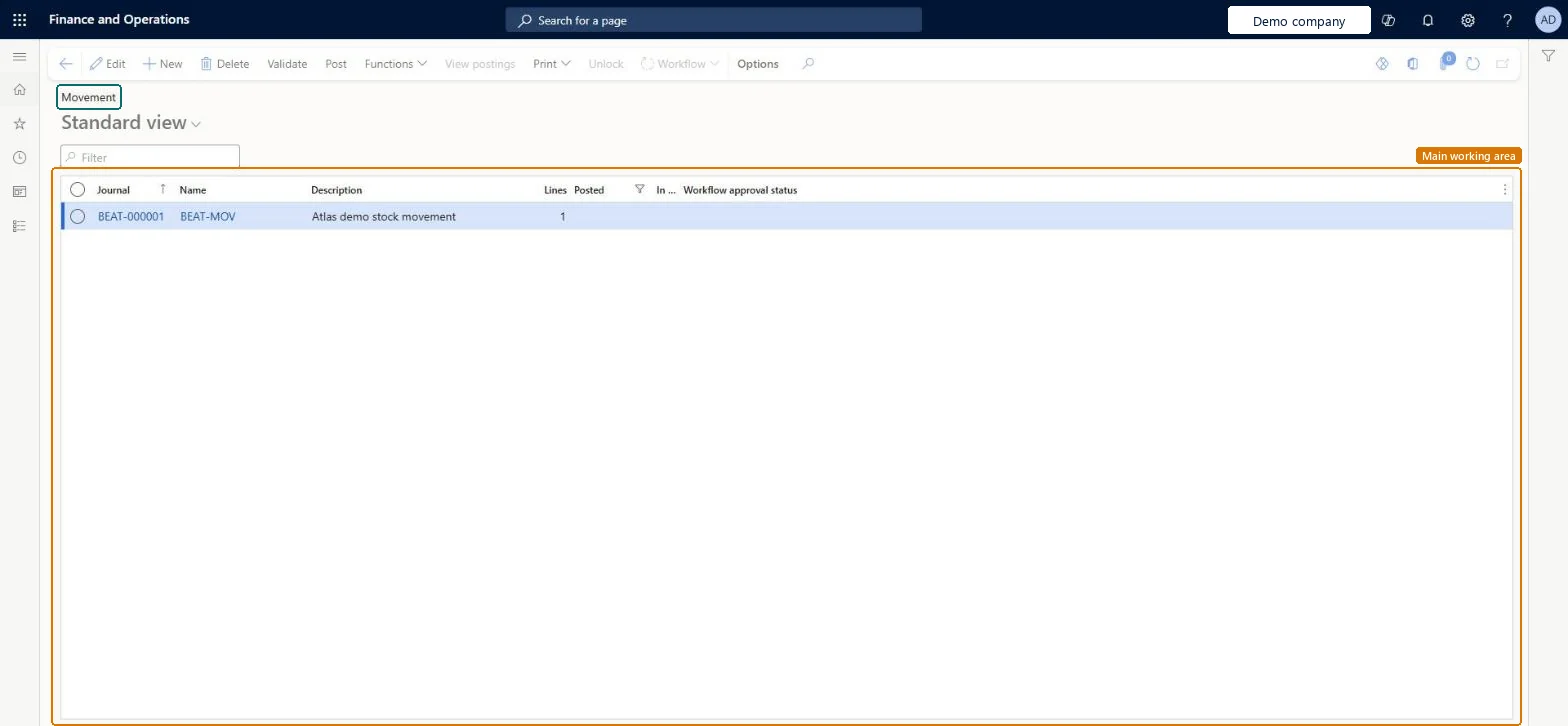
Movement page in Dynamics 365
The page in Dynamics 365. page title tab to open what to set or check
Functional consultant · Solution architect

2Where it fits

Business processMaintain inventory levels
Menu pathInventory management › Journal entries › Items › Movement
Set up firstInventory journal names Microsoft Learn
Related pagesInventory adjustment Microsoft Learn
End user · Functional consultant

3How to do it

About the examples: Examples and screenshots in this guide use BEAT, a demo company in a Dynamics 365 test environment. Use your own company's codes and values instead of copying them.

Steps from Microsoft

  1. Go to Inventory management > Journal entries > Items > Movement.
  2. Select New and choose a journal name.
  3. In the Offset account field, enter the default offset account, and then select OK.
  4. Select New and enter the Item number.
  5. On the Inventory dimensions tab, enter the Site, Warehouse and Location.
  6. Enter the Quantity and select Save.
  7. Select Post, choose whether to transfer posting errors to a new journal, and select OK.

Source: Microsoft Learn

Fields on the page

FieldWhat it meansTable column
Offset accountThe default ledger offset account for the journal lines; you can change it on each line.Microsoft Learn LedgerDimension
Transfer all posting errors to a new journalCopies lines that fail to post into a new journal so you can fix and post them again.Microsoft Learn
Solution architect

4Design impact

Shared or per companyPer company: each legal entity has its own records. Microsoft data model
Technical architect

5Technical

Menu itemInventJournalTableMovement Checked in Dynamics 365
FormInventJournalMovement Checked in Dynamics 365
TableInventJournalTableShown as “Inventory journal table” in Record infoKey field: JournalId, JournalType, JournalNameId, DescriptionChecked in Dynamics 365
Data entitiesInventInventoryMovementJournalHeaderEntityInventory movement headers Microsoft data model InventInventoryAdjustmentJournalHeaderEntityInventory adjustment headers Microsoft data model InventInventoryCountingJournalHeaderEntityInventory counting journal headers Microsoft data model ProjectItemJournalTableEntityProject item journal header Microsoft data model
Roles to set it up and use itTo set it up or change itWarehouse worker WMSWarehouseWorkerTo use itQuality control manager InventQualityControlManagerWarehouse manager WMSWarehouseManagerMaterials manager InventMaterialsManagerQuality control clerk InventQualityControlClerkProduction supervisor ProdProductionSupervisorGive people one of these roles. On this system, 20 roles can open this page.Checked in Dynamics 365
Actions on the pageOptions: Personalize, Page options, ShareChecked in Dynamics 365
Developer

6Developer

Open it by URLhttps://<your-environment>/?mi=InventJournalTableMovement
Integrate withInventInventoryMovementJournalHeaderEntity data entity Microsoft data model
Data migrationInventInventoryMovementJournalHeaderEntity (Inventory movement headers): loaded for each company.Microsoft Learn
Table definitionInventJournalTable columns and relations Microsoft data model
Everyone

7Sources