Inventory managementInquiries and reportsInventory value reports
output:InventValue
Business process
Maintain inventory levels
Menu item
output:InventValue
Show what matters for
PAGE GUIDEWhat the page does and how to use it7 sections. Choose a role to highlight what matters to you.
Everyone
1What it is and why
What it is
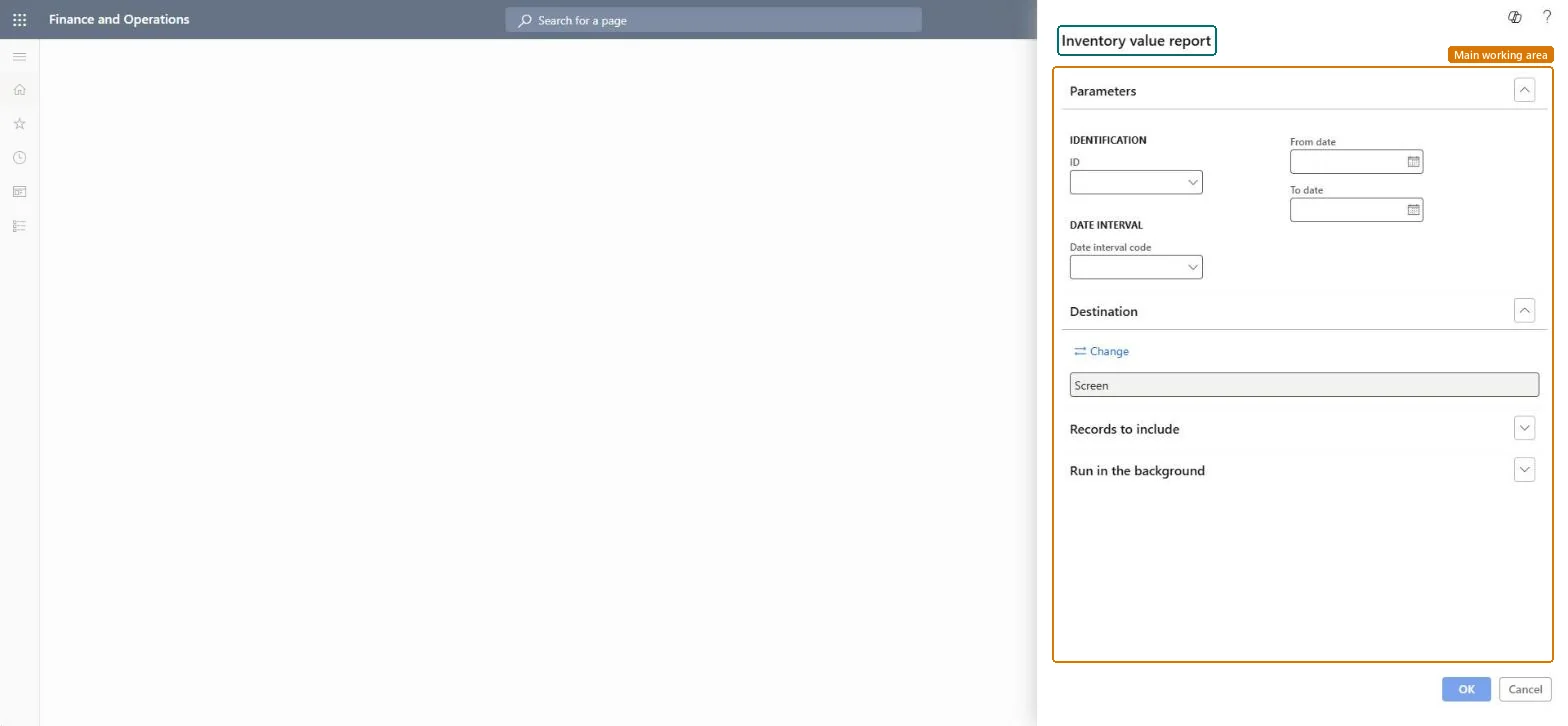
A report that shows inventory quantities and values for a date range, using an inventory value report configuration you select.
What you do here
Use this report to view inventory value on screen, including subtotals and general ledger balances, to support reconciliation with the ledger.
Example
For example, after a standard cost conversion you can run this report up to one day before the conversion date to check the values of the converted items.
The page in Dynamics 365. page title tab to open what to set or check
About the examples: Examples and screenshots in this guide use BEAT, a demo company in a Dynamics 365 test environment. Use your own company's codes and values instead of copying them.
When to run it
When to run it
At period end after inventory close, when you reconcile inventory with the general ledger, or when you need on-hand values for a period.
How often
Monthly for reconciliation, and on demand.
Batch settings
Run it in the background for long date ranges. For very many items, use Inventory value report storage, which always runs as a batch job and saves the result.
What the output shows
Inventory quantities and amounts for the period, with the subtotals and general ledger balances that the configuration includes. A gap between inventory and ledger often comes from filters on Records to include, or from a configuration whose Range is Transaction time, which can't be used to reconcile with the ledger.
Go to Inventory management > Inquiries and reports > Inventory value reports > Inventory value.
On the Parameters FastTab, enter a Name, and in ID select the inventory value report configuration that sets the report's columns and rows.
Set the Date interval with a Date interval code, or enter the From date and To date.
On Records to include, add filters only when needed. They apply to inventory transactions but not to the general ledger balance, so filtering can show a difference between inventory and the ledger.
Run the report and compare the inventory amounts with the general ledger balances that the configuration shows.
The inventory value report configuration that sets the report's columns and rows.Microsoft Learn
Date interval
The period the report covers, set by a date interval code or by from and to dates.Microsoft Learn
Solution architect
4Design impact
Can it be undone
Nothing to undo: The inventory value report only reads transactions and balances; it changes nothing. Microsoft Learn
If you change it later
The report can only show inventory dimensions that are enabled for financial inventory. Microsoft Learn
Technical architect
5Technical
Menu item
output:InventValueChecked in Dynamics 365
Form
SysOperationTemplateFormChecked in Dynamics 365
Roles to set it up and use it
To use itAccounting manager LedgerAccountingManagerInventory accountant clerk InventCostCostClerkInventory accountant InventCostAccountantGive people one of these roles. On this system, 3 roles can run this page.Checked in Dynamics 365